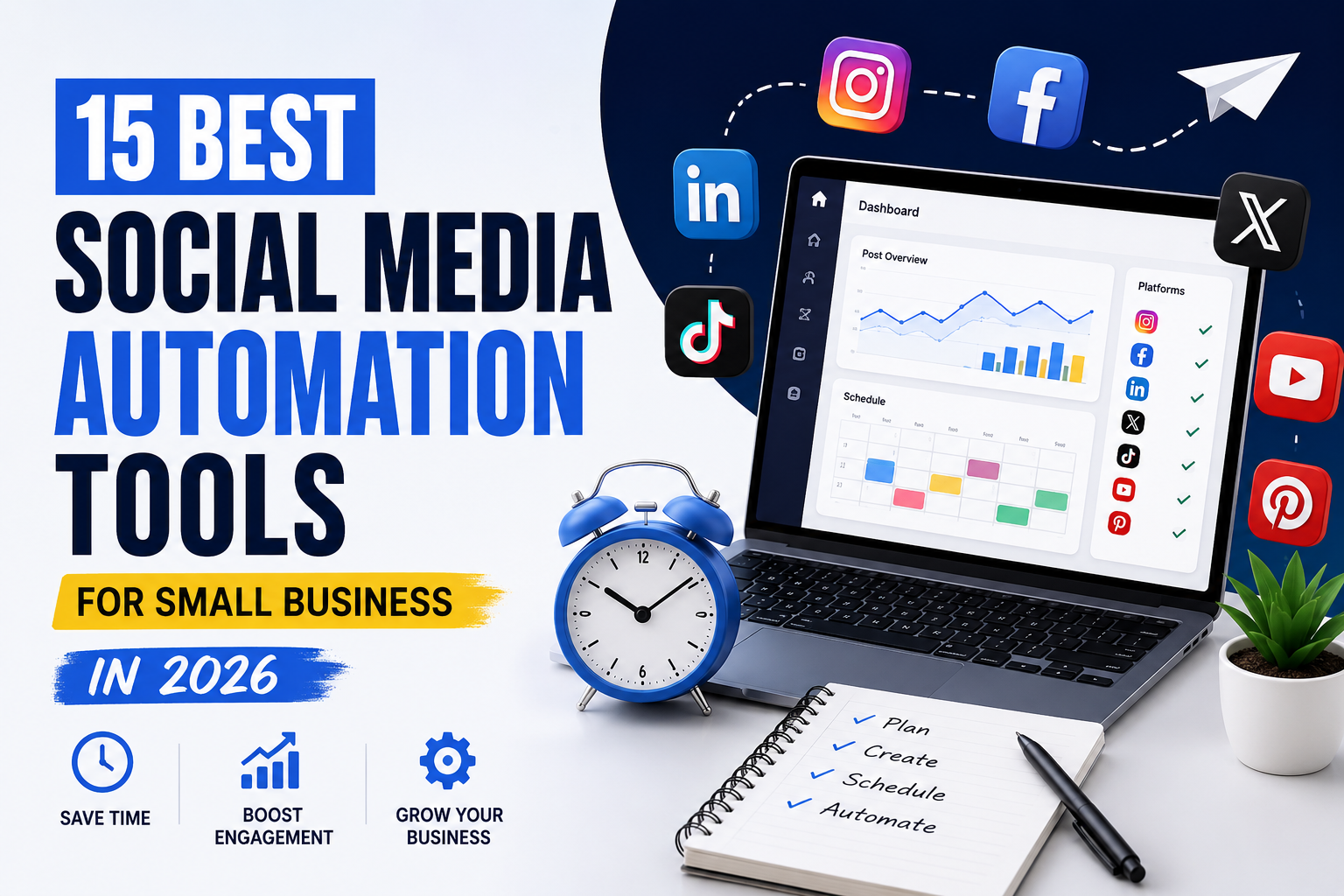
Social media automation tools for small business have become essential for brands that want to grow faster online while saving time and improving consistency. Managing multiple social media platforms manually can quickly become overwhelming, especially for small business owners handling content creation, customer engagement, and daily operations on their own.
The good news is that modern automation tools now make it easier than ever to schedule posts, generate AI-powered captions, track analytics, manage multiple accounts, and streamline your entire social media workflow from one dashboard.
In this guide, we’ll explore the 15 best social media automation tools for small business in 2026, including their key features, pros, cons, pricing considerations, and which types of businesses they are best suited for.
Table of Contents
Why Social Media Automation Matters for Small Businesses
Most small businesses do not have large marketing teams. In many cases, the business owner handles:
- Sales
- Customer support
- Operations
- Content creation
- Advertising
- Social media marketing
Trying to manually manage social media every single day quickly becomes unsustainable.
Social media automation tools solve this problem by simplifying repetitive tasks such as:
- Scheduling posts
- Republishing evergreen content
- Managing multiple platforms
- Generating captions
- Tracking analytics
- Monitoring engagement
- Collaborating with team members
Instead of spending hours logging into different platforms every day, business owners can manage everything from one centralized dashboard.
Automation also improves consistency, which is critical for social media growth. Brands that post consistently generally achieve:
- Better visibility
- More engagement
- Stronger audience trust
- Improved conversions
- Faster follower growth
What to Look for in Social Media Automation Tools
Before choosing a platform, it’s important to understand which features actually matter for small businesses.
Ease of Use
Some platforms are extremely beginner-friendly, while others have a steep learning curve.
If you are new to automation software, choosing a simple interface can save a lot of frustration.
Platform Support
Not every tool supports every platform equally well.
Some tools specialize in Instagram and Pinterest, while others are designed for LinkedIn or enterprise-level publishing.
You should make sure the platform supports:
- TikTok
- X (Twitter)
- YouTube Shorts
AI Features
AI is now integrated into many social media automation platforms.
Modern AI features include:
- Caption generation
- Hashtag suggestions
- Content ideas
- Post optimization
- AI image generation
- Performance recommendations
These tools can significantly speed up content creation.
Analytics and Reporting
Analytics help businesses understand:
- Which posts perform best
- Best posting times
- Audience growth
- Engagement trends
- Click-through rates
Without analytics, it becomes difficult to improve your strategy.
Pricing
Small businesses often operate with limited budgets.
Some platforms offer generous free plans, while others become expensive as your business grows.
Choosing a tool that balances affordability with features is important.
1. Buffer
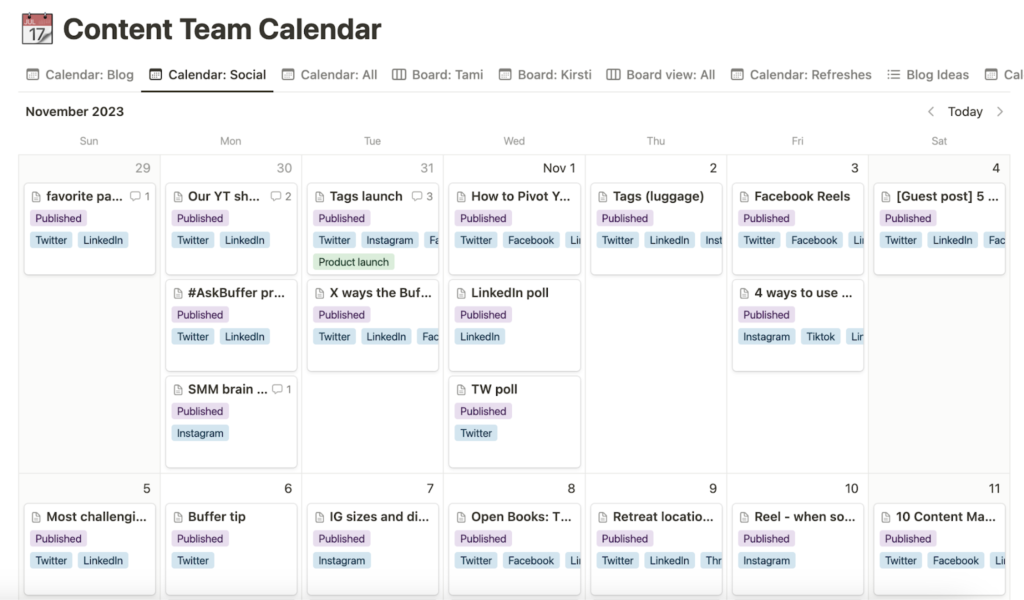
Buffer remains one of the most popular social media automation tools for small business because of its simplicity and clean user experience.
It is designed for business owners who want a straightforward scheduling platform without unnecessary complexity.
Buffer allows users to:
- Schedule posts across multiple platforms
- Organize content calendars
- Track engagement
- Collaborate with team members
- Generate captions using AI
One of Buffer’s biggest strengths is how beginner-friendly it is. Even users with no previous experience can usually understand the dashboard within minutes.
The platform supports:
- TikTok
- X (Twitter)
Buffer also includes analytics tools that help users monitor:
- Engagement rates
- Reach
- Follower growth
- Best-performing content
Although its analytics are not as advanced as enterprise platforms like Sprout Social, they are more than sufficient for most small businesses.
Best For
- Beginners
- Startups
- Freelancers
- Small local businesses
Main Advantage
Very easy to use while still offering strong automation features.
Main Drawback
Limited advanced analytics compared to premium enterprise tools.
2. Hootsuite
Hootsuite is one of the oldest and most established social media management platforms on the market.
It is designed for businesses that need more advanced scheduling, analytics, monitoring, and collaboration capabilities.
Hootsuite allows businesses to:
- Schedule content in bulk
- Monitor multiple social feeds
- Track mentions and keywords
- Manage team workflows
- Analyze campaign performance
One of its strongest features is social listening.
Businesses can monitor:
- Brand mentions
- Competitor activity
- Industry trends
- Customer conversations
This makes Hootsuite particularly useful for brands focused on customer engagement and reputation management.
The platform also offers advanced analytics dashboards that help businesses measure:
- ROI
- Engagement
- Reach
- Campaign performance
- Audience behavior
However, Hootsuite is more complex than beginner-focused tools like Buffer.
Small businesses with limited experience may initially find the interface overwhelming.
Best For
- Growing brands
- Agencies
- Businesses managing many accounts
Main Advantage
Excellent analytics and monitoring capabilities.
Main Drawback
Higher pricing and steeper learning curve.
3. Later
Later became popular primarily because of its visual Instagram scheduling system.
Over time, it evolved into a complete social media automation platform supporting multiple networks.
Later is especially strong for visual brands because it offers:
- Drag-and-drop scheduling
- Visual content calendars
- Instagram grid planning
- Link-in-bio tools
- Content previews
This makes it ideal for:
- Fashion brands
- Influencers
- Ecommerce businesses
- Restaurants
- Travel creators
Later also includes AI-assisted caption writing and hashtag suggestions.
Its visual-first interface is one of the cleanest in the industry.
However, businesses focused heavily on LinkedIn or enterprise analytics may find the platform somewhat limited.
Best For
Visual brands and Instagram-focused businesses.
Main Advantage
Excellent visual scheduling tools.
Main Drawback
Less powerful for non-visual platforms.
4. Sprout Social
Sprout Social is considered one of the most advanced social media automation tools available today.
It combines:
- Scheduling
- Publishing
- CRM integration
- Analytics
- Social listening
- Customer engagement tools
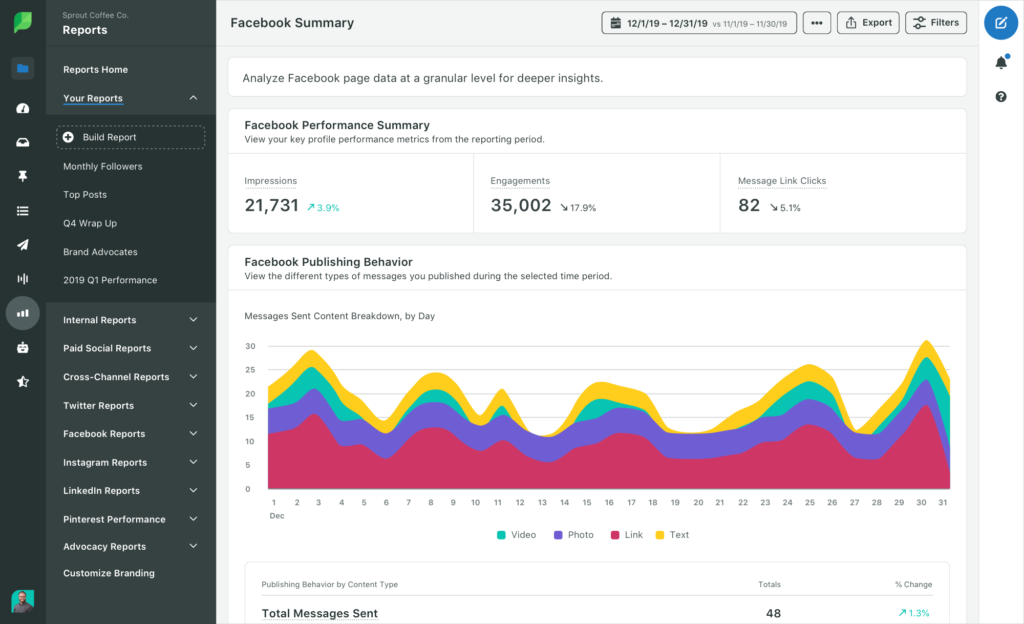
One of Sprout Social’s biggest strengths is its reporting system.
Businesses can generate detailed reports showing:
- Audience demographics
- Engagement trends
- Campaign performance
- Response times
- Competitor benchmarking
Sprout Social also excels at team collaboration.
Large teams can:
- Assign tasks
- Approve posts
- Monitor conversations
- Track customer interactions
The platform is powerful, but it comes with premium pricing.
For many small businesses, the cost may be difficult to justify unless advanced analytics are essential.
Best For
Established brands and growing companies.
Main Advantage
Industry-leading analytics and reporting.
Main Drawback
Premium pricing.
5. SocialBee
SocialBee focuses heavily on automation and evergreen content recycling.
Unlike basic schedulers, SocialBee allows businesses to organize content into categories and automatically recycle high-performing posts.
This helps businesses maintain consistent activity without constantly creating new content.
Key features include:
- Content categorization
- Evergreen recycling
- AI caption generation
- Audience targeting
- Multi-platform scheduling
For businesses publishing large amounts of content, this automation can save enormous amounts of time.
SocialBee is especially useful for:
- Bloggers
- Coaches
- Content creators
- Educational brands
Best For
Businesses using evergreen content strategies.
Main Advantage
Excellent content recycling automation.
Main Drawback
Slight learning curve for beginners.
6. Metricool
Metricool combines scheduling, analytics, and advertising insights into one platform.
It is becoming increasingly popular among data-driven marketers because of its strong reporting tools.
Businesses can monitor:
- Social media analytics
- Website traffic
- Ad performance
- Competitor activity
- Hashtag performance
Metricool also provides heatmaps that show the best times to publish content.
For businesses focused on optimization and analytics, this is extremely valuable.
Best For
Businesses focused on data and performance tracking.
Main Advantage
Excellent analytics at affordable pricing.
Main Drawback
Interface may initially feel overwhelming.
7. Canva Scheduler
Canva has evolved far beyond graphic design.
Its built-in content scheduling system now makes it one of the easiest social media automation tools for small business owners.
Users can:
- Design content
- Generate AI graphics
- Create captions
- Schedule posts
- Manage brand kits
All within one platform.
For small businesses without dedicated designers, Canva is extremely useful because it combines:
- Content creation
- Branding
- Scheduling
- Collaboration
into one workflow.
Best For
Businesses creating their own graphics and visual content.
Main Advantage
Combines design and scheduling in one platform.
Main Drawback
Limited advanced automation features.
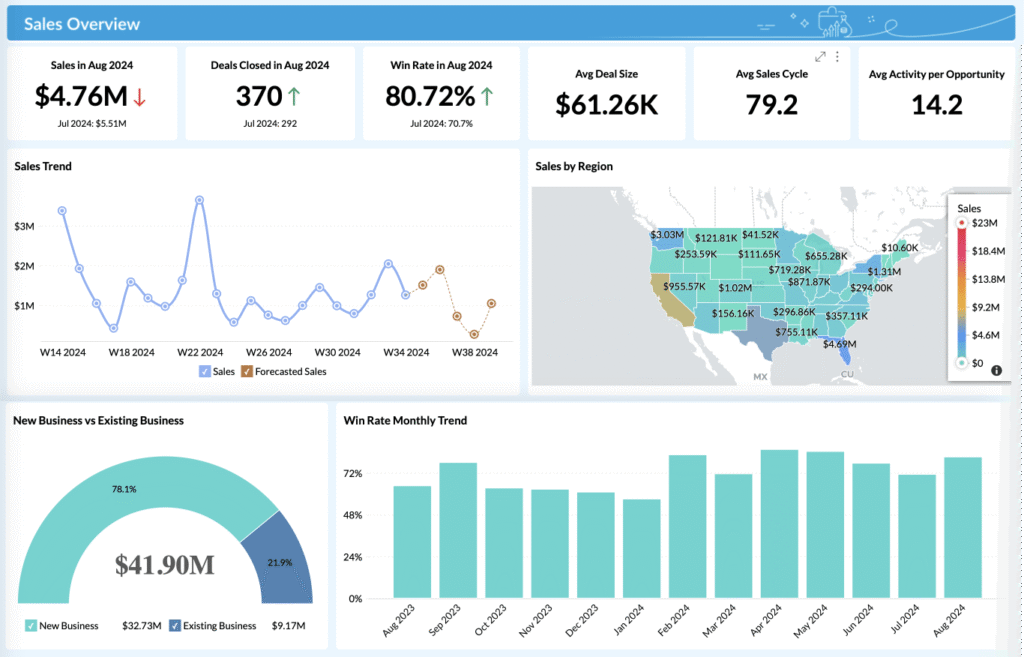
8. Zoho Social
Zoho Social integrates deeply with the broader Zoho business ecosystem.
This makes it ideal for businesses already using:
- Zoho CRM
- Zoho Campaigns
- Zoho Desk
The platform includes:
- Smart scheduling
- Analytics
- CRM integration
- Social monitoring
- Collaboration tools
Its CRM connection is particularly useful for businesses focused on lead generation.
Best For
Businesses already using Zoho products.
Main Advantage
Strong CRM integration.
Main Drawback
Less intuitive interface.
9. Sendible
Sendible is designed primarily for agencies and businesses managing multiple brands.
It offers:
- Client dashboards
- Approval workflows
- White-label reporting
- Team collaboration
- Multi-platform scheduling
Businesses managing many clients or accounts will benefit most from its workflow features.
Best For
Agencies and consultants.
Main Advantage
Excellent collaboration tools.
Main Drawback
Higher pricing tiers.
10. Publer
Publer has rapidly grown because of its affordability and modern AI features.
It includes:
- AI caption writing
- Bulk scheduling
- Auto-reposting
- Link shortening
- Watermarking
For small businesses wanting strong automation without enterprise pricing, Publer offers impressive value.
Best For
Budget-conscious businesses.
Main Advantage
Affordable with strong AI tools.
Main Drawback
Limited advanced analytics.
11. Loomly
Loomly focuses on collaboration and workflow management.
Its interface helps teams:
- Brainstorm content
- Approve posts
- Organize campaigns
- Preview posts before publishing
It is especially useful for marketing teams working together on content planning.
Best For
Small marketing teams.
Main Advantage
Excellent collaboration workflow.
Main Drawback
Analytics are less advanced.
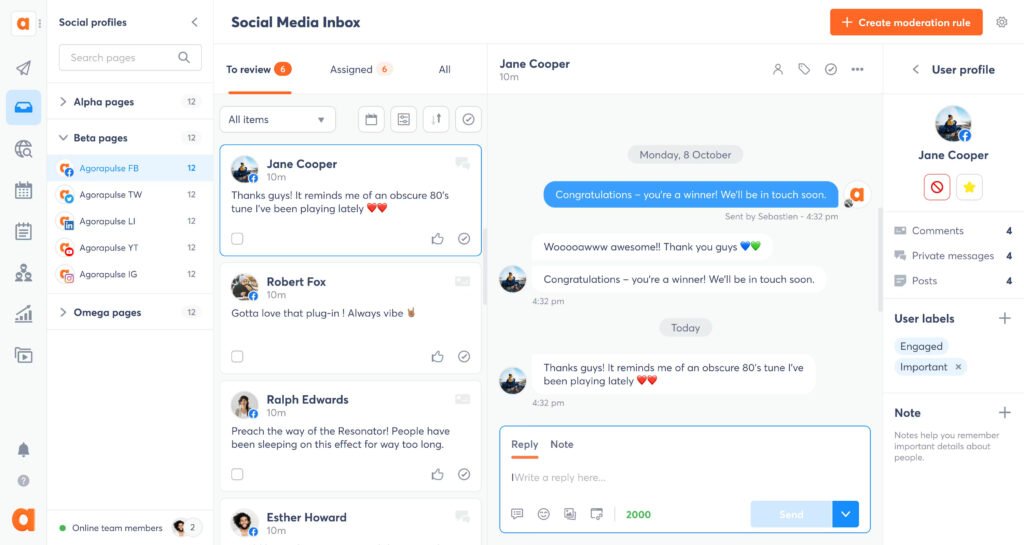
12. Agorapulse
Agorapulse is known for its powerful social inbox and engagement management tools.
Businesses can:
- Reply to comments
- Manage messages
- Track mentions
- Monitor engagement
from one centralized dashboard.
This helps businesses respond to customers faster and improve audience relationships.
Best For
Customer-focused brands.
Main Advantage
Strong engagement management tools.
Main Drawback
Premium pricing.
13. Tailwind
Tailwind specializes in Pinterest and Instagram marketing.
It offers:
- Smart scheduling
- AI caption writing
- Hashtag suggestions
- Pinterest automation
Tailwind is especially useful for:
- Bloggers
- Ecommerce brands
- Affiliate marketers
- Pinterest-focused businesses
Best For
Pinterest-heavy businesses.
Main Advantage
Excellent Pinterest automation.
Main Drawback
Limited broader platform functionality.
14. Planable
Planable simplifies collaboration and content approvals.
Teams can:
- Review content visually
- Leave comments
- Approve posts
- Organize publishing schedules
This makes Planable extremely useful for agencies and content teams.
Best For
Teams and agencies.
Main Advantage
Excellent approval workflows.
Main Drawback
Limited analytics tools.
15. MeetEdgar
MeetEdgar focuses heavily on evergreen content automation.
The platform automatically republishes older high-performing posts, helping businesses maintain activity without constant manual posting.
This is particularly valuable for:
- Blogs
- Educational brands
- Coaches
- Long-term content strategies
Best For
Evergreen content marketing.
Main Advantage
Powerful content recycling.
Main Drawback
Smaller feature set than larger competitors.
How to Choose the Right Social Media Automation Tool
The best social media automation tool depends entirely on your business goals.
If you are a beginner, platforms like Buffer and Canva are excellent starting points because they are easy to use.
If your business relies heavily on Instagram visuals, Later may be the better option.
If analytics and reporting are your top priorities, Sprout Social and Metricool are stronger choices.
For evergreen content marketing, SocialBee and MeetEdgar are excellent solutions.
You should also consider:
- Your monthly budget
- Number of social accounts
- Team size
- Content volume
- Analytics requirements
- AI automation needs

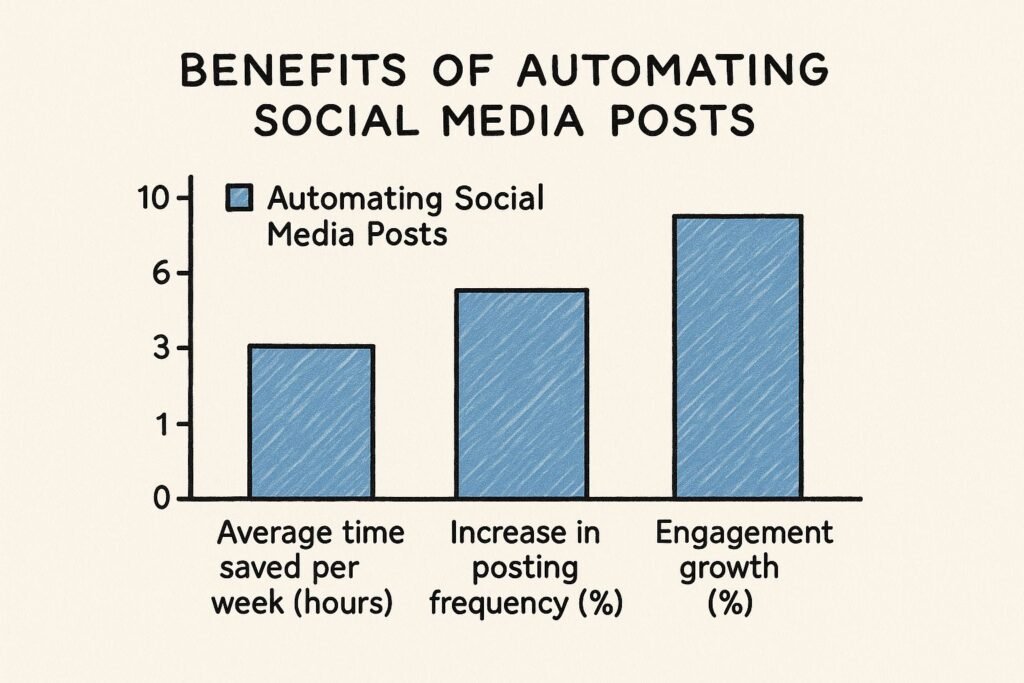
Benefits of Using Social Media Automation Tools for Small Business
Save Time
Automation eliminates repetitive tasks and allows businesses to schedule content in advance.
Improve Consistency
Consistent posting improves reach and audience engagement.
Increase Productivity
Teams can manage multiple platforms from one dashboard.
Better Analytics
Businesses can track performance and improve content strategies.
Faster Growth
Automation allows businesses to scale content production more efficiently.
Frequently Asked Questions
What are social media automation tools?
Social media automation tools help businesses automate scheduling, publishing, analytics, and engagement tasks across multiple social platforms.
Are social media automation tools worth it for small businesses?
Yes. They save time, improve consistency, and help businesses grow faster online.
Which social media automation tool is best for beginners?
Buffer and Canva are excellent beginner-friendly platforms.
Do these tools support AI features?
Many modern platforms now include AI-powered caption generation, scheduling suggestions, and content recommendations.
Can automation improve engagement?
Yes. Scheduling content at optimal times can significantly improve engagement rates.
Conclusion
Choosing the right social media automation tools for small business can completely transform the way you manage your online marketing in 2026.
Instead of spending hours every week manually posting content, responding to messages, and switching between multiple platforms, automation tools allow you to streamline your workflow, stay consistent, and focus on growing your business.
Whether you are looking for:
- Simple scheduling tools
- AI-powered content creation
- Advanced analytics
- Evergreen content recycling
- Team collaboration features
- Multi-platform management
there is a solution available that fits your business needs and budget.
For beginners, platforms like Buffer and Canva offer a simple and affordable way to automate content publishing. Businesses focused heavily on Instagram and visual content may benefit more from Later or Tailwind. If analytics, reporting, and advanced workflows are priorities, tools like Hootsuite and Sprout Social provide more powerful capabilities.
The most important thing is choosing a platform that aligns with:
- Your marketing goals
- Your content strategy
- Your budget
- Your workflow
- Your growth plans
As social media continues becoming more competitive, businesses that leverage automation effectively will have a significant advantage. Consistent posting, better engagement, AI-powered optimization, and improved efficiency can all contribute to stronger brand visibility and faster business growth.
Hopefully, this guide has helped you discover the best social media automation tools for small business and identify which platform is the right fit for your needs in 2026.