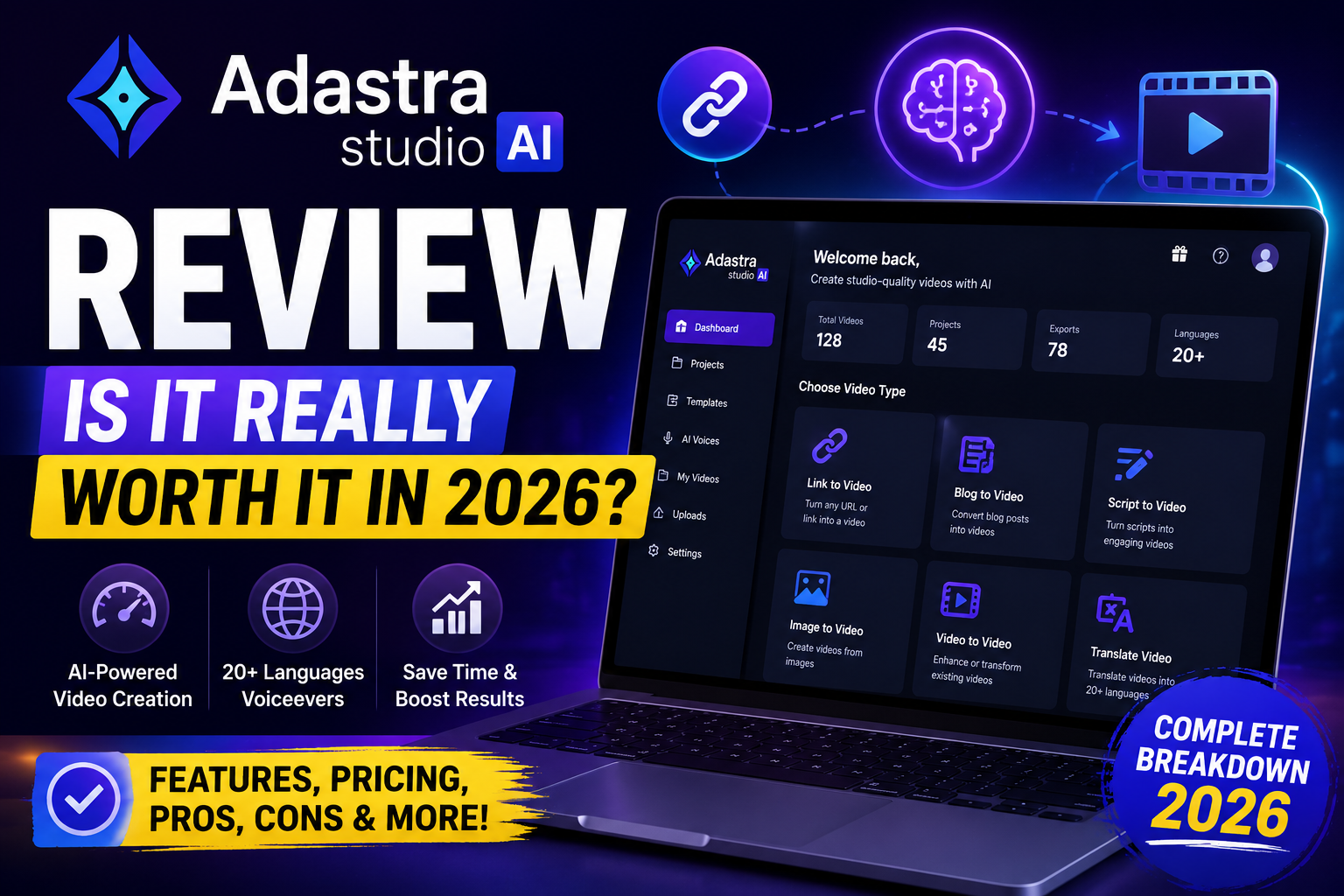
This Adastra Studio AI Review breaks down exactly what this AI sales-video tool does, how much it costs, and whether it’s actually worth adding to your marketing toolkit — without the fluff and hype you’ll find on most launch-day review sites.
If you promote products, sell to clients, or run ads and you’re tired of spending hours scripting, filming, and editing every single video, this review will help you decide if Adastra Studio AI solves that problem or just adds one more subscription to your stack.
Table of Contents
What Is Adastra Studio AI?
Adastra Studio AI is a cloud-based AI video creation tool built by Misan Morrison and launched on JVZoo in July 2026. Its core idea is simple: paste in a product link, and the software analyzes that page and turns it into a finished promotional video — complete with a script, voiceover, visuals, and music.
Instead of opening a blank video editor, you start with a URL, a short text prompt, or your own content. The AI handles the first draft of the script, scene creation, and voice narration, and you can then adjust the hook, tone, and call-to-action before exporting.
It’s aimed mainly at people who already promote offers or run video ads regularly — affiliate marketers, ecommerce sellers, course creators, freelancers, and small agencies — rather than casual users who post the occasional video.
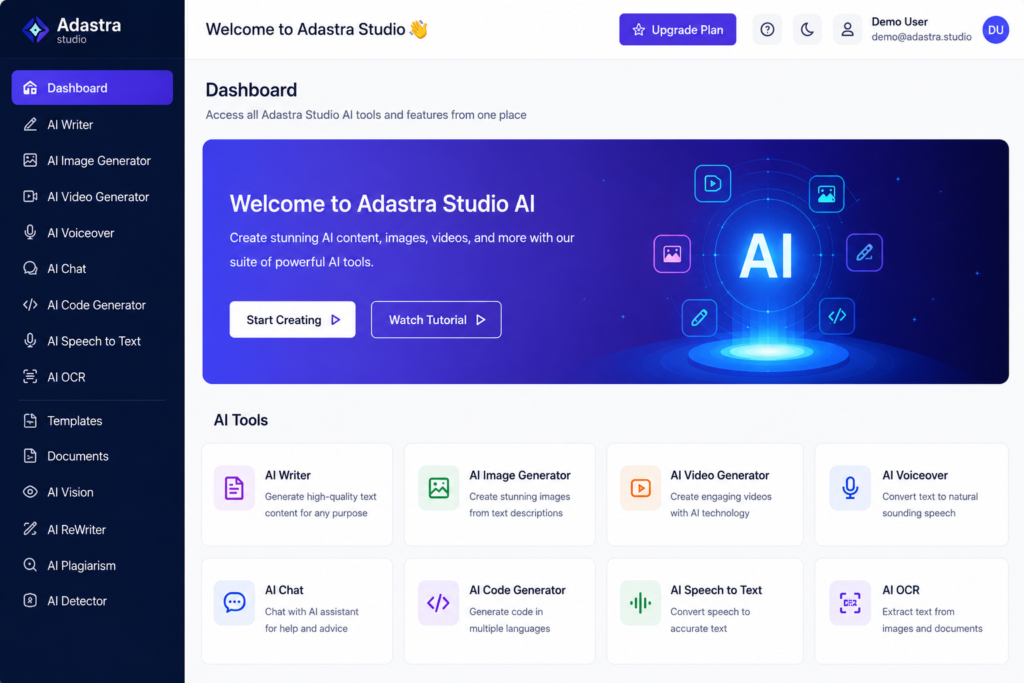
How Adastra Studio AI Works
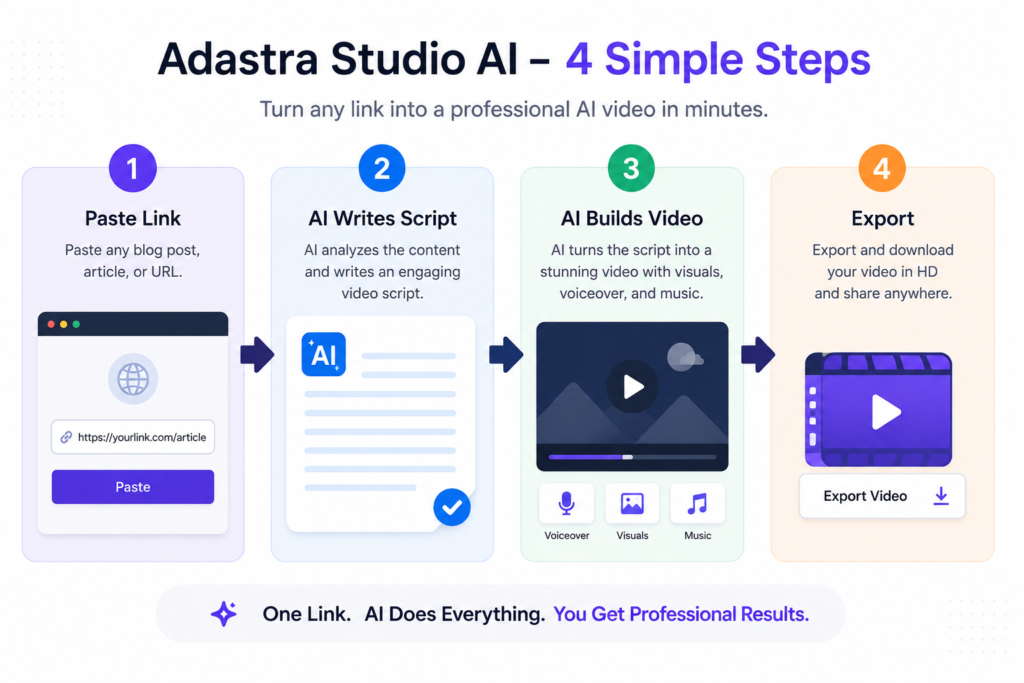
The workflow is built around four basic steps:
- Provide your source. Paste a product URL, describe your video through the built-in AI assistant, or upload your own content.
- Let the AI build the first draft. Adastra Studio AI scans the source, pulls out the strongest selling points, and writes a direct-response script (hook, problem, solution, call-to-action).
- The video gets assembled automatically. AI-generated scenes, an AI presenter or fully faceless visuals, a voiceover in your chosen language, and background music are combined into a finished video.
- Refine and export. You can adjust the hook, tone, or CTA to create new variations, then export in landscape, square, or vertical format for YouTube, TikTok, Instagram, Facebook, or a sales page.
The claimed turnaround for a first draft is under 60 seconds, though in practice, plan on spending extra time reviewing and tightening the script before publishing anything live.
Key Features Worth Knowing About
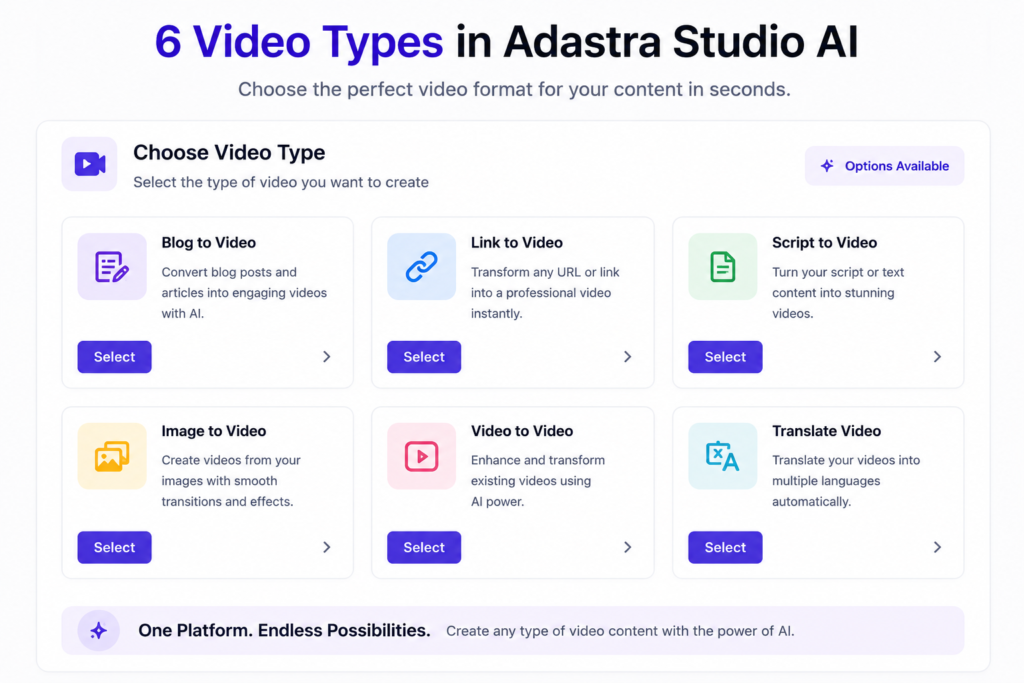
- Link-to-Video Engine — the core feature; turns any product page into a first-draft sales video.
- Six video types — review videos, launch promos, product demos, bonus-reveal videos, social content, and paid ad creatives.
- AI presenters or 100% faceless videos — no filming or on-camera talent required.
- AI voiceovers in 20+ languages — useful for international or multilingual campaigns.
- Spy & Clone research engine — surfaces top-performing video ad patterns for inspiration (best used for research, not copy-paste imitation).
- Multi-format export — 16:9, 1:1, and 9:16, so one project can be repurposed across several platforms.
- Commercial license included on the front-end offer, meaning you can create and sell videos for clients.
Adastra Studio AI Pricing Breakdown
Adastra Studio AI follows a typical launch-funnel pricing model: a low-cost front end plus several optional upgrades.
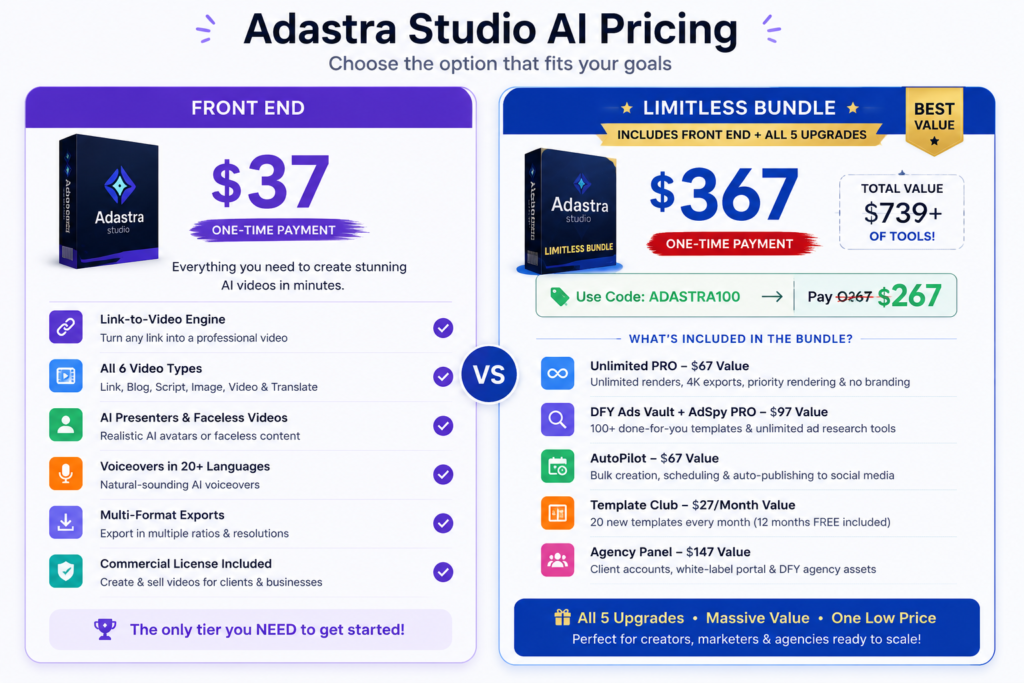
Front End — $37 one-time Includes the link-to-video engine, all six video types, AI presenters and faceless videos, voiceovers in 20+ languages, multi-format exports, and the commercial license. This is the only tier you actually need to test whether the tool fits your workflow.
Optional upgrades:
- Unlimited PRO — $67. Removes render/credit caps, adds 4K exports, priority rendering, and removes Adastra branding from your videos.
- DFY Ads Vault + AdSpy PRO — $97. Adds 100+ done-for-you templates and unlimited ad research/cloning tools.
- AutoPilot — $67. Adds bulk creation, scheduling, and auto-publishing to social platforms.
- Template Club — $27/month. Delivers 20 new templates monthly (12 months are included free in the bundle).
- Agency Panel — $147. Adds client sub-accounts, a white-label portal, and done-for-you agency assets.
Limitless Bundle — $367, drops to roughly $267 with the coupon code ADASTRA100. Bundles the front end with all five upgrades. The vendor lists the combined value at $739+, so the bundle is worth considering only if you’ll genuinely use the research, automation, and agency tools — not just the core video engine.
Because this is a fresh JVZoo launch, pricing and coupons are tied to the launch window and can change once it ends, so always confirm the live checkout price before buying.
Pros and Cons of Adastra Studio AI
What stands out:
- Genuinely fast first-draft production — minutes, not hours, for a usable video skeleton.
- No filming, no camera confidence needed, thanks to AI presenters and faceless options.
- One-time front-end pricing rather than a mandatory monthly fee.
- Commercial license from day one, which opens up client work immediately.
- Multi-format export removes a lot of manual resizing work.
What to watch out for:
- It’s a brand-new launch (July 2026), so there’s no long-term track record yet on output quality consistency or platform reliability — worth factoring into your decision.
- AI-generated scripts and claims still need a human review pass before anything goes live, especially in regulated niches.
- The most useful scaling features (unlimited renders, 4K, automation, agency tools) sit behind paid upgrades, not the front end.
- Videos can feel generic if you publish the first AI draft without customizing the hook or visuals.
- Template Club reverts to a recurring $27/month cost once the bundle’s included year ends.
Who Adastra Studio AI Is Actually For
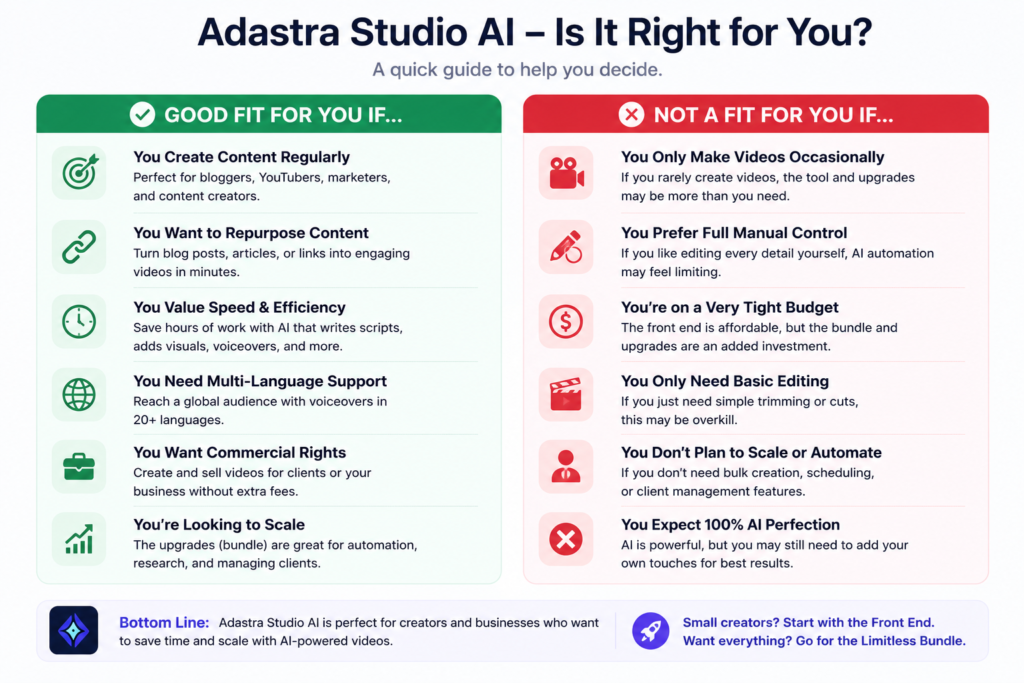
Good fit if you:
- Promote affiliate offers or launches regularly and need review or bonus videos fast.
- Run ecommerce ads and want to test multiple hooks without hiring an editor for each variation.
- Freelance or run a small agency and want to offer video creation as a service.
- Are comfortable reviewing and lightly editing AI output before publishing.
Probably skip it if you:
- You’re not willing to fact-check AI-generated claims before they go live.
- You only publish a handful of videos a year and already have a workflow that works.
- You need highly customized, cinema-quality production with unique sets or actors.
Real-World Use Cases
- Affiliate marketers: Turn a vendor’s sales page into a review video or bonus-page video within your promo window.
- Ecommerce sellers: Generate several ad variations from one product listing to test hooks and angles.
- Freelancers and agencies: Sell video creation as a productized service using the included commercial license.
- Local businesses: Produce simple promo or social videos without hiring a videographer.
Adastra Studio AI FAQ
What is Adastra Studio AI used for?
It’s an AI tool that turns a product link or short prompt into a finished promotional video, complete with script, voiceover, visuals, and music.
Do I need any video editing experience?
No. The interface is prompt-based, and the AI handles scripting, visuals, and assembly automatically.
Is there a free trial?
There’s no free trial, but the front-end purchase is backed by a 30-day money-back guarantee, so you can test it risk-free.
Do I need the Bundle, or is the Front End enough?
The Front End alone is enough to fully test the core video engine. The Bundle only makes sense once you’ll actually use the research, automation, and agency features.
Can I use Adastra Studio AI videos for clients?
Yes — the commercial license is included in the front-end price, so you can create and sell videos to clients right away.
Final Verdict: Is Adastra Studio AI Worth It?
Adastra Studio AI is worth buying if video is already part of how you promote offers, and your real bottleneck is production speed rather than strategy. The link-to-video engine genuinely removes a lot of the repetitive setup — research, scripting, voiceover, and formatting — and the ability to generate quick variations makes it useful for anyone who tests more than one creative per campaign.
It’s not worth it if you rarely make videos, or if you’re expecting the AI to make strategic decisions for you. It speeds up execution; it doesn’t replace a good offer, a clear message, or your own judgment on what to publish.
For most people, the $37 front end is the sensible starting point. Only upgrade to the Bundle once you know you’ll use the extra research, automation, and agency tools.
Ready to Try Adastra Studio AI?
If speed is what’s holding your video output back, Adastra Studio AI is one of the fastest ways to go from a product link to a publish-ready video today. The front-end price is tied to the current launch window, and it’s backed by a 30-day money-back guarantee — so there’s very little risk in testing it on your next campaign.
👉 Get Instant Access to Adastra Studio AI Here
Grab it now while launch pricing is still active — once the cart closes, the price is expected to increase.
Affiliate Disclosure: This article may contain affiliate links. If you purchase through these links, I may earn a commission at no additional cost to you. I only recommend tools and platforms I believe can provide value to my readers.