Data security for small business often gets pushed to the bottom of the to-do list — until a customer asks how their information is protected, or worse, until something goes wrong. You don’t need an IT department or a legal team to keep customer data safe. You just need a clear, repeatable process. This checklist breaks it down into steps any small business owner can actually follow, without the jargon.
Table of Contents
Why Data Security for Small Business Matters More Than Owners Think
Every time a customer places an order, books an appointment, or signs up for your email list, they hand you a piece of trust along with their information. Names, emails, phone numbers, addresses, and payment details all sit somewhere in your business — a CRM, a spreadsheet, an inbox, or a point-of-sale system.
Here’s why that matters:
- Trust drives repeat business. Customers are more likely to buy again from a business that clearly respects their information.
- Small businesses are frequent targets. Attackers often assume smaller companies have weaker protections than large corporations.
- The cost of a breach isn’t just financial. Lost customer trust and reputation damage can hurt longer than any fine or fee.
- Privacy laws increasingly apply to small businesses too. Regulations like the CCPA and GDPR set expectations that are steadily trickling down to smaller companies, not just enterprises.
The good news: most of what’s needed to protect customer data is inexpensive, and a lot of it is just good habits.
The Small Business Customer Data Privacy Checklist
Work through these one at a time. Together, they make up a practical, no-budget-required approach to data security for small business — and even completing three or four of these will put you ahead of most small businesses.
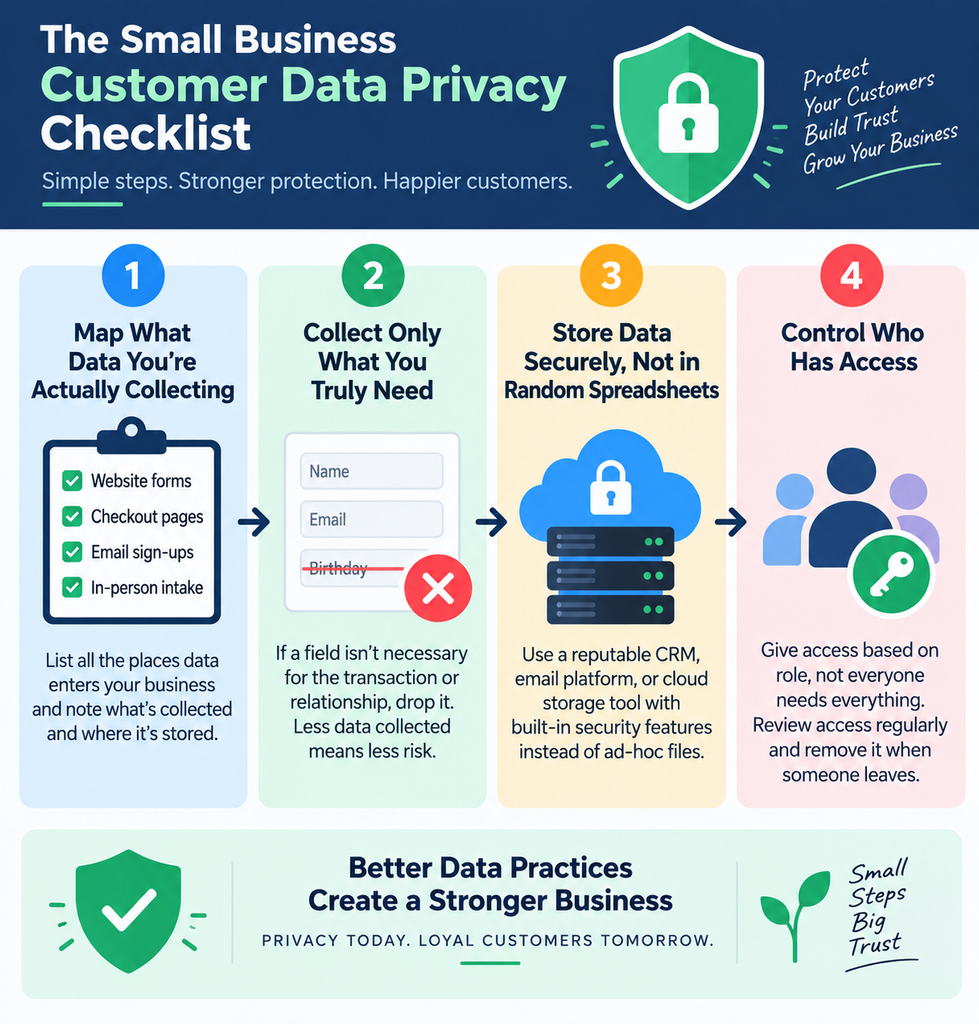
1. Map What Data You’re Actually Collecting
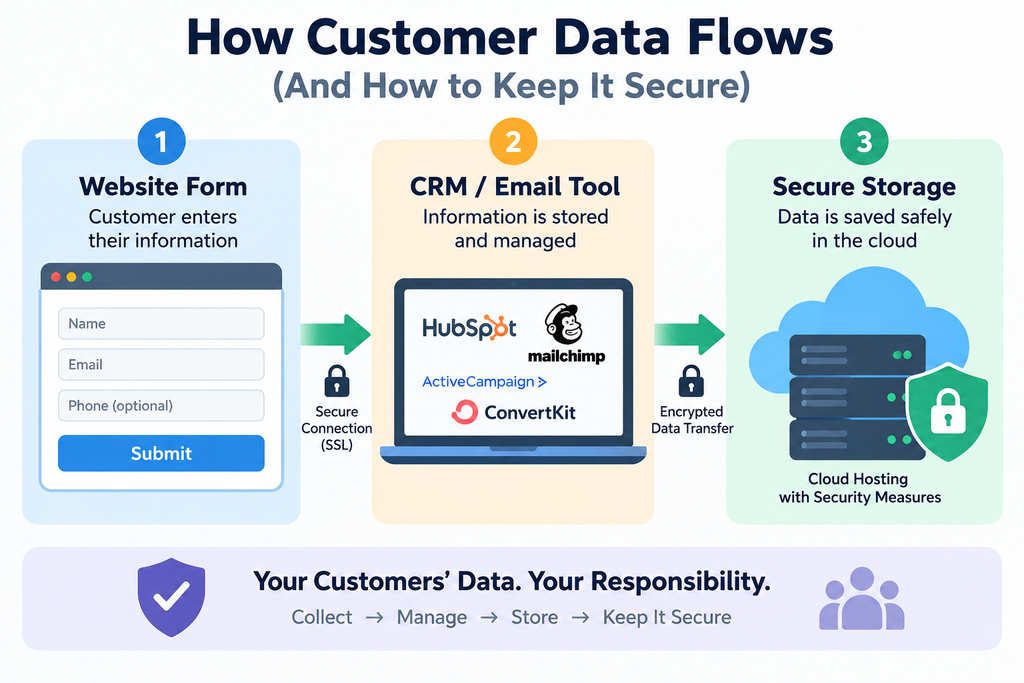
Before you can protect customer data, you need to know exactly what you’re holding. Walk through every place data enters your business — website forms, checkout pages, email sign-ups, in-person intake sheets — and list what’s collected and where it’s stored. Most business owners are surprised by how scattered this turns out to be.
2. Collect Only What You Truly Need
If a field isn’t necessary for the transaction or the relationship, drop it. A birthday field might be nice for a marketing email, but if you’re not using it, it’s just extra risk sitting in your system. Less data collected means less data to protect.
3. Store Data Securely, Not in Random Spreadsheets
Loose spreadsheets emailed between team members or saved on a personal laptop are one of the most common privacy failures for small businesses. Use a reputable CRM, email platform, or cloud storage tool with built-in security features instead of ad-hoc files. Weak storage habits like this are one of the most common gaps in data security for small business owners today.
4. Control Who Has Access
Not everyone on your team needs access to every customer record. Give access based on role — your bookkeeper doesn’t need to see support tickets, and your social media help doesn’t need customer payment history. Review access every few months and remove it when someone leaves.
5. Use Strong Passwords and Two-Factor Authentication
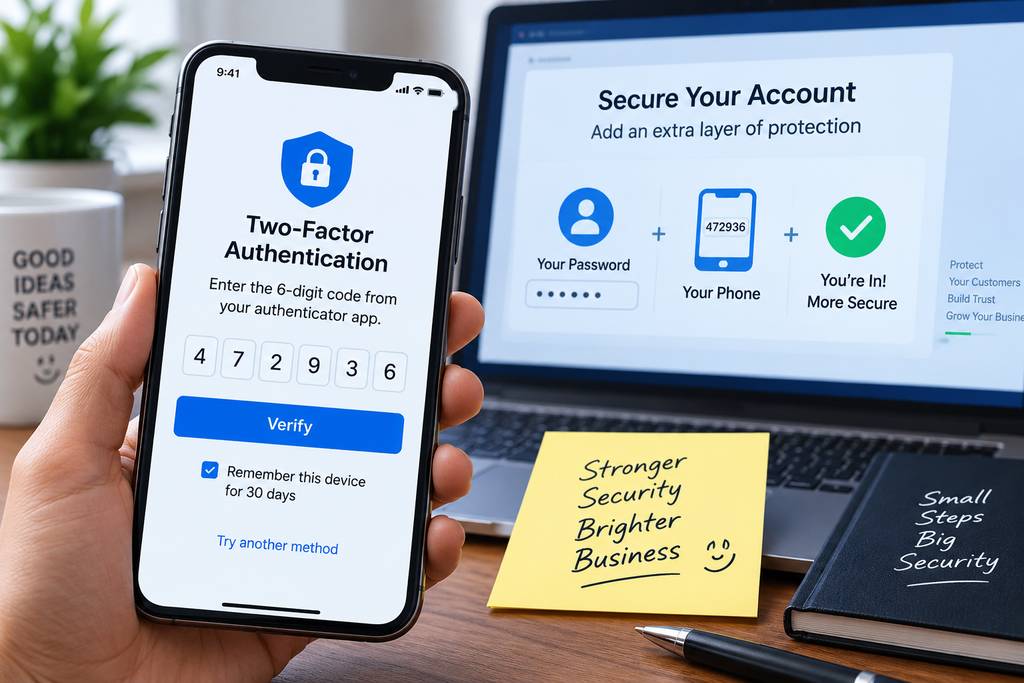
This is the simplest, cheapest security upgrade available. Turn on two-factor authentication for every tool that touches customer data and use a password manager, so no one is reusing the same password across five different platforms.
6. Vet Every Third-Party Tool You Connect
Every app you connect to your business — payment processors, email marketing platforms, scheduling tools, chatbots, and increasingly, AI-powered tools — can potentially touch customer data. Before connecting anything new, check what data it collects, where it’s stored, and whether it has a clear privacy and security policy. This matters even more now that many small businesses are adopting AI tools for customer service, scheduling, or marketing without fully knowing what data those tools access.
If you want a quick way to sanity-check the AI tools you’re already using or considering, the free SmallBiz AI Checklist is worth running through — it’s built specifically to help small business owners evaluate AI tools before rolling them out.
7. Write a Plain-Language Privacy Policy
Skip the legal jargon. Tell customers, in plain English, what you collect, why you collect it, and how it’s protected. A clear, honest privacy policy builds more trust than a dense legal document nobody reads.
8. Get Real Consent, Not Buried Checkboxes
If you’re collecting emails or personal details, make sure customers are actively opting in — not automatically enrolled through a pre-checked box buried in fine print. Clear consent protects both the customer and your business.
9. Set a Data Retention and Deletion Policy
Decide how long you actually need to keep customer data and delete it once that window passes. Old customer records sitting around for years serve no purpose and only add risk if something goes wrong.
10. Have a Data Breach Response Plan
Even with good habits, mistakes and breaches can happen. Have a simple written plan: who gets notified internally, how customers are informed, and what steps you’ll take to contain the issue. Having this ready before an incident happens makes a stressful situation far more manageable.
11. Train Your Team (Even If It’s Just You and One Employee)
Most data privacy failures come down to human error, not sophisticated hacking. A five-minute conversation about not sharing passwords, not emailing customer lists to personal accounts, and recognizing phishing attempts goes a long way.
Common Mistakes Small Businesses Make With Customer Data
Even businesses that care about privacy fall into a few predictable traps that quietly undermine data security for small business efforts:
- Using the same password across multiple business tools
- Storing customer lists in personal email or unprotected spreadsheets
- Connecting new apps or AI tools without checking their data practices
- Copy-pasting a generic privacy policy that doesn’t reflect what the business actually does
- Never reviewing who still has access to old systems or accounts
Fixing even one or two of these closes a surprising amount of risk.

Make Data Privacy Part of Your Regular Routine
Data security for small business isn’t a one-time project — it’s a habit. Set a recurring reminder every quarter to review the checklist above: check access permissions, review connected tools, and confirm your privacy policy still matches what you actually do.
As you add new software or AI tools to your business, run them through a quick evaluation first rather than connecting them and hoping for the best. The SmallBiz AI Checklist is a fast, free way to do exactly that before a new tool gets access to your customer data.
Final Thoughts
Protecting customer data doesn’t require a big budget or a technical background — it requires consistency. Start with the basics: know what you collect, limit access, secure your tools, and be transparent with customers. Getting data security for small business right isn’t about perfection; it’s about steady, consistent habits that build the kind of trust that keeps customers coming back.