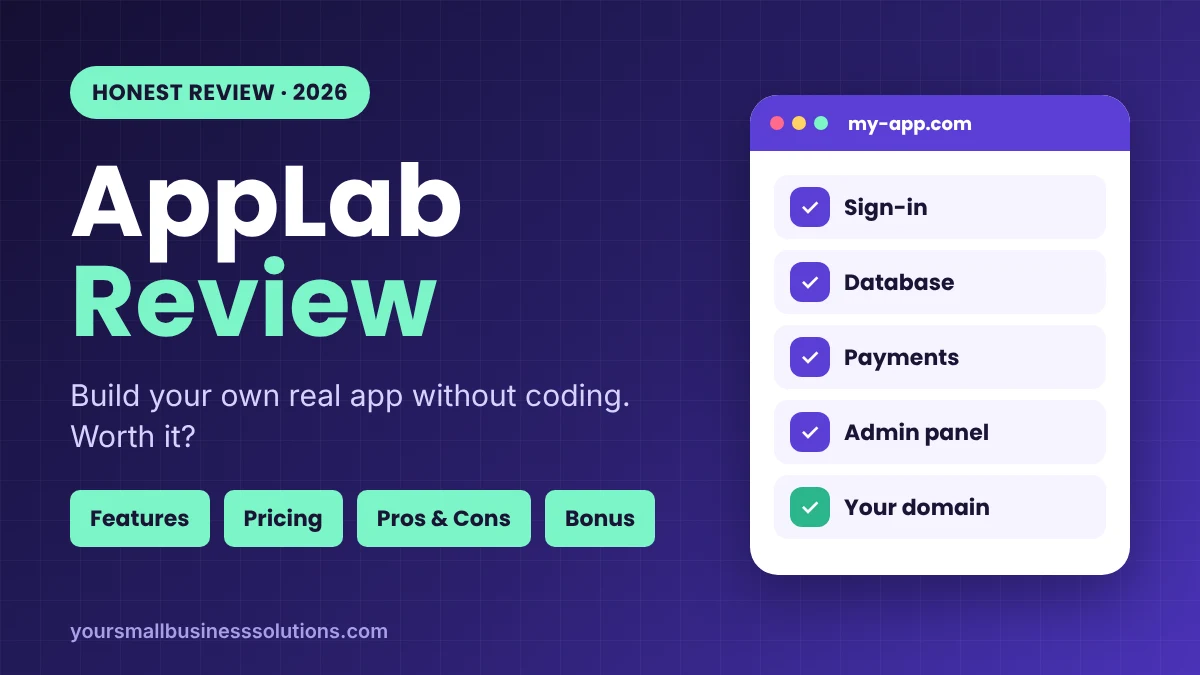
In this AppLab Review, I’ll show you what this new no-code app builder actually does, how it works, what it costs, and whether it’s worth your money when it launches on November 30, 2026.
Here’s the problem it’s trying to solve. Businesses pay thousands for custom software, and most of us pay monthly for tools that almost fit how we work. Building your own app has always meant hiring a developer or learning to code.
AppLab says you can skip both. You describe your idea in plain English, AppLab plans the app with you, and your AI builder does all the typing. The result is a real web app with sign-in, a database, payments and an admin panel, on your own domain.
Below, I cover the features, the step-by-step workflow, pricing and upgrades, honest pros and cons, and who should (and shouldn’t) get it.
Disclosure: This post contains affiliate links. If you buy through my link, I may earn a commission at no extra cost to you. I only recommend products I believe can help my readers.
Table of Contents
AppLab Review: Quick Overview
- Product: AppLab (by FrankenApp)
- Creator: Craig Crawford, with launch partner Firas Alameh
- What it does: plans your app with you, then gives your AI builder the exact numbered prompts to build it
- Works with: Lovable, Bolt, v0 or the AI builder you prefer
- Free live reveal: November 30, 2026 at 10:00 AM ET
- Cart opens: November 30, 2026 at 11:00 AM ET, and the launch-week offer ends December 6
- Best for: small business owners, freelancers, agencies and anyone who wants to build and sell software without coding
Quick verdict: AppLab is one of the more practical no-code app offers I’ve seen this year. It doesn’t pretend to be magic. It gives you a guided plan, ready-made parts and the right prompts, so tools like Lovable or Bolt build something real. You’ll still pay for your builder’s credits and put in the work to sell what you build, but the hard thinking is done for you.
Save your free seat for the AppLab live reveal →
What Is AppLab? (AppLab Review Basics)
AppLab is the main tool inside FrankenApp, a new platform from Craig Crawford. It helps ordinary people build a real software product, even if they’ve never written a line of code.
Most AI app builders hand you a blank chat box and wish you luck. AppLab works differently. It asks you one simple question at a time, checks that your idea stands up, and then hands your AI builder numbered, step-by-step instructions. Your builder does the typing. You never write code.
By the end, you have a working web app, not just a landing page. It includes user sign-in, a database, payments and an owner admin panel, so you can actually run a business with it from day one.
And it’s yours. The app lives on your domain, and the payments go into your bank account.
AppLab Review: Who Created It?
AppLab is created by Craig Crawford, who has nearly 15 years of experience building software. According to the launch page, he has launched over 100 products, generated more than $10 million in sales, and served over 55,000 customers.
He’s running this launch with Firas Alameh, a well-known JVZoo vendor whose launches I’ve reviewed before. That track record matters with a brand-new product, because it tells you the people behind it are likely to stick around and support it.
How AppLab Works in 5 Steps
This part of my AppLab review walks through the actual workflow, from your first idea to a live app.
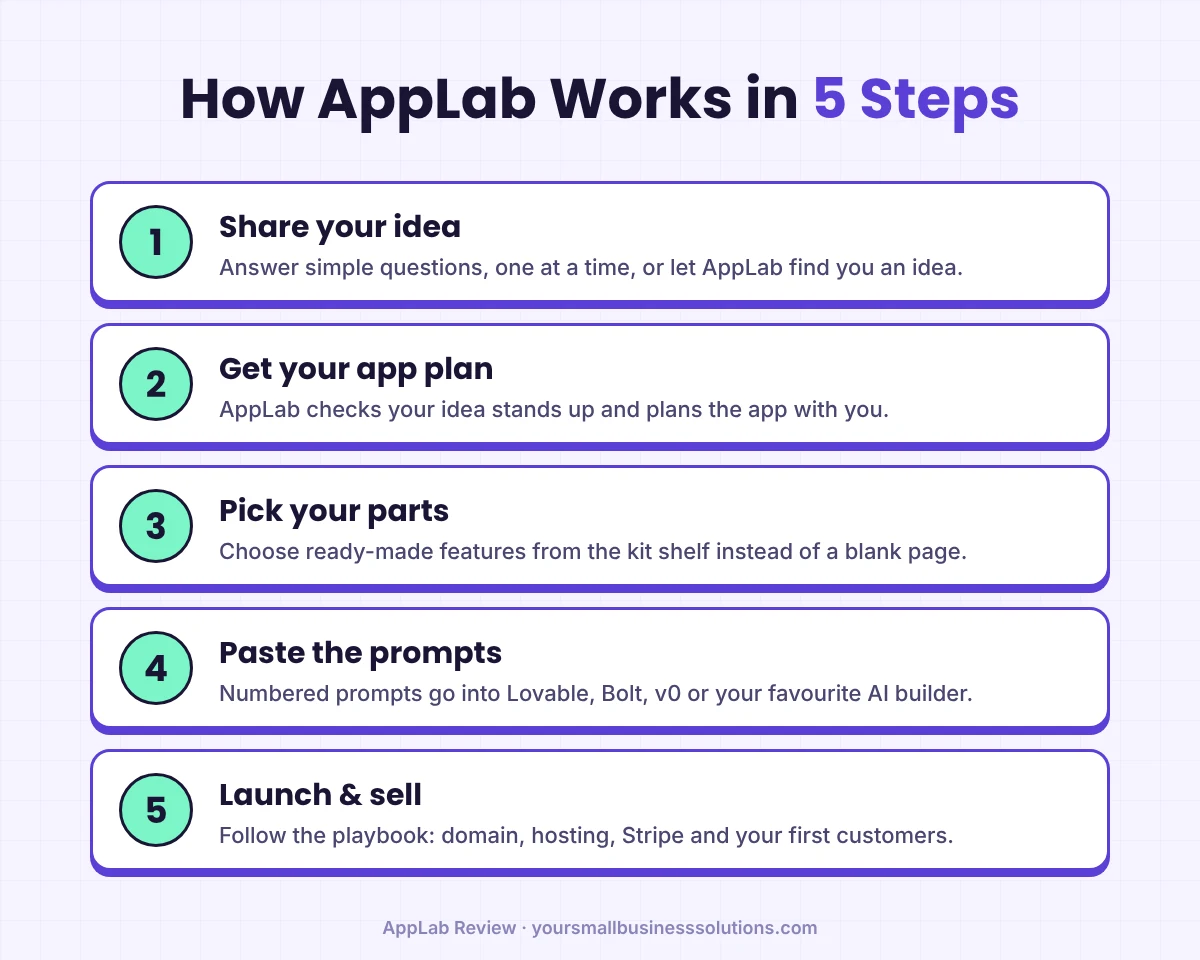
Step 1: Share Your Idea
Tell AppLab what you want to build. If you don’t have an idea yet, it can help you find one based on your website, your business or just your interests.
Step 2: Get Your App Plan
AppLab’s guided intake asks simple questions and checks that your idea makes sense before you start building. You get a clear plan for your app.
Step 3: Pick Your Parts
Instead of starting from a blank page, you choose ready-made features and app shapes from the kit shelf. According to the vendor, there are over 658,000 possible combinations, so your app won’t look like anyone else’s.
Step 4: Paste the Prompts Into Your AI Builder
AppLab gives you numbered prompts to paste into Lovable, Bolt, v0 or whichever builder you like. The builder writes the code for you.
Step 5: Launch and Sell
The launch playbook walks you through your domain, hosting, Stripe payments and finding your first customers, step by step.
AppLab Review: Key Features
- Guided intake: finds your idea and checks that it stands up before you build
- Kit shelf: ready-made features and whole app shapes to drop into your build
- Numbered prompt packs: exact instructions for your AI builder, in the right order
- Owner admin panel: run your app business from day one
- Launch playbook: domain, hosting, Stripe and your first customers
- Marketing Hub: emails, posts, pictures and store listings written from your own app
- Reel Maker: short promo videos for your app, made in the page
- Pitch pages: your own sales page for a client, with pay and book buttons
- Use it from ChatGPT: connect your assistant so it can plan, pick kits and write your prompts
The FrankenApp platform also lists a Traffic Lab for getting found on Google, and an Insight Engine for seeing what users do inside your app. Two other services, Native Forge (phone apps) and Big Screen Studio (TV channels), are marked as coming soon.
3 Ways to Make Money With AppLab
One thing that stood out in this AppLab review is that the tool is built around making money, not just building apps for fun. There are three main ways to use it.
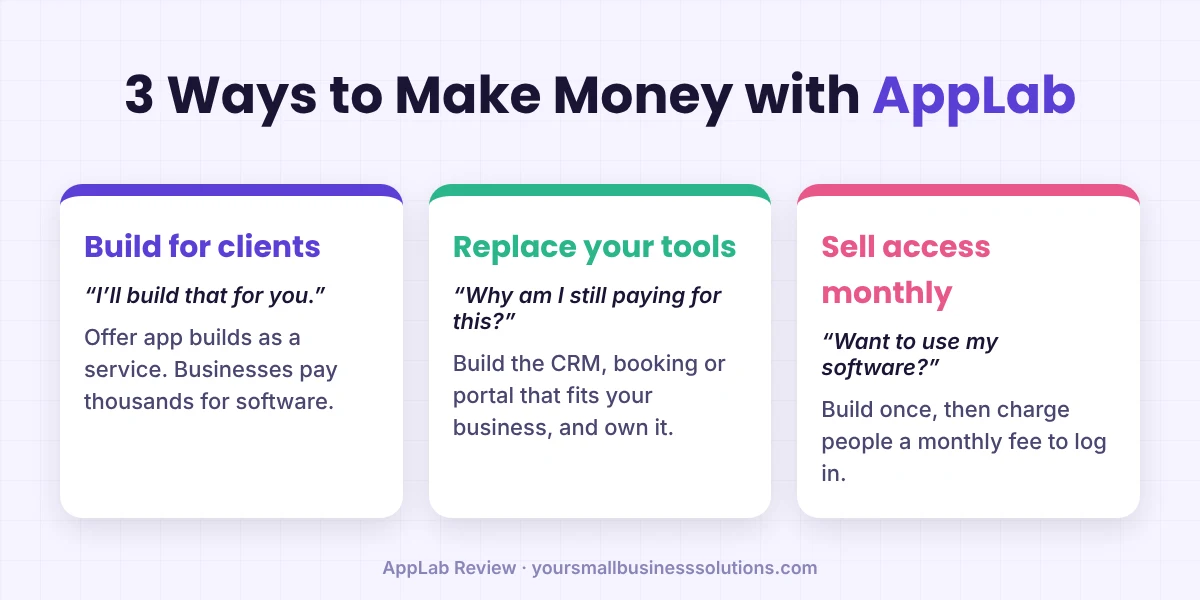
1. Build Apps for Clients
Businesses pay thousands for custom software. With AppLab doing the planning and your AI builder doing the typing, you can offer app builds as a service. You don’t need fifty clients to make this worthwhile. Even one or two can make a real difference.
2. Replace the Tools You Pay For
Add up what leaves your account every month for CRMs, booking tools, client portals and dashboards that almost fit. With AppLab, you can build the one that fits exactly and own it. If you run a small business, this alone could pay for itself.
3. Sell Access Monthly
Instead of selling your app once, you can charge people a monthly fee to use it. That’s the model behind almost every software tool you already pay for, and it’s how recurring income is built.
AppLab Review: Pricing and Launch Details
AppLab launches with a free live reveal on November 30, 2026 at 10:00 AM ET. Craig Crawford takes one idea and builds a working app on screen, start to finish. The cart opens at 11:00 AM ET straight after, and the launch-week offer ends on December 6.
Here’s how the pricing works during launch week:
- AppLab Personal licence: the guided build, prompt packs, kit shelf, owner admin panel and launch playbook, for your own business
- AppLab Agency licence: adds app slots plus commercial and white-label rights to build for clients
- Live reveal offer (Ultra Pack): Personal and Agency together in one launch-week package
After purchase, you’ll see optional upgrades, including a software suite (Agency Hub, Flagship Vault and Traffic Lab), monthly kit drops, and an Agency Automation System offered as done-with-you or done-for-you. None of these are required to build your first app.
One cost to plan for: AppLab doesn’t include your AI builder. You’ll need an account with Lovable, Bolt, v0 or similar, and you pay them for credits as you build. For reference, the vendor says its demo team app cost $11.83 in builder credits.
Bonus for attending live: according to the launch page, if you watch the live reveal for 10 minutes and join by December 6, you get one extra app build.
Save your free seat and get your free app plan →
Who Should Get AppLab?
Based on everything I covered in this AppLab review, here’s who I think it suits best.
- Small business owners who are tired of paying monthly for tools that almost fit
- Freelancers and agencies who want to offer app builds as a new service
- Side-hustlers who want to build a subscription software product
- Course creators and coaches who want their own member portal or client app
Skip it if: you want income without effort, or you’re not willing to pay for AI builder credits and spend some time testing what you build. AppLab makes building far easier, but selling software still takes work.
AppLab Review: Pros and Cons
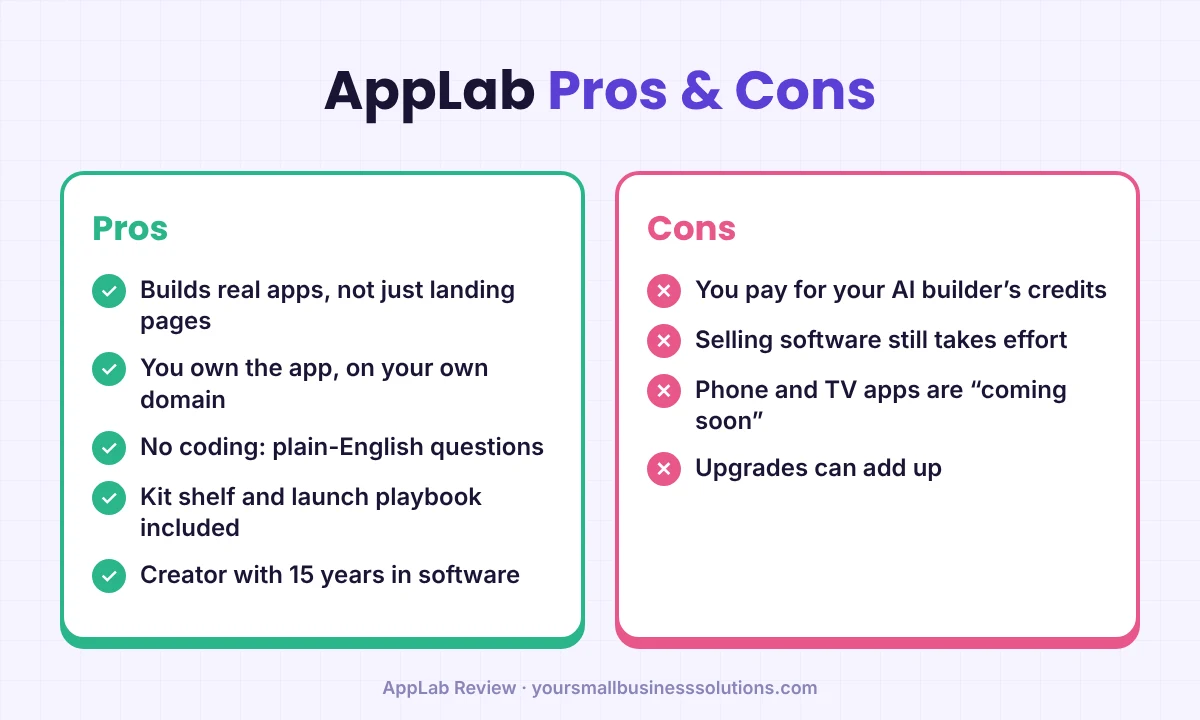
Pros
- Builds real working apps with sign-in, a database and payments, not just landing pages
- You own the app, on your own domain
- No coding: you answer plain-English questions
- Kit shelf and launch playbook mean you never start from a blank page
- Works with the AI builder you already like
- Experienced creator with a long software track record
Cons
- You still pay for your AI builder’s credits
- Selling software takes effort and patience
- Native Forge (phone apps) and Big Screen Studio (TV) are still coming soon
- Optional upgrades can add up
My Exclusive AppLab Bonus
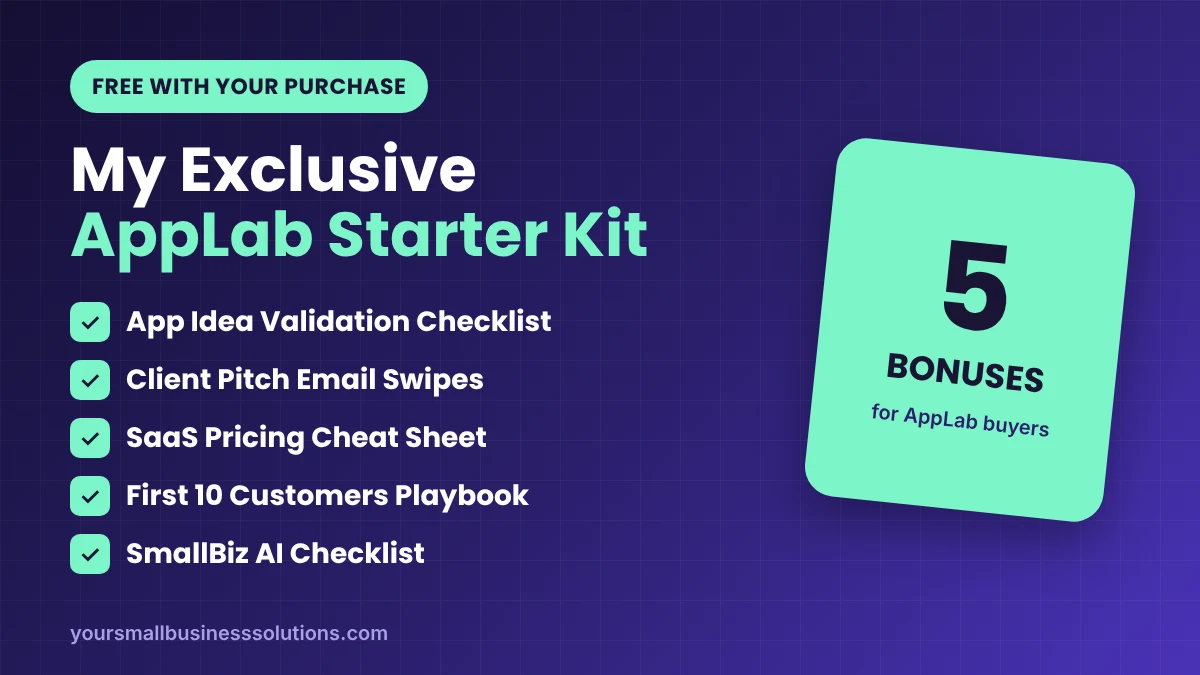
Get AppLab through my link and you’ll also receive my AppLab Starter Kit, designed to help you go from idea to paying customers faster:
- App Idea Validation Checklist: make sure people will actually pay for your app before you build it
- Client Pitch Email Swipes: ready-to-send emails for landing your first app-build clients
- SaaS Pricing Cheat Sheet: how to price subscriptions and one-off builds
- First 10 Customers Playbook: simple ways to find your first users
- SmallBiz AI Checklist: a step-by-step plan for adding AI to a small business
This AppLab bonus is only available when you buy through my links in this AppLab review.
How to claim your AppLab bonus: buy through any link on this page. Your bonuses will appear inside your JVZoo purchase area.
Get AppLab + my exclusive bonus →
Final Verdict: Is AppLab Worth It?
To wrap up this AppLab review: if you’ve ever wanted your own software product but didn’t know where to start, AppLab is worth a serious look.
It takes the hardest part of no-code building, knowing exactly what to ask the AI to build and in what order, and turns it into a guided, step-by-step process. You get a real app you own, plus a playbook for selling it.
Just go in with realistic expectations. Budget for your AI builder’s credits, start with one simple app, and treat selling it as a real project. Do that, and AppLab can save you months of guesswork and thousands in developer fees.
Looking for more honest reviews of new launches? Check out my BuzzFarmsAI review, or browse more software launch reviews.
Save your free seat for the AppLab live reveal →
AppLab Review FAQs
Is AppLab legit?
Yes. Everything I found for this AppLab review points to a legitimate product from an experienced creator, Craig Crawford, launching on JVZoo with launch partner Firas Alameh. As with any new product, the long-term track record is still to come.
Do I need to know how to code to use AppLab?
No. You answer simple questions in plain English, and your AI builder writes the code from AppLab’s prompts.
Which AI builders does AppLab work with?
AppLab works with Lovable, Bolt, v0 and other AI builders. You paste in AppLab’s numbered prompts, and the builder does the rest.
Is AppLab a one-time payment?
The front end is a one-time launch-week payment. Some optional upgrades, like monthly kit drops and the Traffic Lab, are monthly.
Can I sell the apps I build with AppLab?
Yes. With the Agency licence, you get commercial and white-label rights to build apps for clients. You can also sell monthly access to your own app.
When does AppLab launch?
The free live reveal is on November 30, 2026 at 10:00 AM ET, and the cart opens at 11:00 AM ET. The launch-week offer ends on December 6.