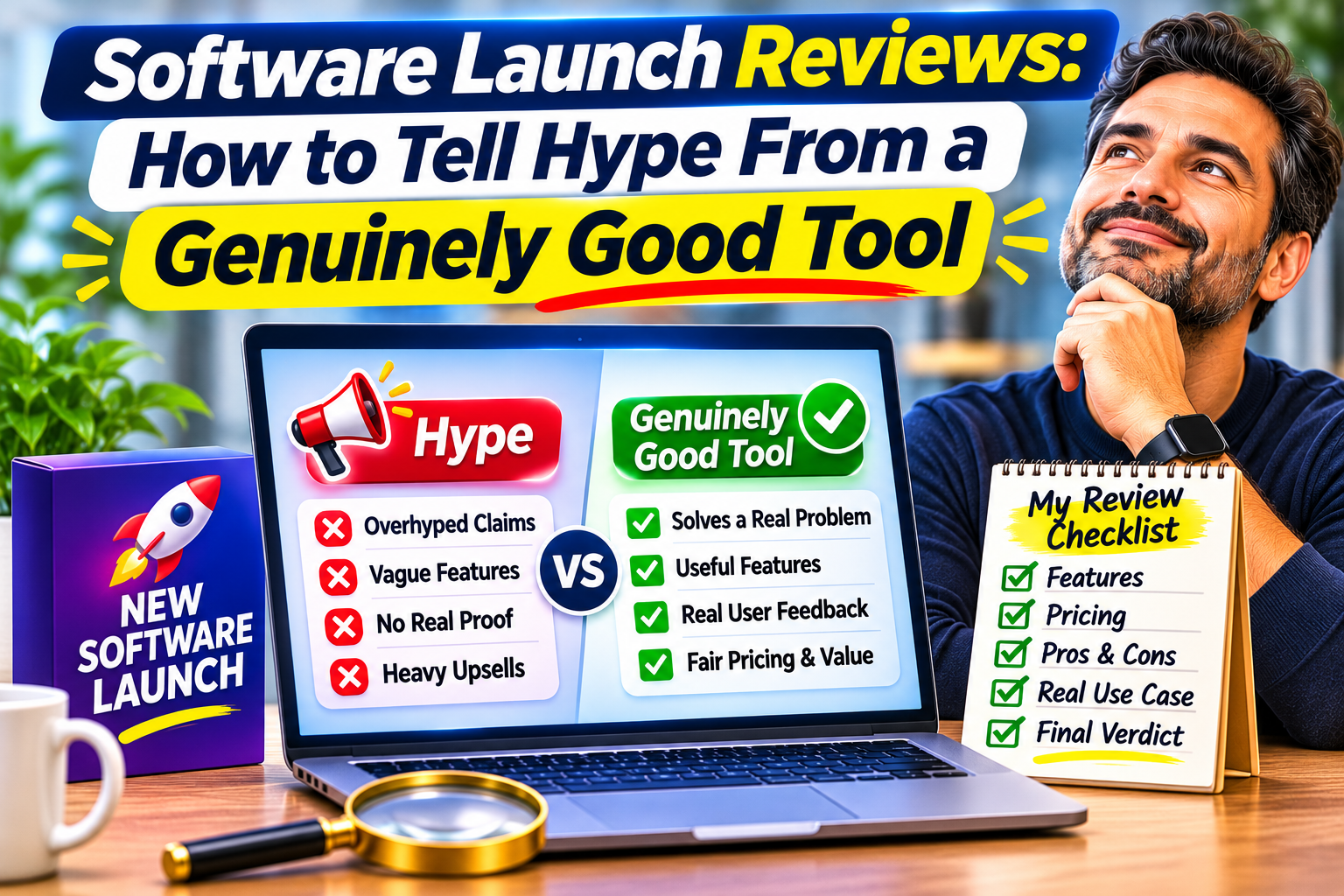
Software launch reviews are everywhere in the first week of a release, and most of them are written to sell, not to inform. Countdown timers, bonus stacks and “price goes up at midnight” banners push you to buy before you have had time to think. This guide shows you how to tell hype from a genuinely good tool, using simple checks you can run in under an hour.
You do not need technical skills. You need to know what to look for, what to ignore, and how to test a tool before your refund window closes.
Table of Contents
Why Software Launch Reviews Are So Hard to Trust
Launch-week reviews have a few built-in problems that have nothing to do with whether the software is any good.
- Money shapes the message. Many reviewers earn a commission on every sale. That does not make them dishonest, but it changes which tools get a long, glowing write-up and which get ignored.
- Time is short. Most launch reviews are written within days, often from a demo or a quick first look. A real flaw usually shows up when you hit an edge case, and that takes weeks or months of use.
- Everyone copies the sales page. When ten reviews repeat the same three features in the same words, they are usually echoing the vendor, not testing the tool.
That is why it helps to read software launch reviews with a checklist in hand instead of relying on the star rating or the excitement level.

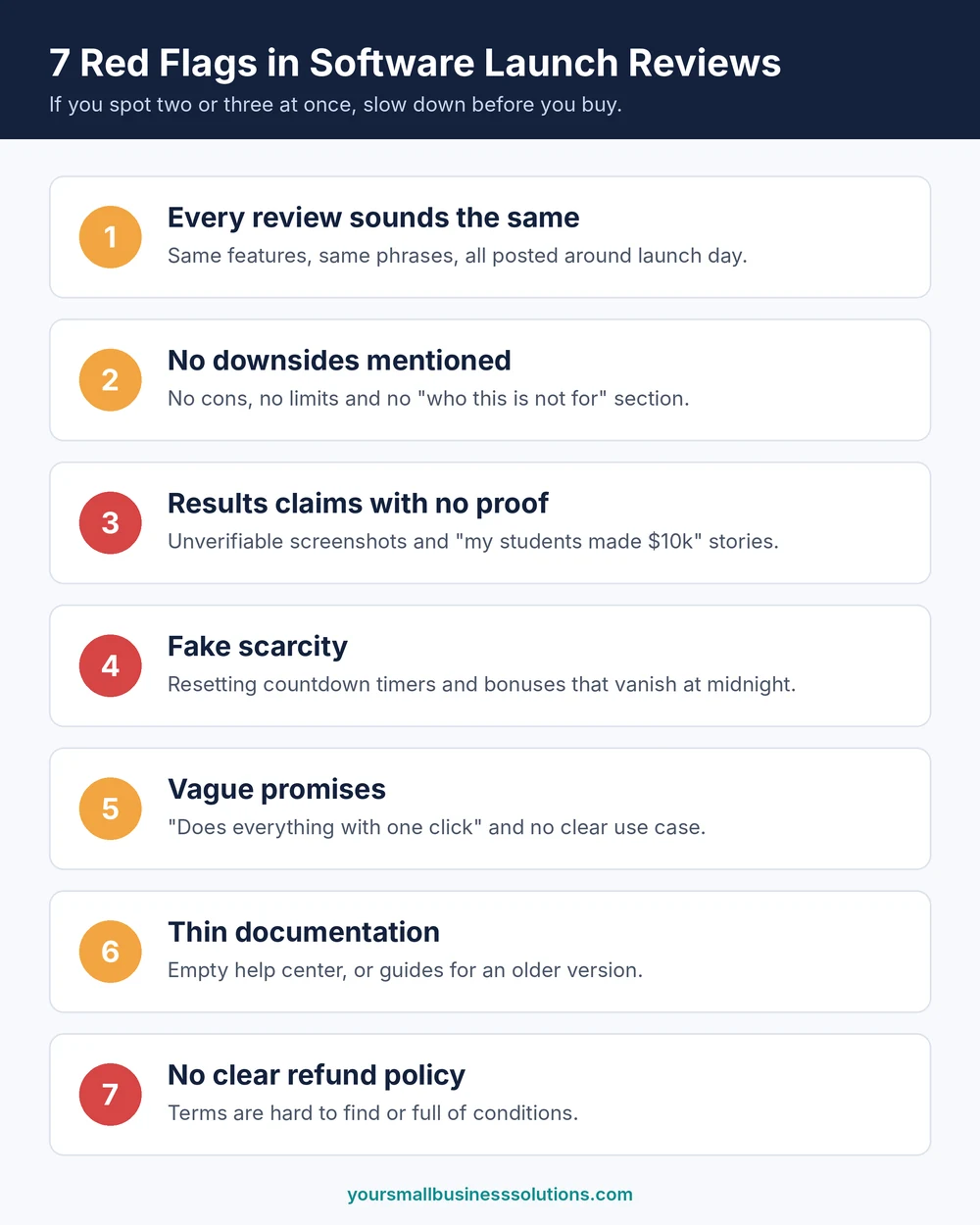
7 Red Flags in Software Launch Reviews That Signal Hype
If you spot two or three of these at once, slow down.
- Every review sounds the same. The same two or three features, the same phrases, and all published around the launch date.
- No downsides are mentioned. A review with no cons, no limits and no “who this is not for” section is an advertisement.
- Income or results claims with no proof. Screenshots you cannot verify and “my students made $10k” stories do not count as evidence.
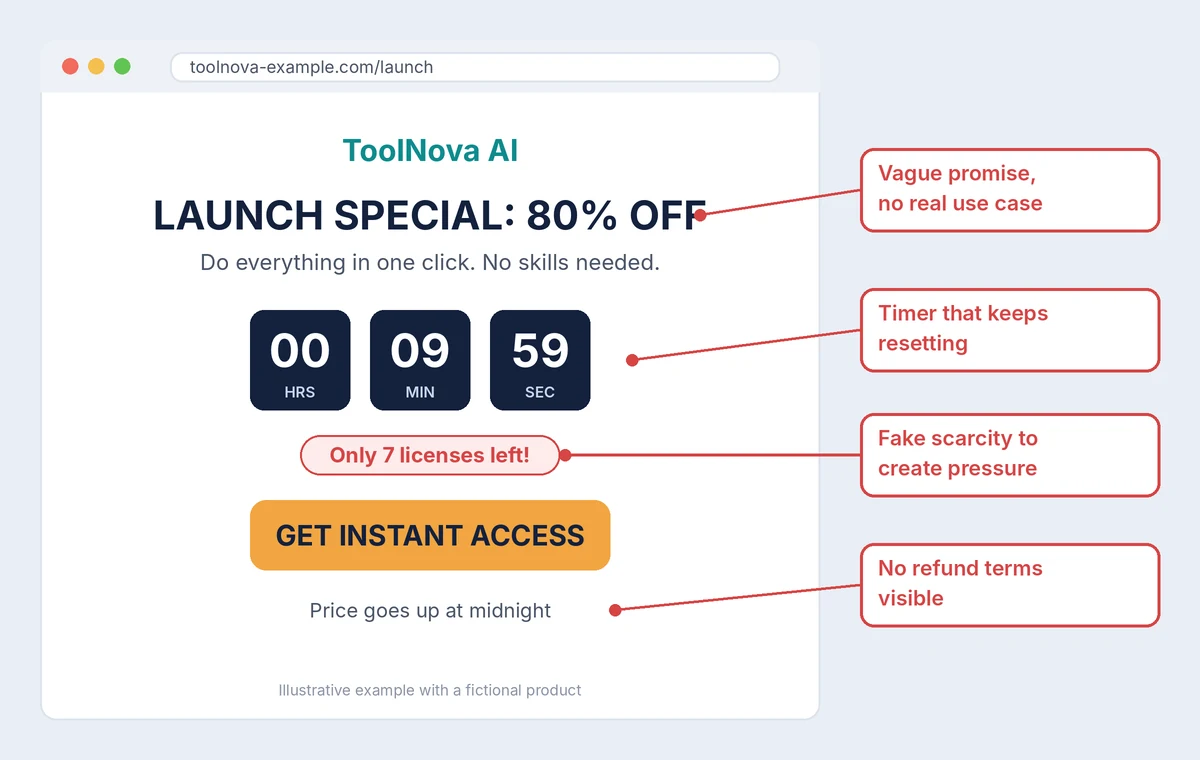
- Fake scarcity. Countdown timers that reset, “only 10 licenses left” messages and bonuses that vanish at midnight.
- Vague promises. Lines like “does everything with one click” with no clear use case or example.
- Thin documentation. An empty help center, no tutorials, or guides that describe an older version of the product.
- No clear refund policy. If the terms are hard to find or full of conditions, treat that as a warning.
Signs You Are Looking at a Genuinely Good Tool
Good tools tend to look a little boring in a launch review, because they focus on specifics instead of hype.
- It solves one clear problem well, and you can describe that problem in one sentence.
- Reviews show exact steps, real screenshots from inside the tool, and honest limits.
- Both pros and cons are stated, including who the tool is a poor fit for.
- Feedback keeps coming weeks after launch. Real users mention updates, bugs fixed and how the product changed.
- Pricing, what is included and the refund terms are easy to find.
- Support replies to basic questions in a reasonable time.
If you want a quick way to run this kind of check before you spend money, the SmallBiz AI Checklist is a simple place to start.
A 5-Step Test Before You Buy
Use this process on any new tool, whether it is an AI app, a funnel builder or an email platform. It works best after you have skimmed a few software launch reviews and want to check the claims for yourself.
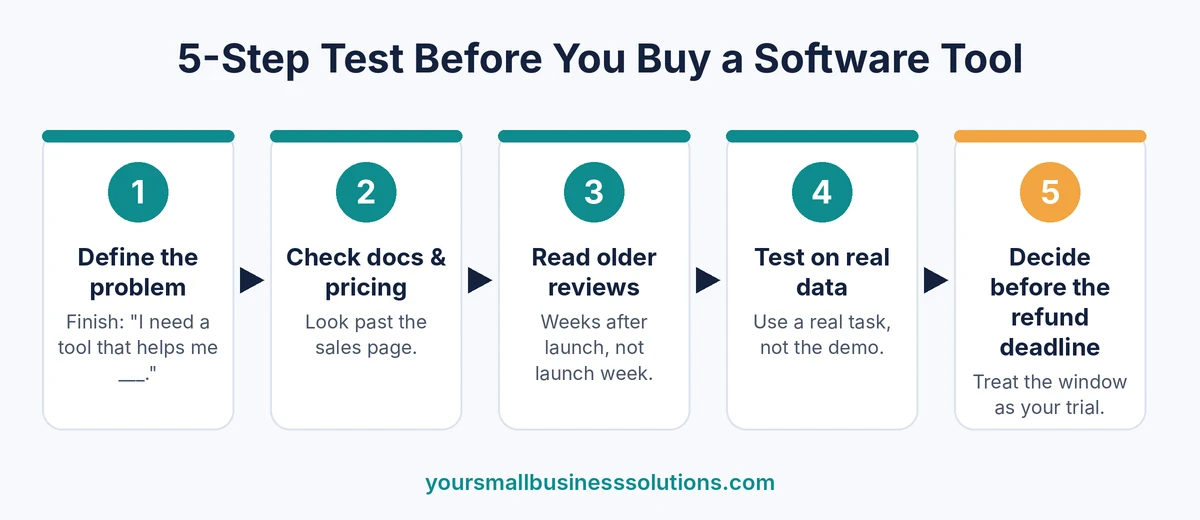
- Define the problem first. Write one sentence: “I need a tool that helps me ___.” If you cannot finish it, you are not ready to buy.
- Find the real documentation and pricing page. Do not rely only on the sales page. Look for the help center, the changelog and the full list of what each plan includes.
- Read older reviews, not just launch-week ones. Sort reviews by most recent and look for ones written a few weeks or months after release. Very old reviews can be out of date, especially for AI tools that change fast.
- Test it on your own messy data. Use a real task from your business, not the demo example. If it only works on perfect input, it is a toy and not a tool.
- Treat the refund window as your trial. Set a deadline a few days before it closes, test the core feature, and decide based on results. Do not let the window pass out of habit.
How to Read Software Launch Reviews, Including Mine
Before you trust any review, ask three quick questions. Does the reviewer show real screenshots from inside the product? Is there an affiliate disclosure? Does the review say anything critical at all?
I try to hold my own reviews to the same standard. If a post contains an affiliate link, it should say so (the FTC’s disclosure guidance explains why this matters), and it should also say who the tool is not right for. You can see how I approach this in my Hooked AI review, my Air Radar Pro review and my email marketing course review.
Quick Pre-Purchase Checklist
Save this list and run through it before you click the buy button:
- I can describe the problem this tool solves in one sentence.
- I found the real documentation and the full pricing page.
- I read at least a few reviews that mention downsides.
- I saw proof of results, not just claims.
- I know the refund terms and the exact deadline.
- I have a plan to test it on a real task before the refund window ends.
Want a ready-made version you can reuse for every new tool? Grab the SmallBiz AI Checklist and keep it handy next time a launch lands in your inbox.
Frequently Asked Questions
Are software launch reviews reliable?
Some software launch reviews are reliable, but many are written by people who earn a commission if you buy. Treat them as a starting point. Look for reviews that show real usage, state downsides and disclose affiliate links.
How can I tell if a software review is fake?
Warning signs include repeated wording across reviews, no mention of any problems, vague praise with no specific features, and a cluster of reviews all posted around the launch date.
Should I buy a tool during launch week?
Only if you already know the problem it solves and the refund policy is clear. A launch discount is not worth much if the tool does not fit your needs. If you are unsure, wait a few weeks and read how real users are doing.
What should I do if a tool disappoints after I buy it?
Check the refund policy right away and request your refund before the deadline. Keep screenshots of what you tested and what did not work, since that makes the request easier.
Final Thoughts
Good software launch reviews do not make you feel rushed. They show you what the tool does, where it falls short and who should skip it. The best ones back up their claims with real screenshots, real use cases and honest limits, so you can judge the tool for yourself.
Hype works because it plays on timing. A countdown timer, a bonus stack and a few glowing reviews can make waiting feel risky. In reality, waiting a few weeks usually costs very little, and it gives you a big advantage: you can see how real users are doing once the excitement has faded, whether bugs are being fixed, and whether support actually responds.
Keep the basics from this guide in mind. Spot the red flags, such as copied reviews, fake scarcity and missing refund terms. Define the problem before you start shopping. Test the tool on a real task from your own business. And treat the refund window as your trial period, not as a safety net you forget about.
No review, including mine, can replace your own test. A tool that works brilliantly for someone else may be a poor fit for your workflow, budget or skill level. The goal is not to avoid every new launch. It is to buy the ones that earn a place in your business and skip the ones that only look good for a week.
For a reusable version of these checks, the SmallBiz AI Checklist is a good companion to keep next to your launch emails. Run through it before your next purchase, and you will waste less money on hype and put more of your budget into tools that genuinely help.