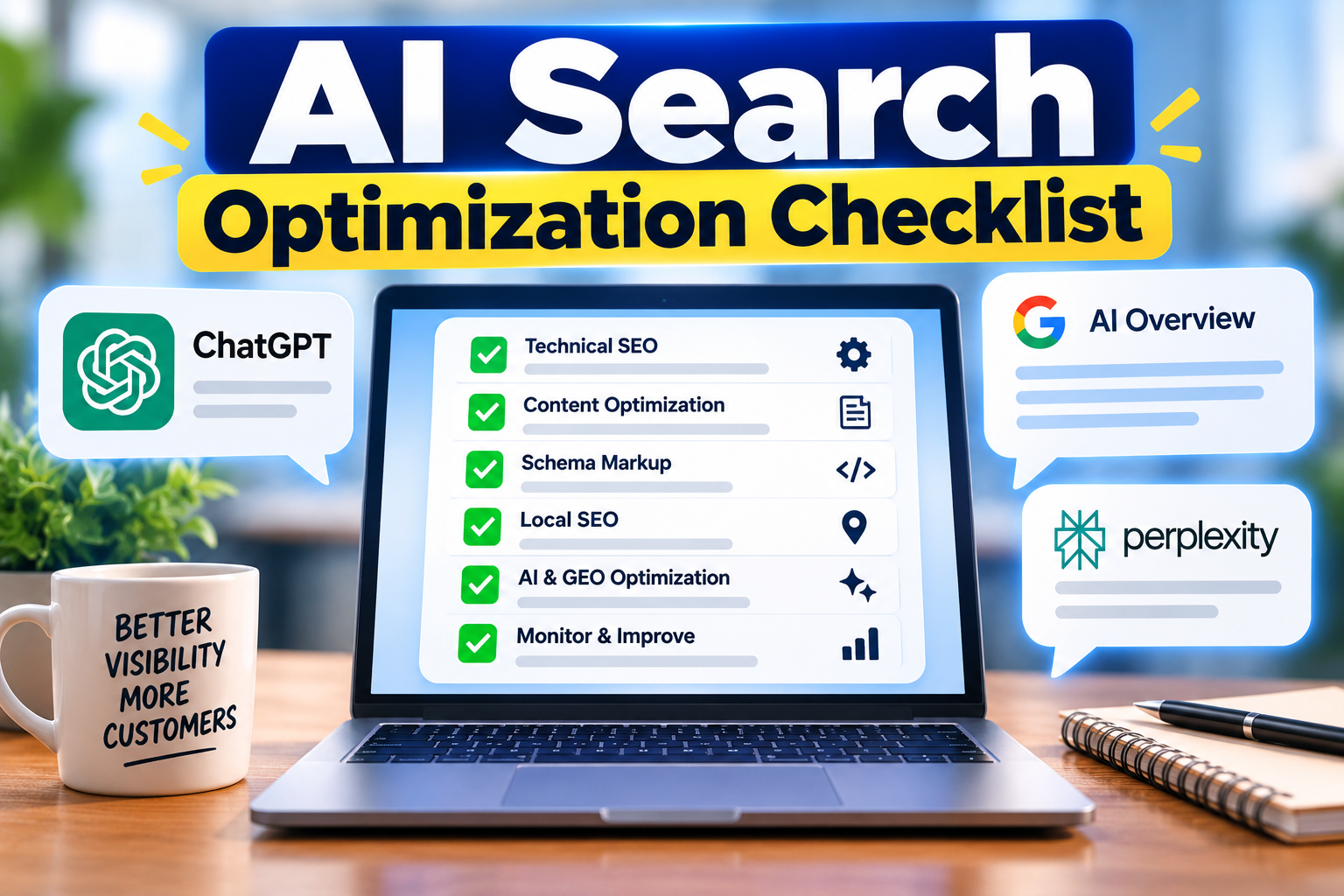
This AI search optimization checklist shows small business owners exactly what to fix so their website can be found, understood, and recommended by tools like Google AI Overviews, ChatGPT, Bing Copilot, and Perplexity. Customers now ask these tools questions like “Who is the best plumber near me?” and get a short answer instead of ten blue links. If your site is unclear, your business may never be mentioned.
The good news is you do not need a big budget or technical skills. AI search builds on good SEO, so most of the work is making your business information clear, consistent, and easy to trust. Work through the steps below in order, and tick off each one as you go.
Table of Contents
What Is AI Search Optimization?
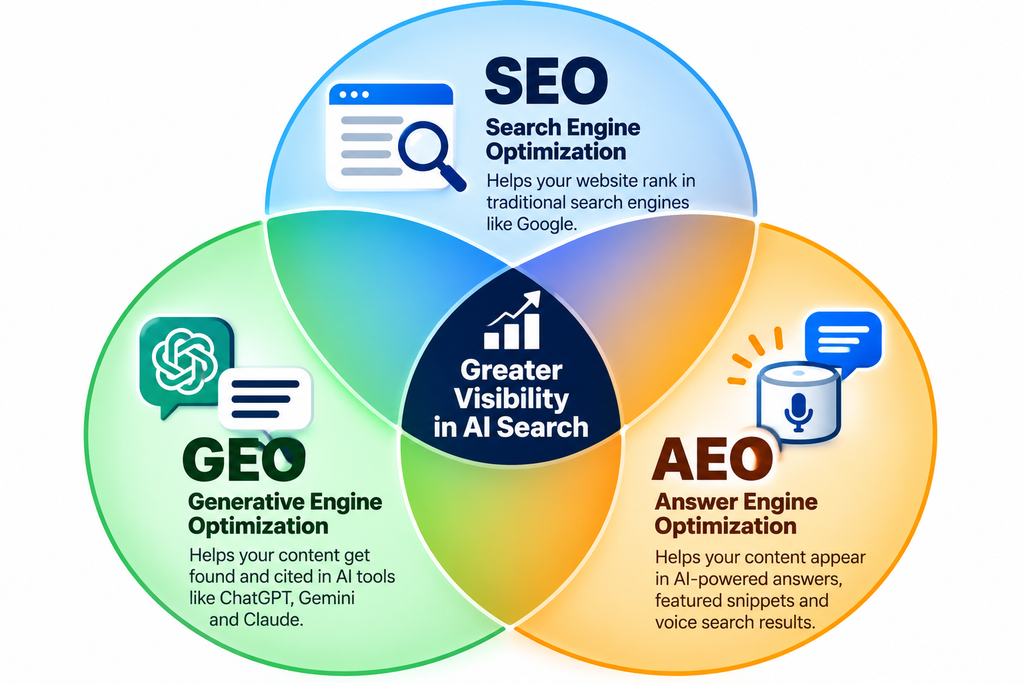
AI search optimization is the process of making your website and online presence easy for AI-powered search tools to understand, trust, and quote. Instead of only chasing rankings, you are trying to earn mentions and citations inside AI-generated answers.
You will also hear it called GEO (generative engine optimization) or AEO (answer engine optimization). They all mean the same thing for a small business: be clear, be consistent, and be the most helpful answer to a customer’s question.
The AI Search Optimization Checklist for Small Business Websites
Step 1: Let AI Crawlers Access Your Website
AI tools cannot recommend what they cannot read. Start here.
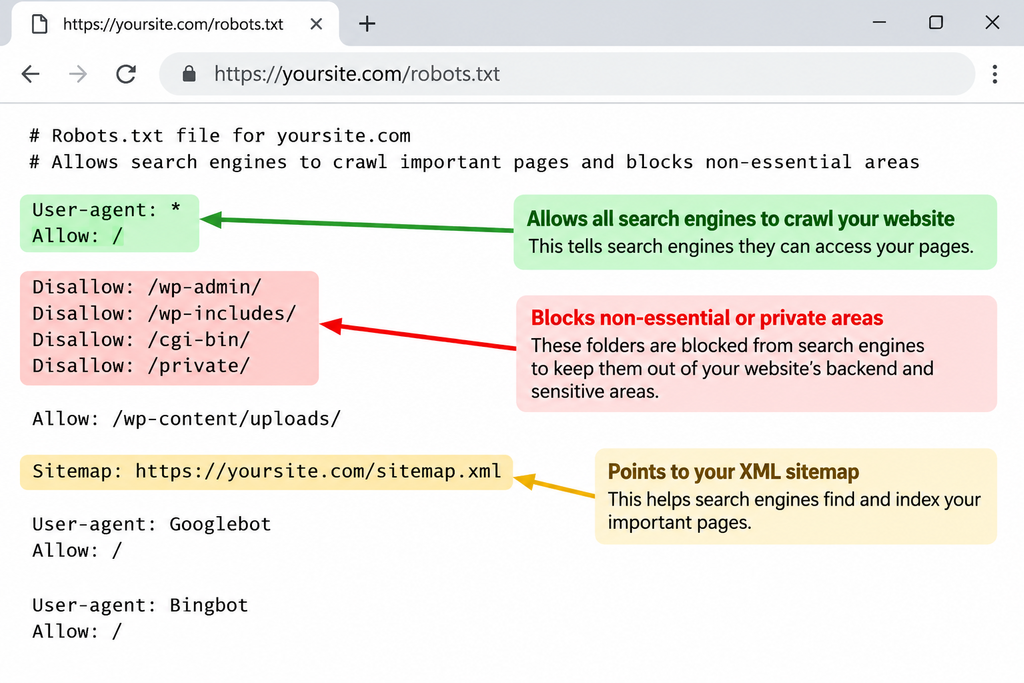
- Open your robots.txt file (yourwebsite.com/robots.txt) and make sure it does not block search and AI crawlers you want to be found by.
- Check that your important pages are not set to “noindex” in your SEO plugin.
- Submit an XML sitemap in Google Search Console and Bing Webmaster Tools. Bing matters because several AI tools draw on its index.
- Make sure key content is real text on the page, not locked inside images, PDFs, or pop-ups.
Step 2: Make Your Business Information Consistent Everywhere
AI tools need to know which business your content belongs to. Mixed-up details make them less sure about you.
- Use the exact same business name, address, and phone number (NAP) on your website, social profiles, and directories.
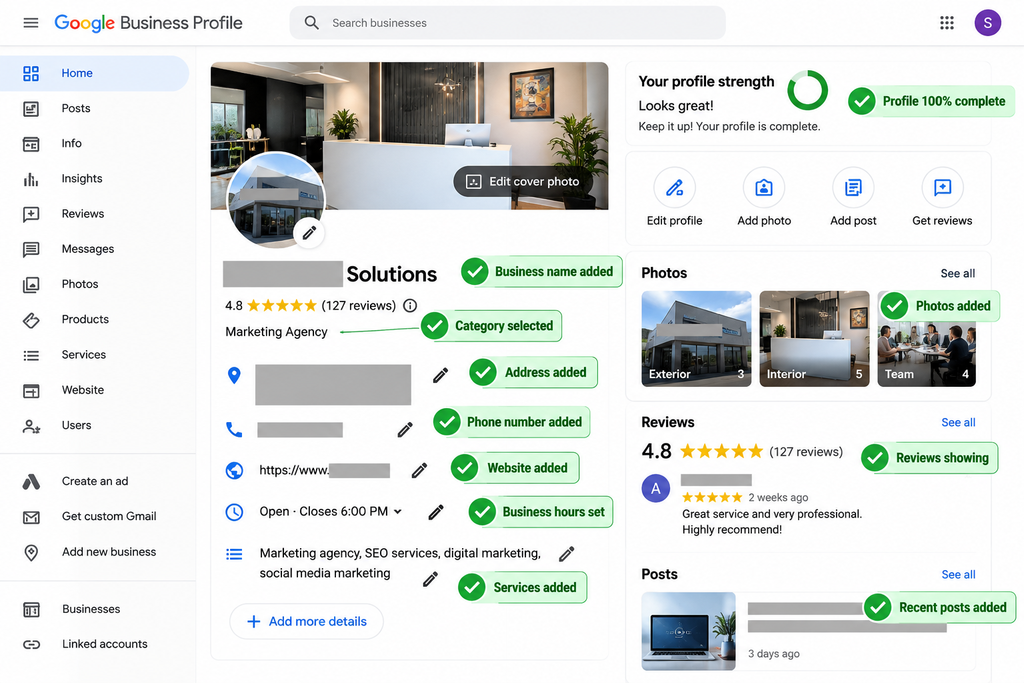
- Fill in every field of your Google Business Profile and add recent, high-quality photos.
- Claim your Bing Places listing and any industry directories that matter in your niche.
- Write one short, clear business description (who you help, what you offer, where) and reuse it across your profiles.
- Add your city or service area to your homepage and service pages.
Step 3: Write Clear, Question-Based Content
AI search is conversational. People ask full questions, so your pages should give full, direct answers.
- List the top 5 to 10 questions customers ask before they hire or buy from you.
- Give each question its own heading, then answer it in 2 to 3 plain sentences right underneath.
- Add an FAQ section to your main service pages.
- Be specific. Say “emergency furnace repair in Austin, same-day” instead of “quality heating services.”
- Include prices, price ranges, or “what affects the cost” where you can. Vague pages rarely get quoted.
- Put the answer first, then the details. AI tools often pull the first clear sentence under a heading.
Step 4: Add Proof and Trust Signals
AI tools look for signs that a business is real and credible before they recommend it.
- Collect reviews on a steady schedule. Ask every happy customer, and aim for at least one new review per week.
- Reply to reviews, good and bad. It shows the business is active.
- Publish a fact-heavy About page: years in business, certifications, awards, team names, and your story.
- Add testimonials and short case studies with real results on your service pages.
- Show an author name and short bio on every blog post.
- Link to or mention press, partners, and associations that vouch for you.
Step 5: Add Structured Data (Schema Markup)
Schema is code that labels your content so machines can read it with less guessing. Most SEO plugins can add it for you.
- Add LocalBusiness (or Organization) schema with your name, address, phone, hours, and social profile links.
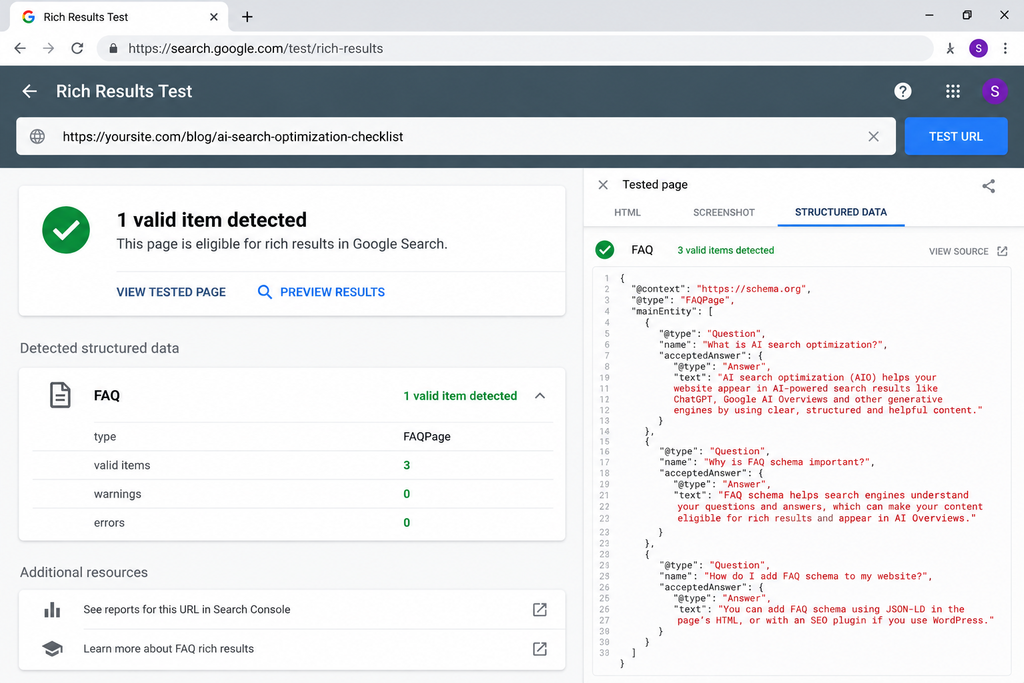
- Add FAQPage schema to pages with a question-and-answer section.
- Add Service or Product schema for your main offers.
- Add Article schema with author and publish date to blog posts.
- Test your pages with Google’s Rich Results Test and fix any errors.
Step 6: Cover the Technical Basics
AI search still depends on a healthy website. These basics keep you in the running.
- Make sure your site loads fast and works well on mobile.
- Use HTTPS on every page.
- Use one clear H1 per page and logical H2 and H3 headings. Clean structure helps AI tools pull the right section.
- Write descriptive title tags and meta descriptions that match what the page covers.
- Add alt text to images and use short, descriptive file names.
- Fix broken links and remove thin or duplicate pages.
- Link related pages together so your best content is easy to find.
Step 7: Test and Track Your AI Visibility
Do not guess. Check what AI tools actually say about your business, and track it over time.
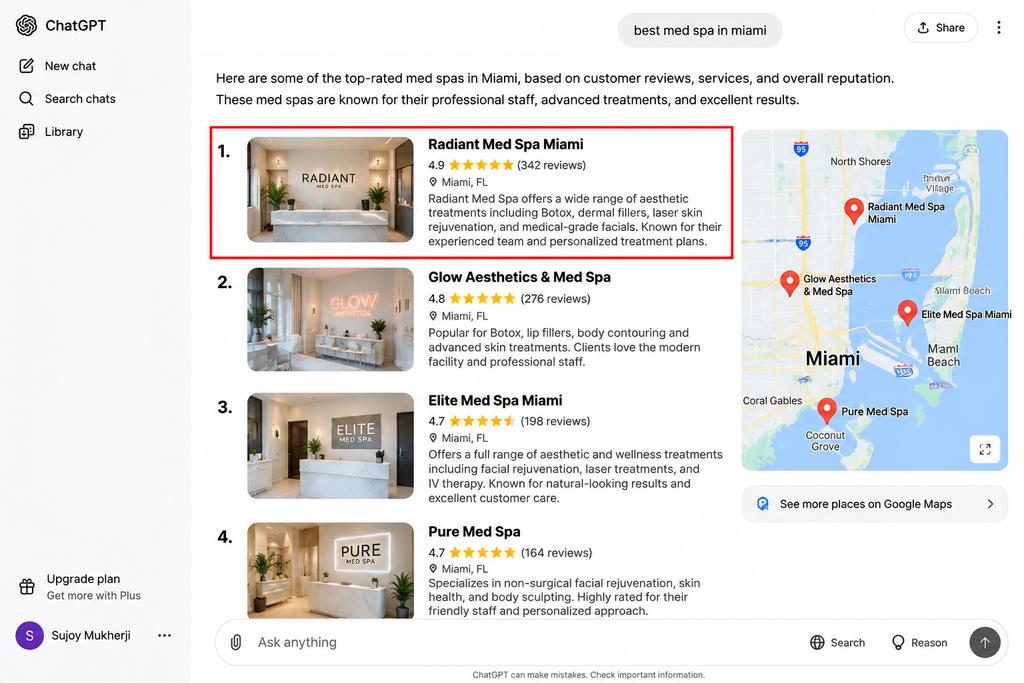
- Ask ChatGPT, Google AI Mode, Perplexity, and Copilot: “What does [your business] do?” and “Who are the best [your service] in [your city]?”
- Write down whether you are mentioned, how you are described, and which competitors appear instead.
- Fix any wrong details at the source: your website, Google Business Profile, and directories.
- Check Google Search Console each month for impressions and clicks on your question-based pages.
- Watch for growth in branded searches. More people searching your business name often means AI answers are sending people your way.
- Repeat your AI test every 90 days and compare it with the last one.
- If you use Semrush or Ahrefs, use their AI visibility and AI Overviews tracking features to see which queries mention your site. Free manual checks work fine when you are starting out.
Frequently Asked Questions
Is an AI search optimization checklist different from regular SEO?
Not completely. AI search optimization builds on SEO, so strong basics still matter. The difference is the extra focus on clear answers, consistent business details, proof, and structured data, so AI tools can quote you with confidence.
How long does it take to show up in AI answers?
There is no fixed timeline. Small fixes like your Google Business Profile and robots.txt can help quickly, while reviews, content, and trust signals build over a few months. Re-test every 90 days to see progress.
Do I need special tools to follow this checklist?
No. Google Search Console, Bing Webmaster Tools, and manual checks in ChatGPT or Perplexity are enough to start. Paid tools like Semrush or Ahrefs help when you want to track AI visibility at scale.
Can a business without a blog still show up in AI search?
Yes, but it is harder. Clear service pages, a strong FAQ, reviews, and complete listings give AI tools enough to work with. A blog adds more chances to answer customer questions.
Final Thoughts
AI search is quickly becoming a normal way for customers to find local businesses. The steps in this AI search optimization checklist are simple, and you can start with Step 1 today: let AI crawlers in, fix your business details, and answer your customers’ top questions in plain words. Each step builds on the last.
If you want a ready-made list to work from, the SmallBiz AI Checklist gives you a simple way to put AI tools to work across your business, from marketing to daily tasks. It pairs well with the steps above, because a more efficient business has more time to publish helpful content and collect reviews.
Free Download: Agency Recurring Revenue Checklist
Run a small agency, or thinking about offering services to local businesses? Grab the free Agency Recurring Revenue Checklist. It walks you through turning one-off projects into steady monthly income, which is a smart way to use what you just learned. AI search optimization is a service local businesses increasingly need.