

Creating video content for small business doesn’t require a camera crew, a studio, or a marketing budget you don’t have. If you’ve been putting off video because it feels expensive or technical, here’s the truth: your smartphone and a bit of planning are enough to get started today.
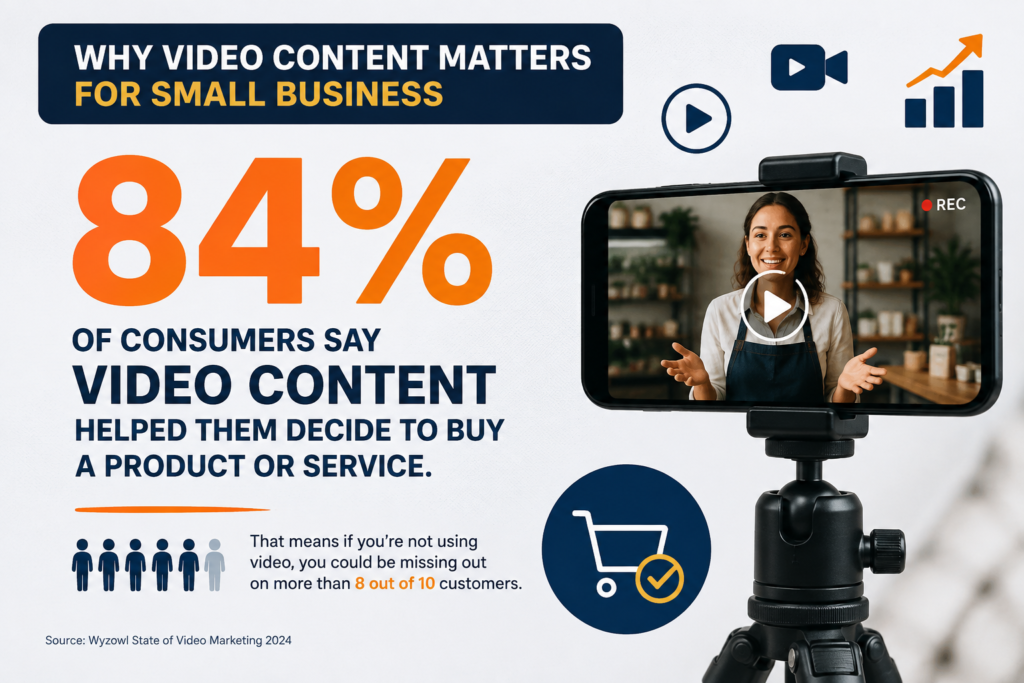
Video is no longer optional. Customers watch product demos before they buy, they scroll through Reels before they choose a restaurant, and they trust a face on camera more than a paragraph of text. The good news is that “professional-looking” doesn’t mean “professionally produced.” It means clear, well-lit, and useful.
Here’s exactly how to create video content for your business without hiring a videographer — and what to avoid along the way.
Table of Contents
Why Video Content for Small Business Matters Right Now
Search engines and social platforms are both pushing video harder than ever. Google increasingly shows video results for how-to and product searches, and platforms like Instagram, TikTok, and YouTube Shorts reward accounts that post video consistently with more reach than static posts get.
For a small business, that means video isn’t just a “nice to have” — it’s one of the cheapest ways to get discovered by new customers, since it doesn’t require an ad budget to be seen.
What You Actually Need (No Videographer Required)
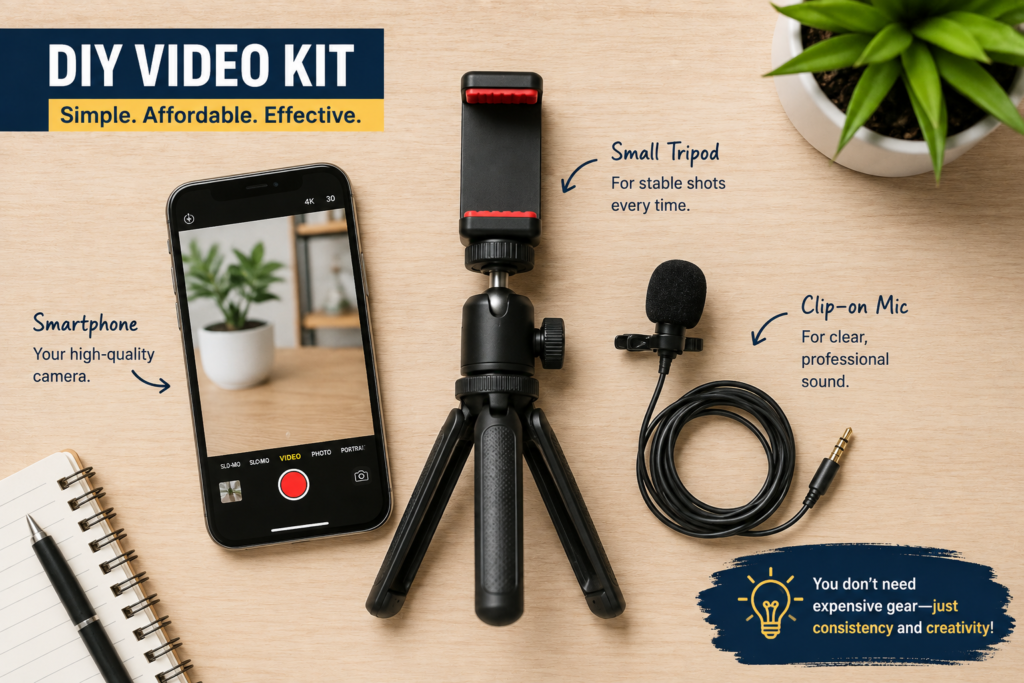
You don’t need professional gear to start. Here’s the realistic starter kit:
- A smartphone — any phone from the last few years shoots video good enough for social media and your website.
- Natural light — film near a window during the day instead of buying lighting equipment.
- A basic stabilizer or tripod — a $15–20 phone tripod eliminates shaky footage, which is the #1 giveaway of amateur video.
- A clip-on microphone — optional, but a $20–30 lav mic makes a bigger difference to perceived quality than any camera upgrade.
That’s it. Everything else — backdrops, ring lights, gimbals — is a nice-to-have, not a requirement.
Video Content Ideas You Can Shoot Today
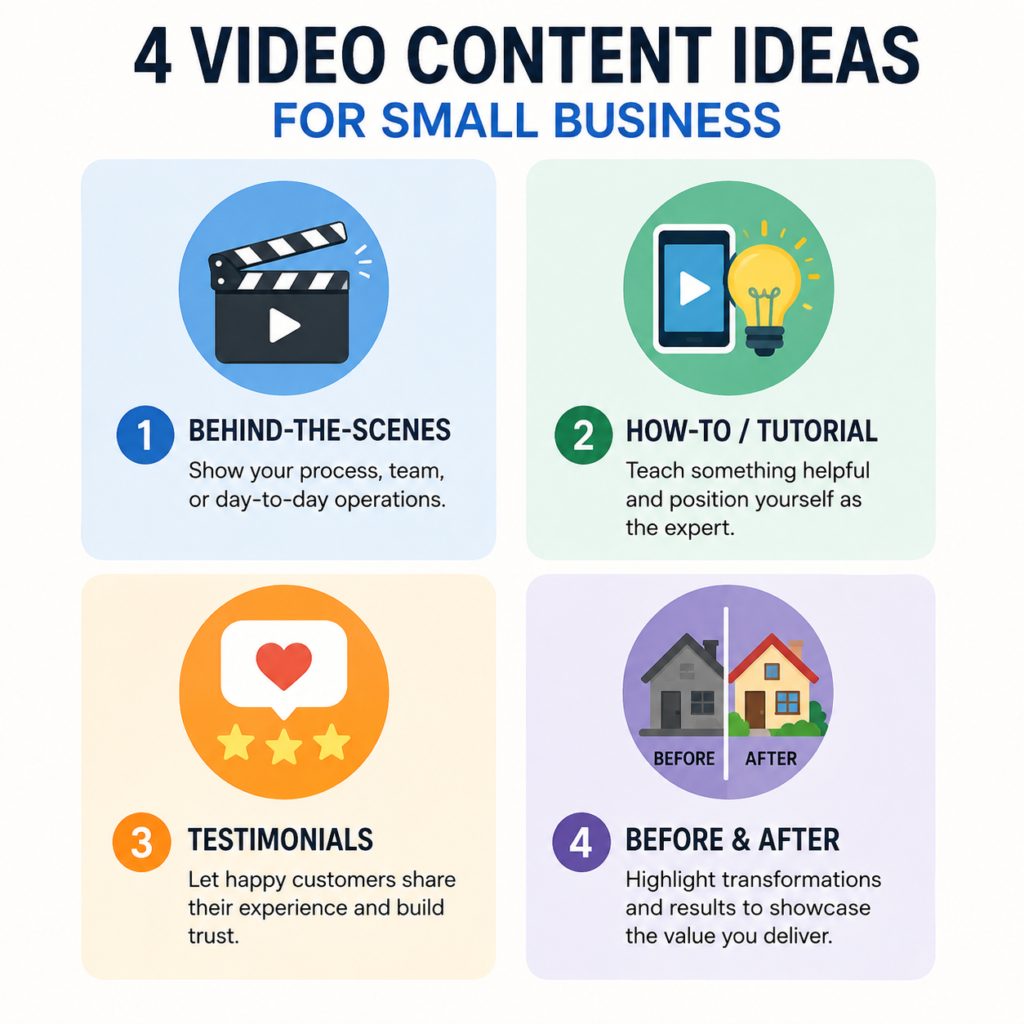
If you’re not sure what to actually film, start with formats that don’t need a script:
- Behind-the-scenes clips — how a product is made, packed, or set up.
- Quick how-to or tutorial videos — answer a question your customers ask you all the time.
- Customer testimonials — even a 30-second phone-recorded review builds trust.
- Day-in-the-life content — show the person or team behind the business.
- Before-and-after clips — especially effective for services (cleaning, design, renovations, fitness).
These formats work because they feel authentic rather than staged, which is exactly what performs well on social platforms right now.
How to Shoot Good-Looking Video With Just Your Phone
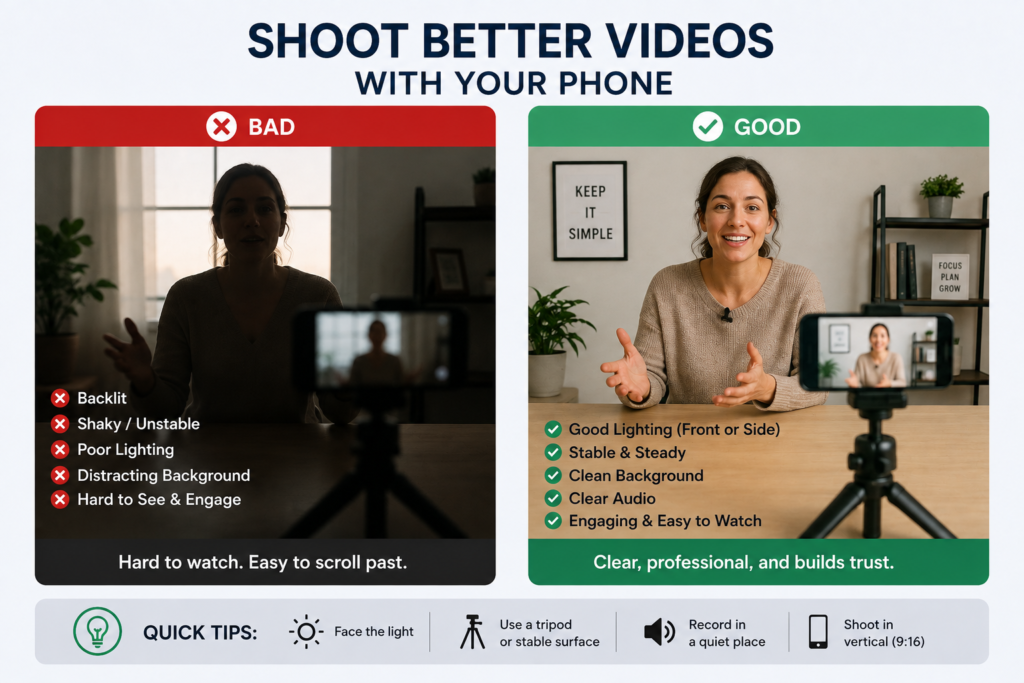
A few small habits separate amateur-looking footage from something that looks intentional:
- Shoot horizontally for YouTube/website, vertically for Reels and TikTok — mixing them up creates awkward cropping later.
- Keep the camera at eye level, not looking up or down at your subject.
- Get close enough that your product or face fills a good portion of the frame.
- Face the light, don’t shoot with a window behind you — this is the single biggest fix for better-looking video.
- Film a few extra seconds before and after each clip so you have room to trim cleanly.
None of this requires training. It’s five habits you can apply on your very first shoot.
Editing Made Simple (No Editor Needed)
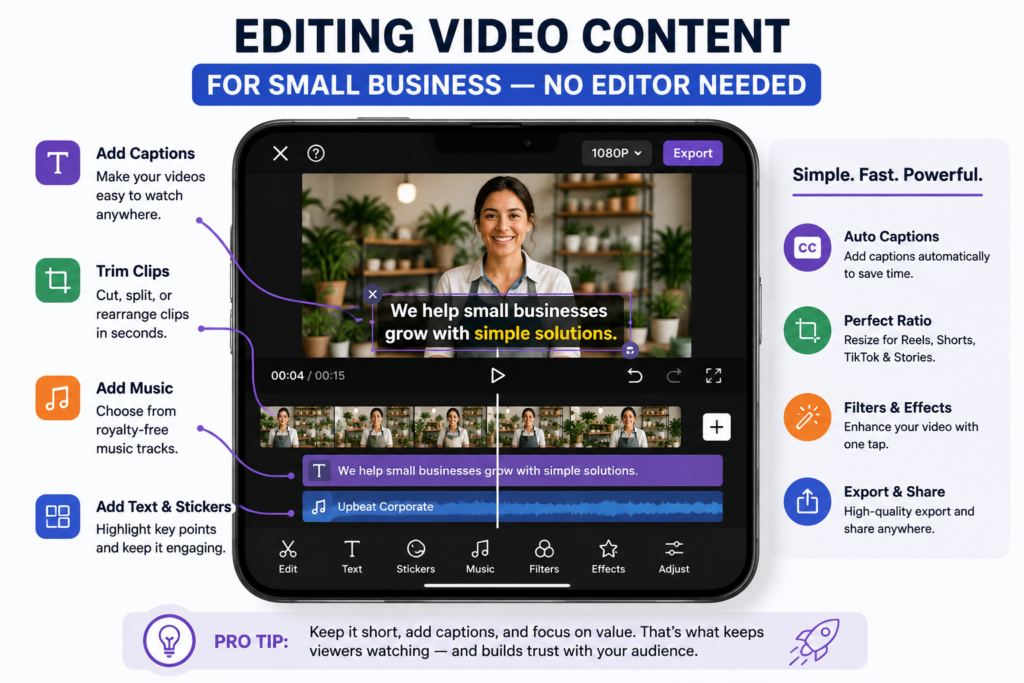
Editing is usually the part that scares business owners off — but today’s apps are built for people with zero editing experience:
- CapCut — free, beginner-friendly, great for adding captions and trimming clips for social media.
- InShot — simple mobile editing with music and text overlays.
- Canva — good if you’re already using it for graphics; has a basic video editor built in.
- Descript — edits video by editing the transcript text, useful for talking-head or tutorial videos.
Most short-form videos only need three edits: trim the dead space, add captions (most people watch with sound off), and add a simple text overlay for the hook.
If filming isn’t your thing at all, tools like InstaDoodle let you skip the camera entirely. It’s an AI whiteboard-and-doodle video maker — you type or paste in a script and it builds an animated explainer video around it, which is a fast way to produce explainer or promo content when you’d rather not be on camera.
Where to Post Your Videos for the Best Results
Once you’ve filmed and edited, don’t just post it once. Repurpose the same clip across:
- Instagram Reels and Facebook for reach and discovery
- TikTok if your audience skews younger
- YouTube Shorts — often overlooked, but Google indexes these in regular search results too
- Your website’s homepage or product pages — a short video on a landing page can noticeably increase how long visitors stay
One video, filmed once, can realistically fill your content calendar across four platforms.

Common Mistakes to Avoid
- Over-scripting — stiff, memorized delivery reads as less trustworthy than a natural, slightly imperfect take.
- Skipping captions — most social video is watched muted; no captions means most people scroll past without understanding it.
- Filming too long — for social media, 15–45 seconds outperforms longer clips for most small business content.
- Ignoring lighting — this is the one thing viewers notice even if they can’t say why a video “looks off.”
Quick-Start Checklist
You genuinely don’t need a videographer to get started — you need a phone, decent light, and one idea worth filming today. Pick one format from the list above, shoot it in the next hour, and post it. Consistency will do more for your business than a perfectly polished single video ever could.
Conclusion
Creating video content for small business doesn’t have to mean hiring a crew or spending a marketing budget you don’t have. Between your smartphone, a few habits for better lighting and framing, and beginner-friendly editing apps — or a tool like InstaDoodle if you’d rather skip the camera altogether — you have everything you need to start today. The businesses that win with video aren’t the ones with the fanciest equipment; they’re the ones that post consistently. Start with one video this week and build from there.







Pingback: How to Create an Explainer Video for Your Product: A Step-by-Step Walkthrough - Your Small Business Solutions