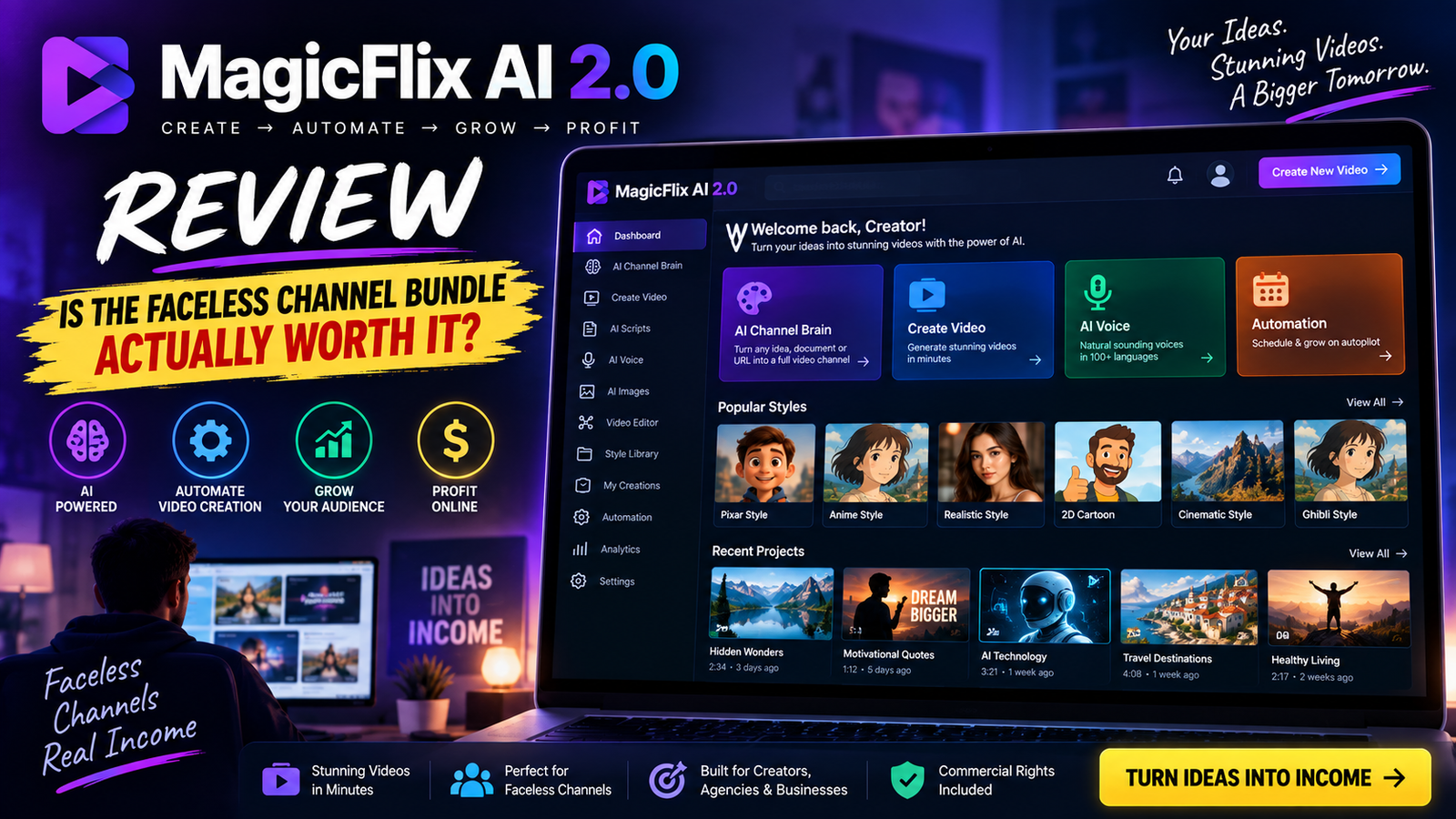
If you landed on this MagicFlix AI 2.0 Review because you’re trying to decide whether to click “buy” on the bundle deal, you’re asking the right question at the right time. Faceless AI channels have made real money for a lot of people in 2026 — and made a lot of other people quit after fifty videos and zero views. The tool you pick determines which group you end up in.
This review walks through exactly what MagicFlix AI 2.0 does, what it actually costs once you look past the front-end price, who it’s a good fit for, and where the marketing oversells things a little. By the end, you’ll know whether the bundle deal is the smart way to buy in.
Table of Contents
Quick Verdict
- Best for: creators and marketers who want to launch faceless YouTube, TikTok, or Instagram channels without juggling five separate AI tools.
- Not ideal for: anyone expecting a channel to make money with zero editorial input, or anyone unwilling to touch the manual editor at all.
- Real starting price: the $47 front end is a stripped-down entry point. Most buyers will want at least one upgrade, and the bundle deal is the more cost-effective route if you know you want more than the basics.
- Bottom line: it’s a genuinely capable production tool from an established vendor, not a “push a button and get rich” system. Treat it that way and it delivers real value.
What Is MagicFlix AI 2.0?
MagicFlix AI 2.0 is a cloud-based platform built by 8-figure marketer Ben Murray and the AtlasWebSolutions team for creating and running faceless video channels on YouTube, TikTok, and Instagram. Instead of stitching together separate apps for scripting, voiceovers, editing, scheduling, thumbnails, and keyword research, it puts the entire workflow under one login.
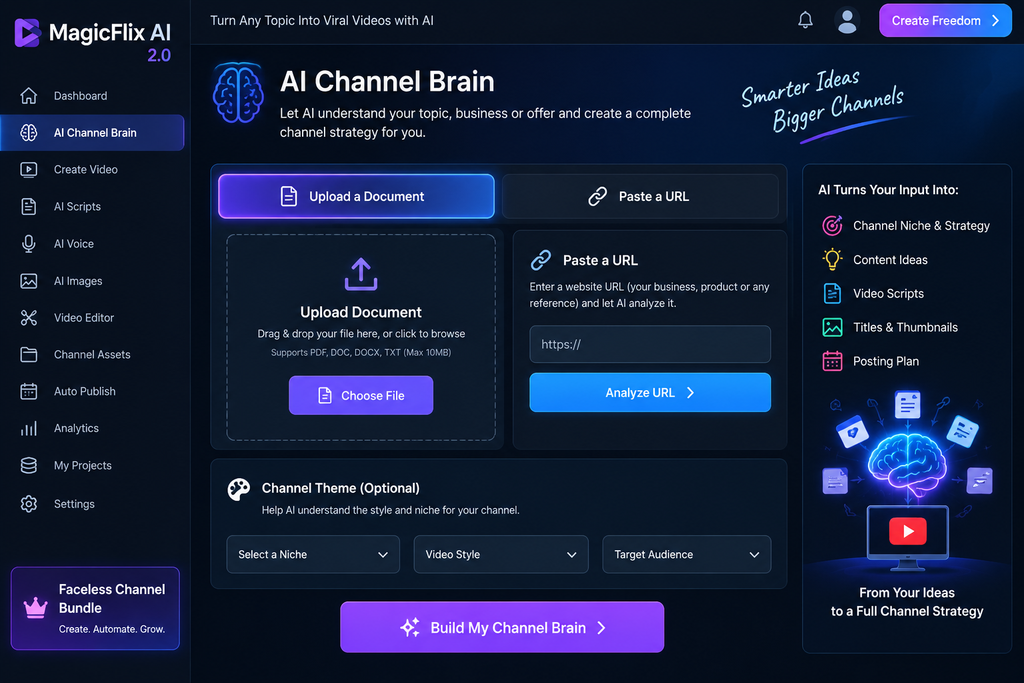
The centerpiece is what the vendor calls the “AI Channel Brain.” You feed it a source — a document, a block of text, or a website URL — and it uses that material to shape a content strategy and a brand voice for the channel, instead of generating generic AI content from a blank prompt. The goal is to avoid the flat, robotic-sounding videos that made a lot of first-generation faceless channels forgettable.
This is the second version of the software. The first release focused mainly on slideshow-style story videos. Version 2.0 expands into newer, higher-retention formats — POV simulations, AI-recreated history, trivia and brain teasers, AI-ASMR, and non-fiction formats built around affiliate offers, product reviews, and local businesses.
How MagicFlix AI 2.0 Works, Step by Step
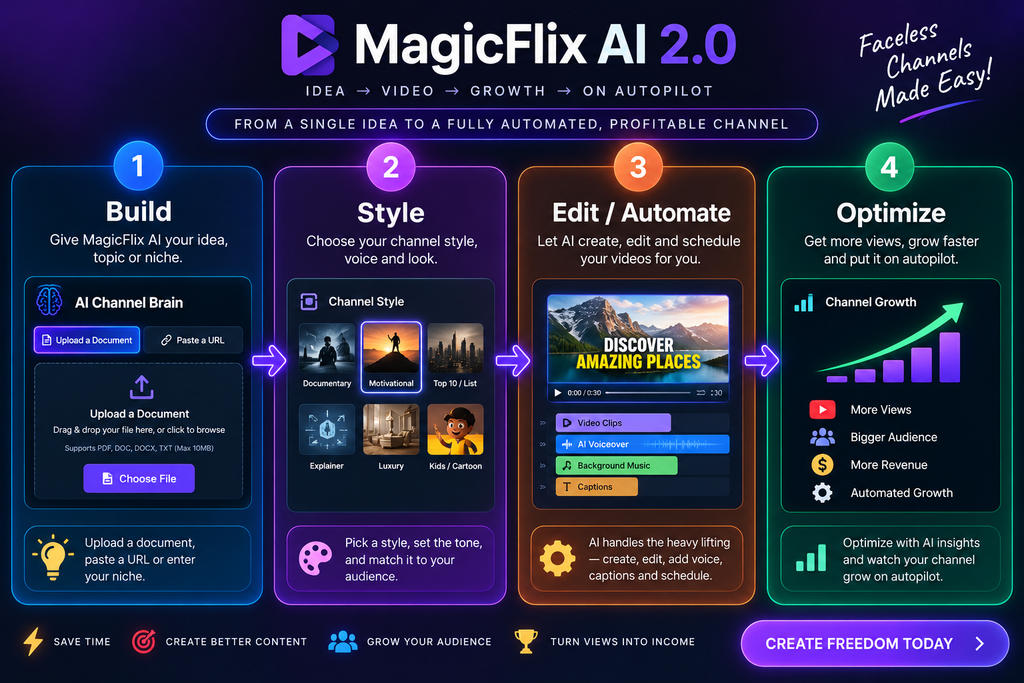
The workflow is built around four main steps, plus a monetization layer that runs alongside everything else.
Step 1: Build the Channel Brain and pick a theme. You choose (or create) a channel theme — POV, trivia, recreated history, AI-ASMR, story formats like scary, kids, or fantasy, or a fully custom idea. The Channel Brain studies your input material so the output matches a specific style instead of sounding like every other AI channel out there.
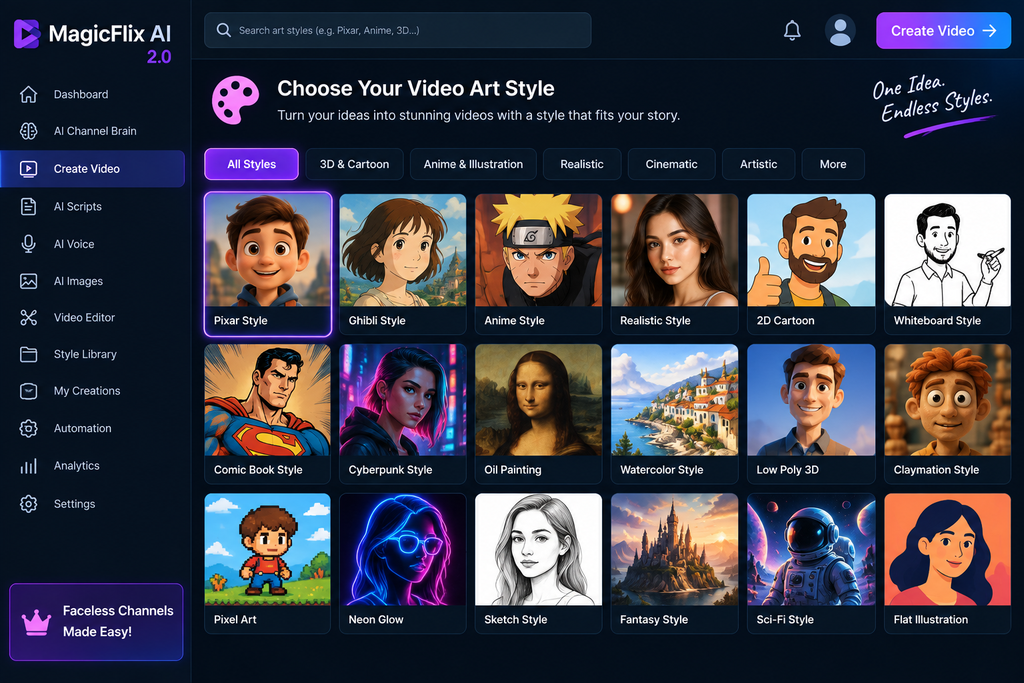
Step 2: Set the voice and visual identity. Pick an AI narrator, decide between AI images or AI video clips, and choose an art style — Pixar-style, Ghibli-style, ultra-realism, comic book, anime, stick figure, and several more. This step also handles subtitles and background music.
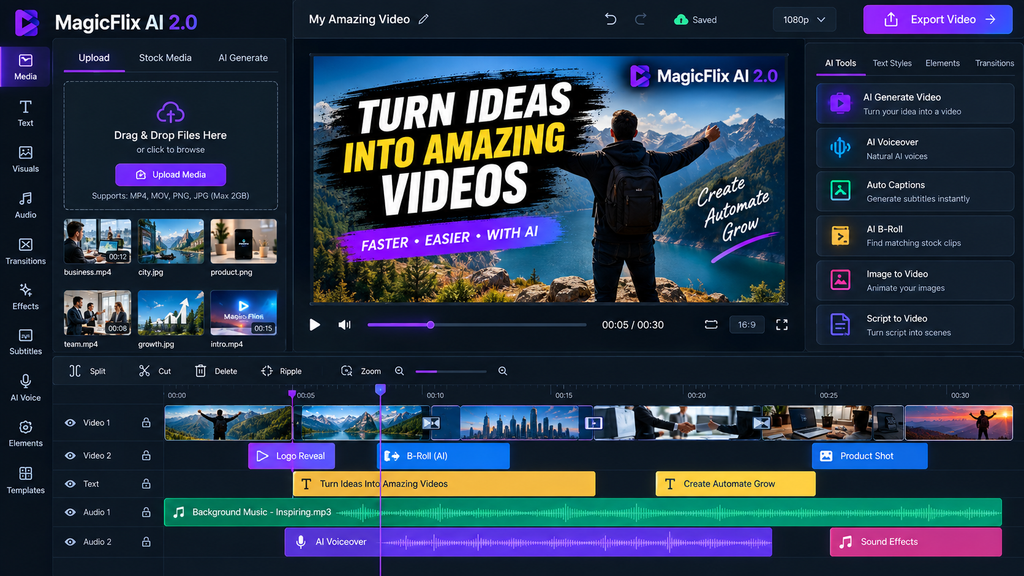
Step 3: Customize or automate. If you want full control, there’s a multi-track, drag-and-drop timeline editor for trimming scenes, adjusting pacing, adding transitions and effects, and swapping in your own assets. If you’d rather not touch any of it, you can switch to automatic mode and let the built-in content calendar create, schedule, and publish on its own.
Step 4: Optimize and rank. The platform’s SEO tools surface trending topics, suggest low-competition longtail keywords, rewrite titles and descriptions to be more clickable, generate hashtags, and produce thumbnails designed for a higher click-through rate.
Running through all of that is a monetization layer that works in three directions: affiliate content (the AI matches offers to your niche and builds promotional videos around them), agency services (lead-generation videos and a done-for-you agency page for selling channel services to local businesses), and sponsorships (media kits and pitch pages for landing paid brand deals).
The Three Operating Modes
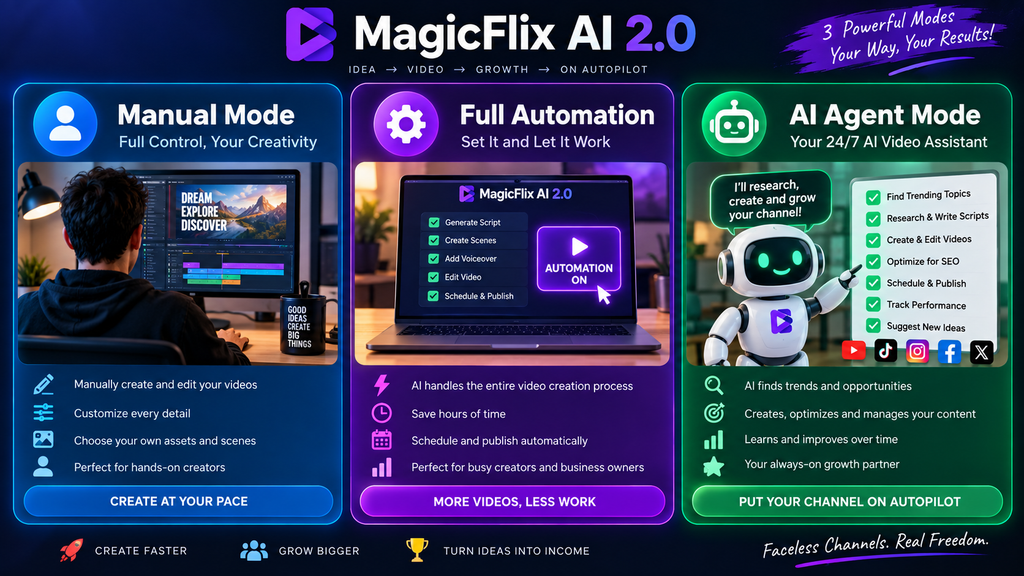
One detail worth calling out on its own: MagicFlix AI 2.0 gives you a choice in how hands-on you want to be.
- Manual Mode — full control over every scene, clip, transition, and line of script using the timeline editor.
- Full Automation Mode — the AI builds and publishes an entire channel series on a schedule, hands-free.
- AI Agent Mode — you point it at a specific business, product, or offer, and the agent studies it and builds a channel identity designed around it.
Most competing tools force you into one lane. Being able to move between full control and full automation, depending on the channel, is genuinely one of the more useful design choices here.
Key Features Breakdown
Channel Themes and Art Styles
You’re not limited to one video format. Themes range from viral “unreal” formats like POV simulation, recreated history, and AI-ASMR to classic story genres like scary, fantasy, mystery, sci-fi, and kids’ content, plus non-fiction formats like affiliate reviews, tutorials, biographies, and small-business content. Art styles include Pixar-style, Ghibli-style, ultra-realism, comic book, anime, expressionism, sketch, and video-game styles, so channels don’t all end up looking the same.
Human-Sounding Voiceovers
The built-in voice library covers different ages, accents, and personalities, aimed at avoiding the flat, obviously synthetic narration that makes a lot of AI content easy to scroll past.
Character Consistency
Keeping a character looking the same across a full video — and across an entire channel — is one of the harder problems in AI video generation. MagicFlix AI 2.0 includes dedicated technology for this, which matters a lot for story-driven or recurring-character channels.
Multi-Track Timeline Editor
Drag-and-drop editing lets you cut, trim, rearrange, regenerate individual clips, add transitions and effects, and fine-tune timing. This is the feature that gives you real editorial control instead of accepting whatever the AI outputs on the first pass.
SEO and Discovery Tools
Keyword and hashtag discovery, trending-topic detection, title and description rewriting, and thumbnail generation are all built in. You can also generate video ideas from a keyword, niche, competitor, or URL, sorted by viral, trending, evergreen, and high-engagement potential.
Built-In Monetization
Three separate revenue paths are baked into the platform: AI-matched affiliate offers with list-building, agency lead videos and pages for selling channel services to local businesses, and sponsorship tools for landing paid brand deals.
Scheduling and Multi-Platform Publishing
Videos can be scheduled individually or published continuously through automation mode, formatted for YouTube, TikTok, Instagram, and Facebook in both horizontal and vertical layouts.
What’s Actually New in Version 2.0
If you used version 1.0, here’s what’s different. The original release leaned heavily on static-image slideshow videos. Version 2.0 shifts to AI video clips and a much wider set of formats — POV, recreated history, AI-ASMR, and non-fiction/affiliate formats weren’t part of the original lineup. Character consistency across long videos and full channels is new. The SEO and discovery layer — trend detection, keyword research, hashtag discovery, and thumbnail generation — has also been expanded well beyond what version 1.0 offered.
In short: version 1.0 made videos. Version 2.0 is built to make and grow channels.

MagicFlix AI 2.0 Pricing: What It Really Costs
This is the part most reviews rush past, so let’s break it down properly.
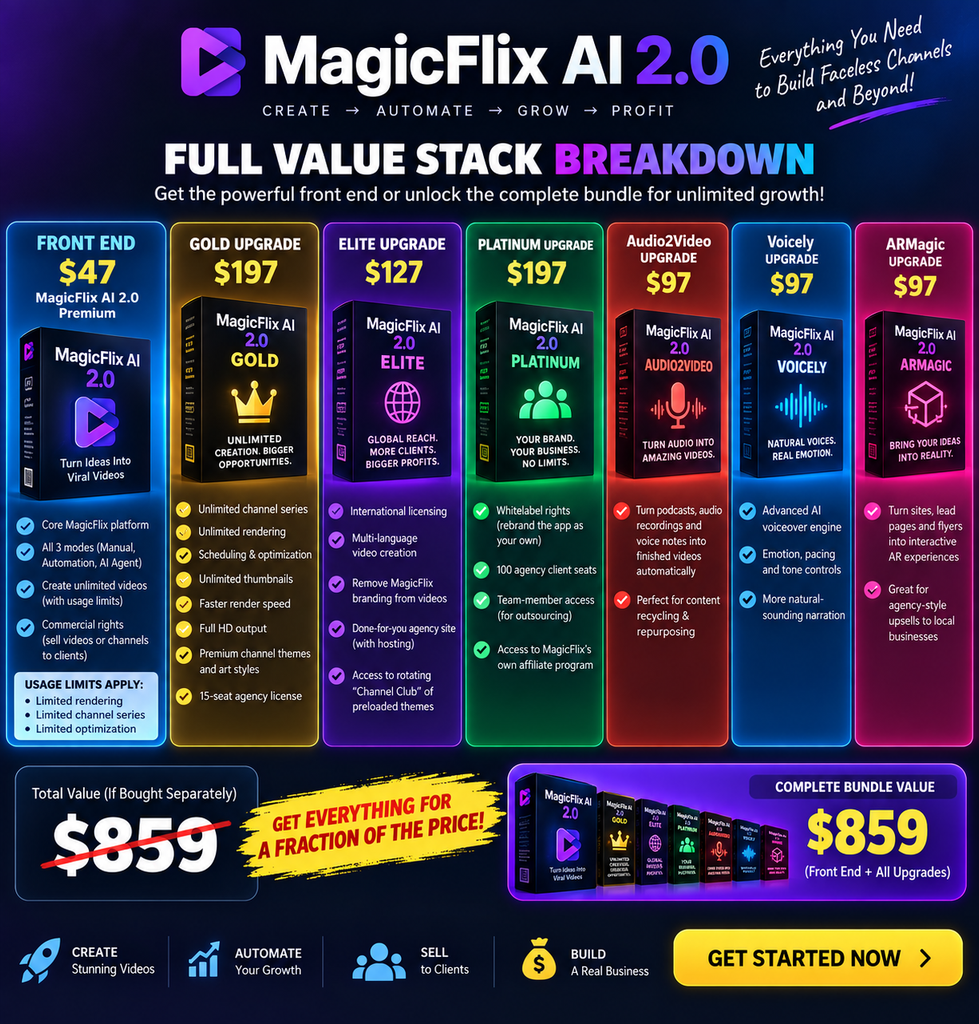
The advertised entry price is $47 for the MagicFlix AI 2.0 Premium front end. That gets you the core platform, all three modes, and commercial rights to sell videos or channels to clients — but it comes with usage limits on rendering, channel series, and optimization.
If you want to remove those limits, here’s what the individual upgrades look like:
- Gold ($197): unlimited channel series, unlimited rendering, scheduling, and optimization, unlimited thumbnails, faster render speed, Full HD output, premium channel themes and art styles, plus a 15-seat agency license.
- Elite ($127): international licensing and multi-language video creation, branding removal from finished videos, a done-for-you agency site with hosting, and access to a rotating “Channel Club” of preloaded themes.
- Platinum ($197): whitelabel rights to rebrand the app as your own, 100 agency client seats, team-member access for outsourcing, and access to MagicFlix’s own affiliate program.
- Audio2Video ($97): a separate module that turns podcasts, audio recordings, and voice notes into finished videos automatically.
- Voicely ($97): an advanced voiceover engine with emotion, pacing, and tone controls for more natural-sounding narration.
- ARMagic ($97): an augmented-reality module for turning sites, lead pages, and flyers into interactive AR experiences — useful mainly for agency-style upsells to local businesses.
Add all of that up individually and you’re looking at roughly $859 for the front end plus every upgrade.
That’s exactly why the bundle deal exists. Instead of running the full upsell sequence, the bundle packages the upgrades into one payment, which brings the total down significantly compared to buying each piece separately — and it comes with agency rights included.
If you already know you want more than the bare-bones front end, buying the bundle up front is the more cost-effective route, and it saves you from clicking “no thanks” through six separate upsell pages.
Every tier is backed by a 30-day money-back guarantee, and the whole thing is a one-time payment structure for now rather than a recurring subscription — though, as with most software in this category, that pricing model is tied to the launch period rather than guaranteed forever.
Pros and Cons
Pros:
- All-in-one workflow — scripting, voice, visuals, editing, scheduling, and SEO in one login instead of five subscriptions
- Genuine editorial control through the manual timeline editor, not just a black-box generator
- Wider, more current channel formats than version 1.0 (POV, AI-ASMR, recreated history, non-fiction/affiliate)
- Character consistency across long-form and multi-video channels
- Built-in monetization paths beyond ad revenue (affiliate, agency, sponsorship)
- One-time pricing option with a 30-day refund window
- Vendor has a long track record supporting past software releases
Cons:
- The $47 front end is limited — most buyers will need at least the Gold upgrade for unlimited rendering and Full HD output
- Full Automation mode, used carelessly, can produce repetitive-looking content, and platforms are paying closer attention to mass-produced AI video right now
- Audio2Video, Voicely, and ARMagic are separate legacy-style apps bundled in rather than native features
- Case studies shown on the sales page are examples of what’s possible with faceless channels generally, not guaranteed outcomes from this specific tool

A Realistic Word on Results and Platform Policy
No honest MagicFlix AI 2.0 Review would skip this part. The sales page features channels earning anywhere from four figures to six figures a month. Those numbers show what’s possible in the faceless-channel space — they are not a promise of what your specific channel will do. Software can remove production friction; it can’t manufacture an audience, a niche with demand, or watchable packaging on its own.
It’s also worth knowing that YouTube has tightened its policy around mass-produced, templated-looking content over the past year, and channels that publish large volumes of near-identical AI videos with no editorial input are the ones most likely to run into monetization issues.
The practical takeaway isn’t “don’t use automation” — it’s “don’t rely on Full Automation mode alone without ever touching the manual editor.” Feed the Channel Brain real material, spend a little time on the manual editor for your first few videos per channel, and treat the SEO tools as research assistance rather than a guarantee of rankings. Used that way, MagicFlix AI 2.0 does exactly what it’s built to do.
Who Actually Gets Value From MagicFlix AI 2.0?
A good fit if you’re:
- Starting a faceless YouTube, TikTok, or Instagram channel and want one platform instead of five
- A marketer who wants to build affiliate-focused non-fiction channels with monetization baked in from day one
- An agency owner or freelancer who wants to offer channel-creation services to local business clients
- Someone who’s willing to spend a little time in the manual editor rather than expecting pure autopilot results
Probably not the right fit if you’re:
- Looking for a guaranteed income system with zero time investment
- Unwilling to learn any part of the editing or optimization workflow
- Only interested in the $47 front end with no plan to unlock unlimited rendering
What Real Users Are Reporting
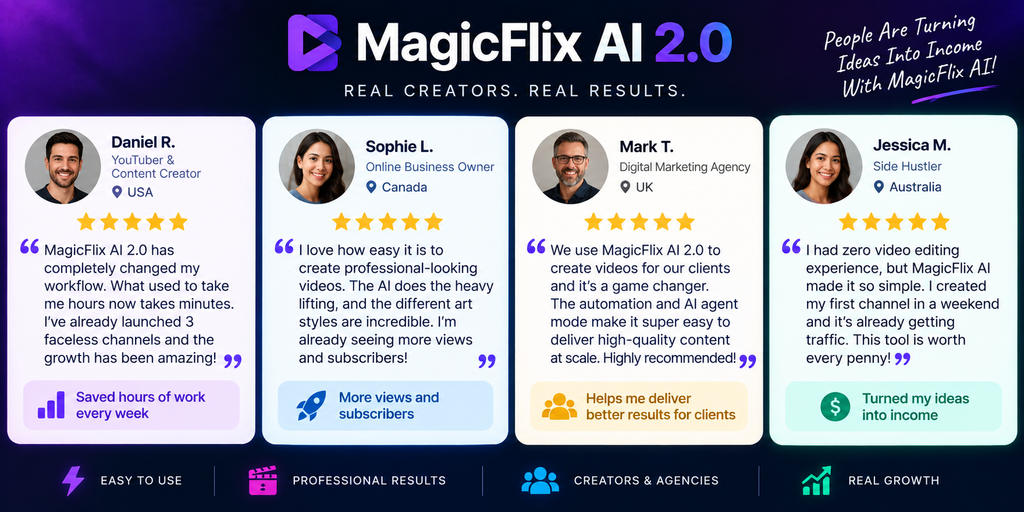
Early access users have described a range of outcomes, from agency operators landing multiple client deals within days of using the platform, to solo creators seeing one channel out of several take off while the rest underperform — which lines up with how faceless channels typically behave: you test a batch, and the winners carry the results.
Several reviewers also pointed out that the output feels more distinct and less “AI-generic” than what they got from earlier tools, largely thanks to the brand-voice training and wider style library. As always, individual results vary based on niche, consistency, and how much editorial polish you add before publishing.
MagicFlix AI 2.0 Bundle: Where to Get It
If you’ve read this far, you already know more about what you’re buying than most people who click straight from a sales video. Here’s the short version: the $47 front end is a fine way to test the interface, but if you want unlimited rendering, Full HD output, the premium themes and art styles, and agency rights, the bundle deal is the more sensible purchase — you get everything in one payment instead of paying more overall through the individual upsells.
👉 Get the MagicFlix AI 2.0 Bundle Here
Every purchase tier is covered by a 30-day money-back guarantee, so there’s minimal downside to testing it against your own channel idea.

Frequently Asked Questions
Is MagicFlix AI 2.0 a one-time payment?
Yes, during the current launch period it’s sold as a one-time payment rather than a monthly subscription, though the front end has usage limits unless you add the Gold upgrade or bundle.
What’s different between MagicFlix AI 1.0 and MagicFlix AI 2.0?
Version 2.0 adds newer high-retention formats like POV, AI-ASMR, and recreated history, moves from static images to AI video clips, adds character consistency across long videos, and significantly expands the SEO and discovery toolset.
Do I need any API keys or extra subscriptions to use it?
No. The platform works without adding your own API keys, though you can connect your own later if you choose to.
Can I use MagicFlix AI 2.0 for platforms other than YouTube?
Yes. Videos can be formatted and published for YouTube, TikTok, Instagram, and Facebook in both horizontal and vertical layouts.
Is the bundle deal worth it over buying upgrades separately?
If you already know you want unlimited rendering, premium themes, or agency rights, yes — the bundle brings the total cost down compared to buying Gold, Elite, and Platinum individually.
Do I need experience with video editing to use this?
No. The interface is built for beginners, with full automation available if you’d rather not touch the editor at all — though some manual involvement is recommended for better long-term results.
Is there a refund policy?
Yes, every tier comes with a 30-day money-back guarantee.
Final Verdict on This MagicFlix AI 2.0 Review
MagicFlix AI 2.0 is a legitimately capable production platform from a vendor with a track record of supporting its software long-term. It won’t turn zero effort into guaranteed income, and the $47 headline price isn’t the realistic cost for most buyers — but as a way to consolidate scripting, voice, editing, scheduling, and SEO into one system, it does exactly what it promises.
If you’re serious about building a faceless channel and you’re willing to put in a bit of editorial input, the bundle deal is the smarter way to buy in, and the 30-day guarantee makes it a low-risk way to find out if it fits your workflow.
Affiliate Disclaimer: This review contains affiliate links. If you purchase through them, I may earn a commission at no additional cost to you. I only recommend tools I believe offer genuine value.