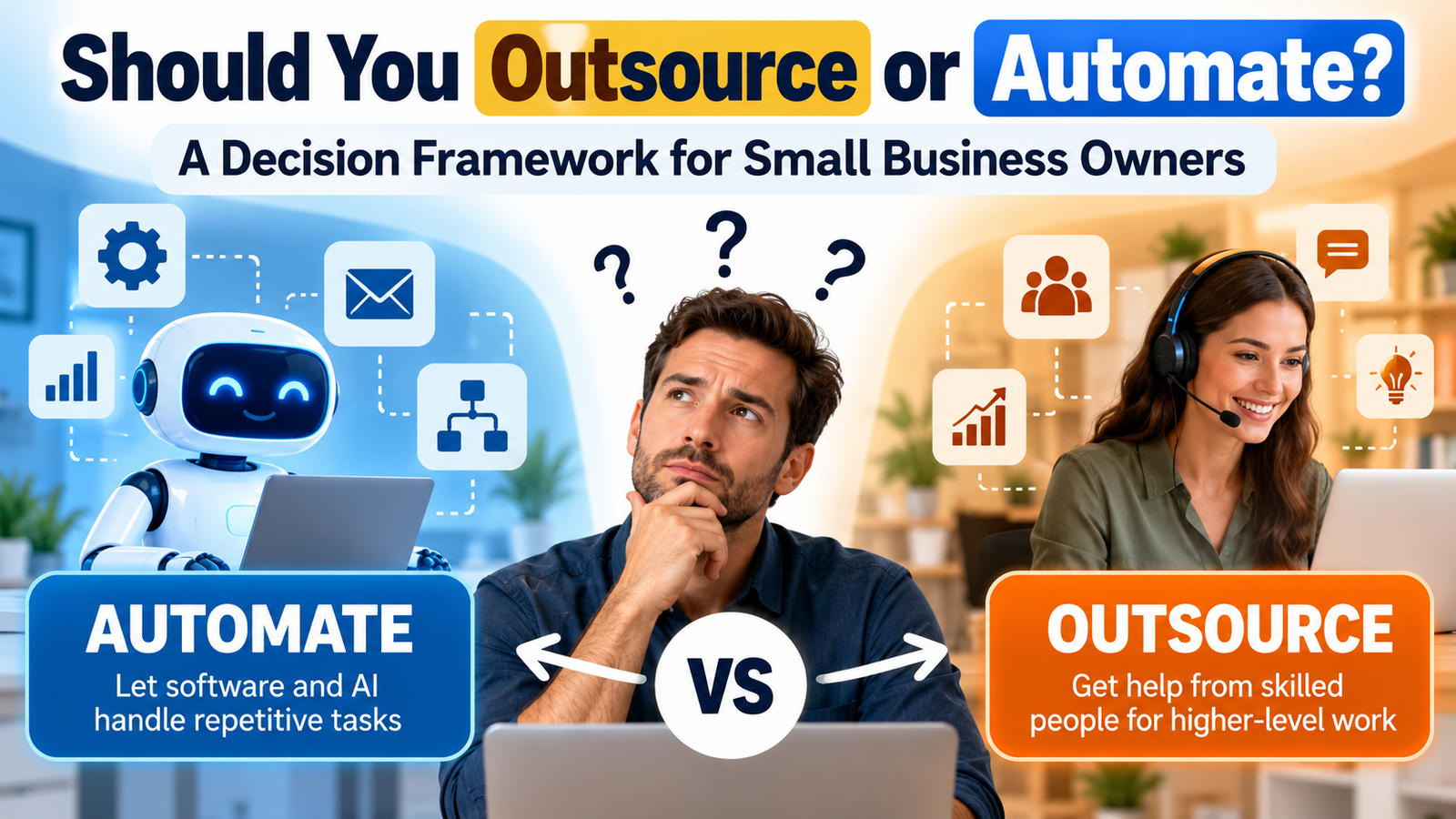
At some point, nearly every small business owner hits the same wall: a task is eating hours every week, and something has to change. The real question is whether you should outsource or automate it — and most people guess instead of actually working it out. Guess wrong, and it’s expensive. Outsource a task that software could’ve handled for a few dollars a month, and you’re overpaying for years. Automate a task that needed human judgment, and you end up quietly babysitting a broken process.
This post breaks the outsource-or-automate decision down into a simple framework you can run any task through — bookkeeping, customer emails, social media, lead follow-up, whatever’s piling up right now.
Table of Contents
What “Outsourcing” Actually Means for a Small Business
Outsourcing is handing a task to another person or company — a virtual assistant, a freelancer, an agency, a bookkeeper. You’re paying for a human to apply judgment, experience, or a skill you don’t have time to learn.
Where outsourcing wins:
- Tasks that need context, tone, or relationship-building (sales calls, client onboarding)
- One-off or irregular work that isn’t worth building a system for
- Specialized skills you don’t have in-house (design, legal, accounting)
Where it costs you:
- Ongoing per-hour or per-task cost that scales with volume
- Time spent managing, training, and reviewing someone else’s work
- Quality that depends on who you hire
What “Automation” Actually Means for a Small Business
Automation means software does the task instead of a person — email autoresponders, Zapier/Make workflows, chatbots, scheduling tools, CRM triggers. You’re trading setup time now for near-zero marginal cost later.
Where automation wins:
- Repetitive tasks that follow the same steps every time
- High-volume work where a few seconds saved per task adds up fast
- Anything that needs to run at 2 AM without you
Where it costs you:
- Upfront time to build and test the workflow
- It breaks quietly when an input changes and nobody’s watching
- Zero judgment — it can’t handle the exception it wasn’t built for
Outsource or Automate? Start With These 5 Questions
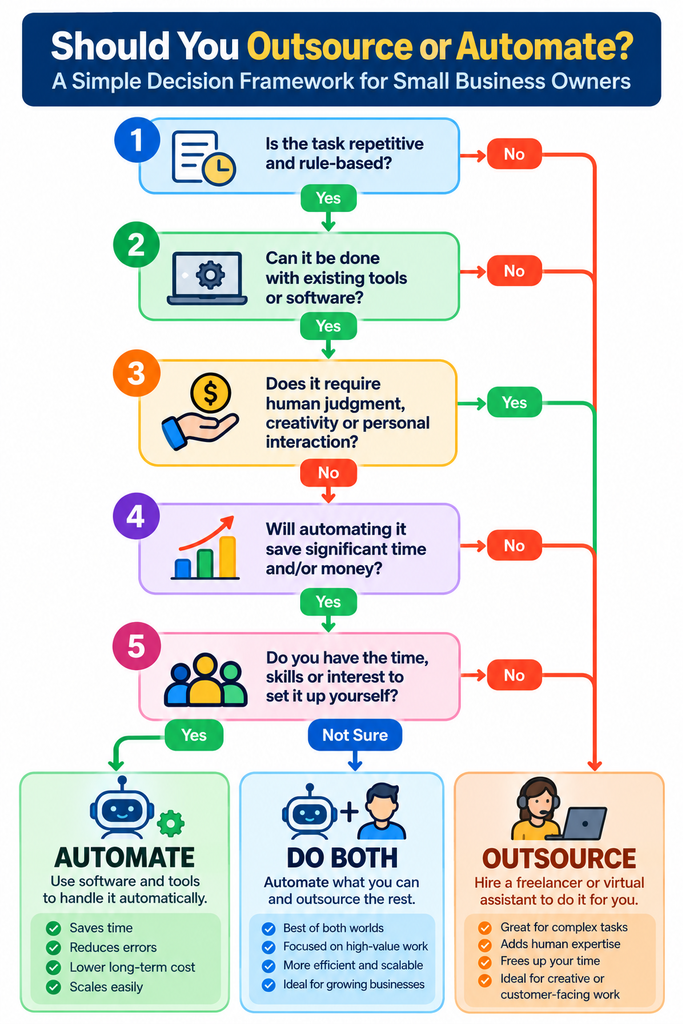
Before you decide, run the task through these five questions.
1. Does it follow clear rules, or does it need judgment?
If you could write the exact steps on a sticky note, lean automate. If every instance is a little different and needs a human read on the situation, lean outsource.
2. How often does it happen?
Daily or weekly tasks are worth the setup time to automate. Something that happens twice a quarter almost never justifies building a workflow — outsource it or do it yourself.
3. What’s the cost of getting it wrong?
A missed tag on a spreadsheet row is cheap to fix. A wrong reply to an upset customer, or a legal document with an error, is not. The higher the stakes, the more you want a person reviewing it — even if that person is reviewing an automated output, not doing the task from scratch.
4. What’s your real constraint — time or money?
If cash is tighter than time, automation’s upfront effort pays off fast. If time is tighter than cash, outsourcing buys you hours back immediately, even at a premium.
5. Is this a core skill, or a distraction?
If the task is central to why customers choose you (your product, your expertise, your voice), be careful handing it fully to either software or a stranger. If it’s purely operational — scheduling, data entry, follow-up emails — it’s a strong candidate for either outsourcing or automation.
A Simple Outsource-or-Automate Framework You Can Use Today
Once you’ve answered those five questions, the decision usually falls into one of three buckets:
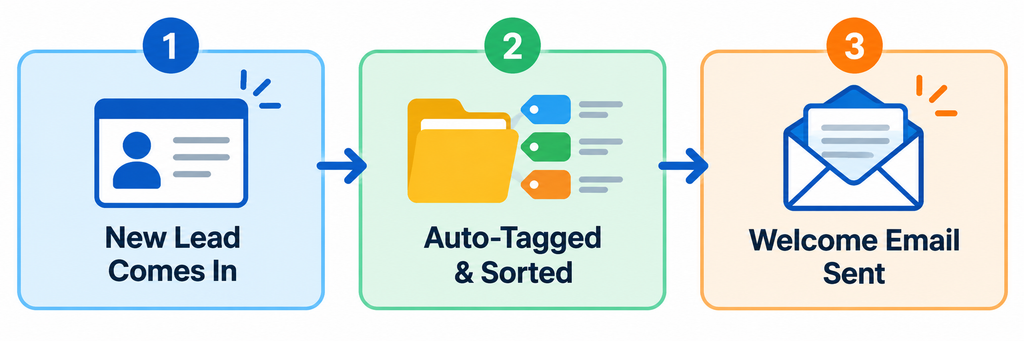
- Automate it — the task is repetitive, rule-based, and happens often. Low risk if something slips through. Examples: tagging new subscribers, sending appointment reminders, posting scheduled social content.
- Outsource it — the task needs judgment, happens occasionally, or requires a skill you don’t have. Examples: writing a sales page, handling a sensitive customer complaint, designing a logo.
- Do both — the task has a repetitive part and a judgment part. Automate the repetitive 80%, and have a person (in-house or outsourced) handle the 20% that needs a human call. This is where most growing businesses actually land.
The mistake to avoid is treating “outsource or automate” as an either/or decision for your whole business. It’s a per-task decision, made over and over as you grow.
Real Examples: Outsource or Automate?
Seeing it applied to actual tasks makes the framework click faster:
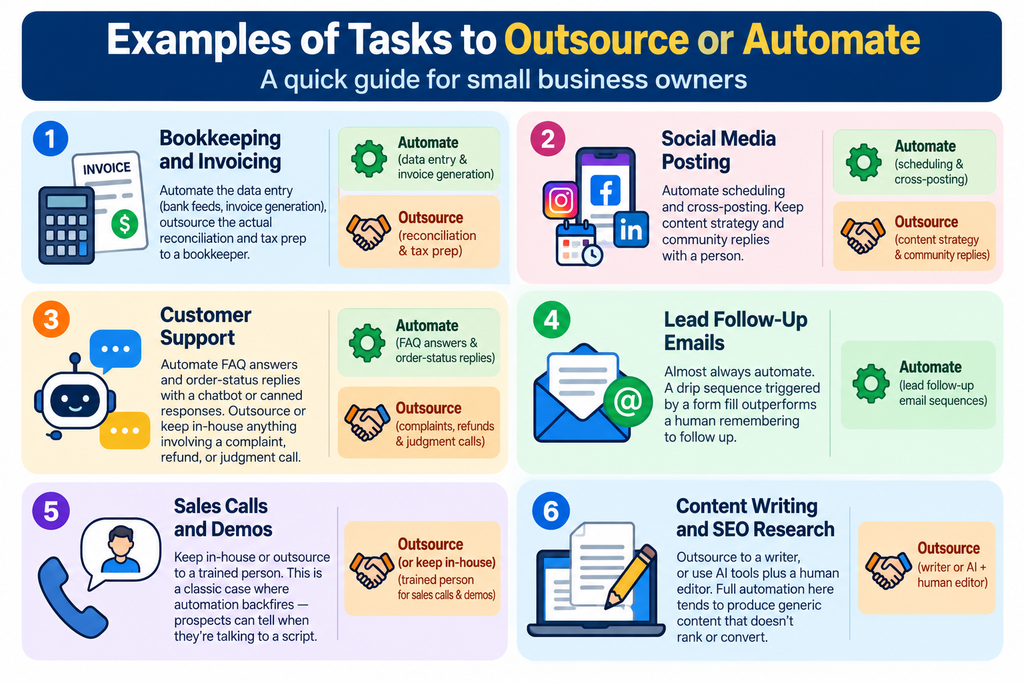
- Bookkeeping and invoicing — Automate the data entry (bank feeds, invoice generation), outsource the actual reconciliation and tax prep to a bookkeeper.
- Social media posting — Automate scheduling and cross-posting. Keep content strategy and community replies with a person.
- Customer support — Automate FAQ answers and order-status replies with a chatbot or canned responses. Outsource or keep in-house anything involving a complaint, refund, or judgment call.
- Lead follow-up emails — Almost always automate. A drip sequence triggered by a form fill outperforms a human remembering to follow up.
- Sales calls and demos — Keep in-house or outsource to a trained person. This is a classic case where automation backfires — prospects can tell when they’re talking to a script.
- Content writing and SEO research — Outsource to a writer, or use AI tools plus a human editor. Full automation here tends to produce generic content that doesn’t rank or convert.
When the Right Answer Is “Both”
Most businesses that get this right don’t pick a side — they build a layer of automation underneath outsourced or in-house work. A virtual assistant answering customer emails is far more effective when automation has already tagged, sorted, and prioritized the inbox. A freelance writer produces better content faster when automated research tools have already pulled competitor data and keyword ideas.
Automate first to reduce the volume of work, then outsource what’s left that still needs a human.
Common Mistakes When Deciding to Outsource or Automate
- Automating too early, before you actually understand the task well enough to build a reliable workflow. This usually creates more cleanup work than it saves.
- Outsourcing something you do rarely enough that training someone costs more time than just doing it yourself.
- Assuming automation is “set and forget.” Tools break when a form field changes or an integration updates. Someone still needs to check on it.
- Outsourcing judgment-heavy, brand-defining work to the lowest bidder just to save money, then spending more time fixing it than it would’ve taken to do in-house.

A Quick Self-Check Before You Decide
If you’re staring at a list of five or six time-consuming tasks and don’t know where to start, it helps to run through a structured checklist rather than deciding task-by-task from scratch. That’s exactly the kind of gap the SmallBiz AI Checklist is built for — it walks you through identifying which of your recurring tasks are the best early candidates for AI and automation tools, so you’re not guessing which one to tackle first. It’s a useful companion to the five questions above if you want a repeatable process instead of re-deciding this every time a new task piles up.
Final Thoughts
There’s no universal right answer to outsource or automate — only the right answer for a specific task, at a specific volume, with a specific cost of error. Run each time-consuming task through the five questions above, be honest about whether it needs judgment or just needs to happen consistently, and you’ll land on the right call far more often than guessing. For most small businesses, the winning move isn’t choosing outsourcing or automation — it’s using automation to shrink the workload, then outsourcing (or keeping in-house) only the part that genuinely needs a human.