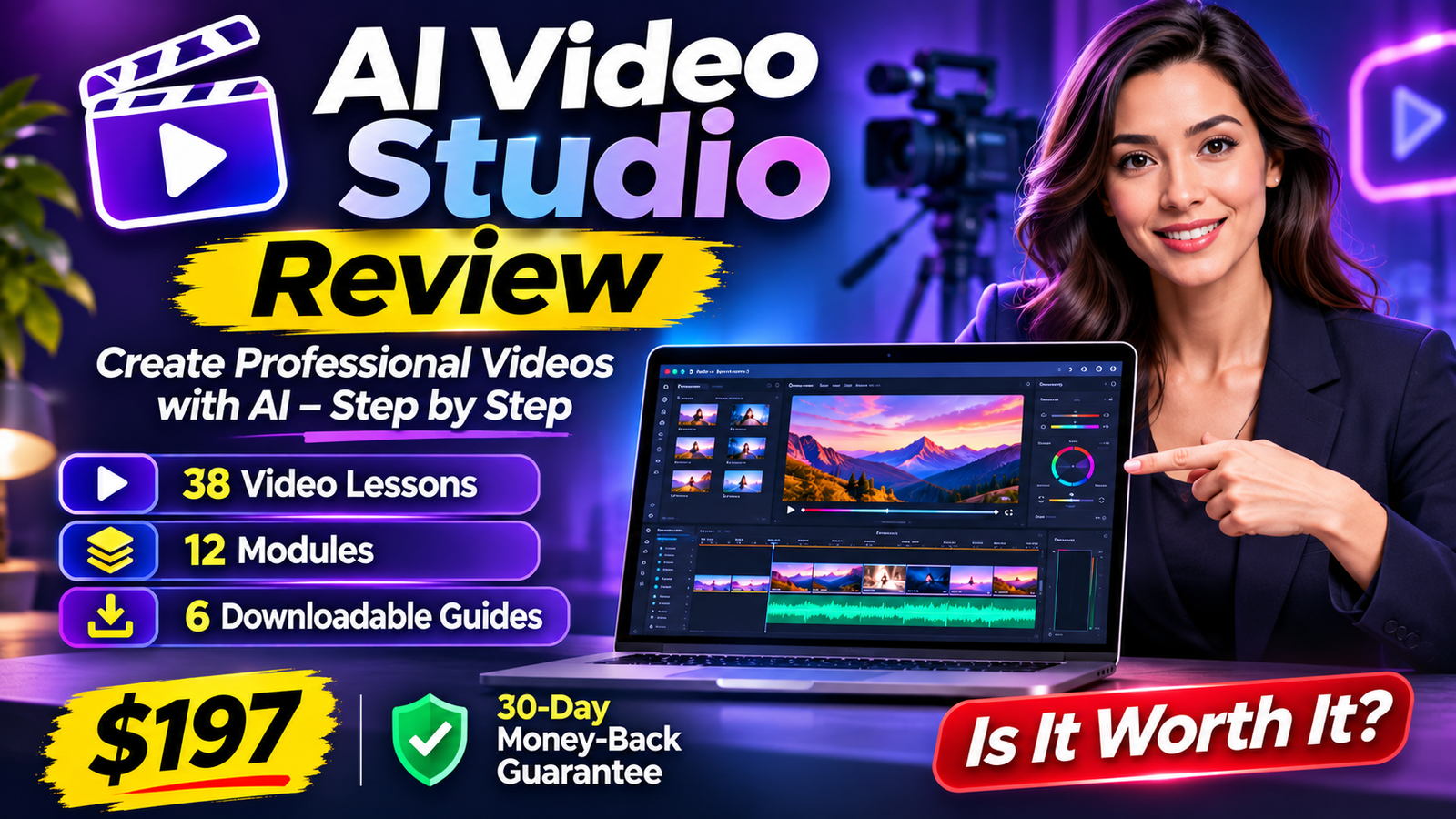
If you’re looking for an honest AI Video Studio Review in 2026, this guide will help you decide whether this online AI video creation course is worth its advertised $197 price. With AI video tools becoming increasingly popular, more creators, freelancers and entrepreneurs are exploring ways to produce professional-looking videos without traditional filming equipment or extensive editing experience.
But learning how to use these tools effectively is another challenge.
That’s where AI Video Studio comes in. It’s an online training course designed to teach users how to create AI-assisted videos, covering everything from developing video ideas and writing scripts to generating visuals, creating AI avatars, editing footage and publishing content.
In this AI Video Studio Review, I’ll examine the advertised curriculum, included resources, pricing, potential benefits, limitations and alternatives to help you decide whether the $197 course is worth considering.
We’ll also look at who the training is designed for and what you should understand before purchasing.
Quick verdict: AI Video Studio may be a useful training option for beginners, content creators, freelancers and marketers who want a structured introduction to AI-assisted video production. However, it’s important to understand that this is a training course, not an all-in-one AI video generation software subscription.
Disclosure: This article contains affiliate links. If you purchase through these links, I may earn a commission at no additional cost to you. This does not influence my assessment. I’ve reviewed the publicly available course information, but I have not independently tested the members-only training area.
Table of Contents
What Is AI Video Studio?
AI Video Studio is an online video creation training program developed by Creative Video Lab.
Its purpose is to teach users how to combine different AI tools and video editing techniques to produce promotional videos, user-generated-content-style videos, AI avatar videos and faceless content.
Rather than presenting itself as a single application that automatically generates complete videos, the course focuses on teaching a repeatable production workflow.
According to the official sales page, the training covers:
- Understanding visual language and professional video presentation.
- Developing video ideas, formats, hooks and scripts with AI.
- Choosing AI models and creating images through prompting.
- Turning generated images into moving video scenes.
- Creating realistic AI avatars.
- Editing videos using CapCut and Final Cut Pro.
- Adding voiceovers, music and sound design.
- Creating motion graphics.
- Improving viewer retention and understanding trends.
- Building a repeatable video publishing workflow.
- Exploring ways to offer AI video creation as a service.
The course is presented by Diana Ruiz, identified by Creative Video Lab as a video director, with Max serving as the AI host.
The distinction between training and software is important. Purchasing AI Video Studio gives you access to the advertised training, not automatically to every third-party AI platform or editing application discussed in the lessons.
You can explore the official AI Video Studio website here.
How Does AI Video Studio Work?
The course is organised around the different stages of producing an AI-assisted video.
Based on the advertised curriculum, the intended workflow looks something like this.
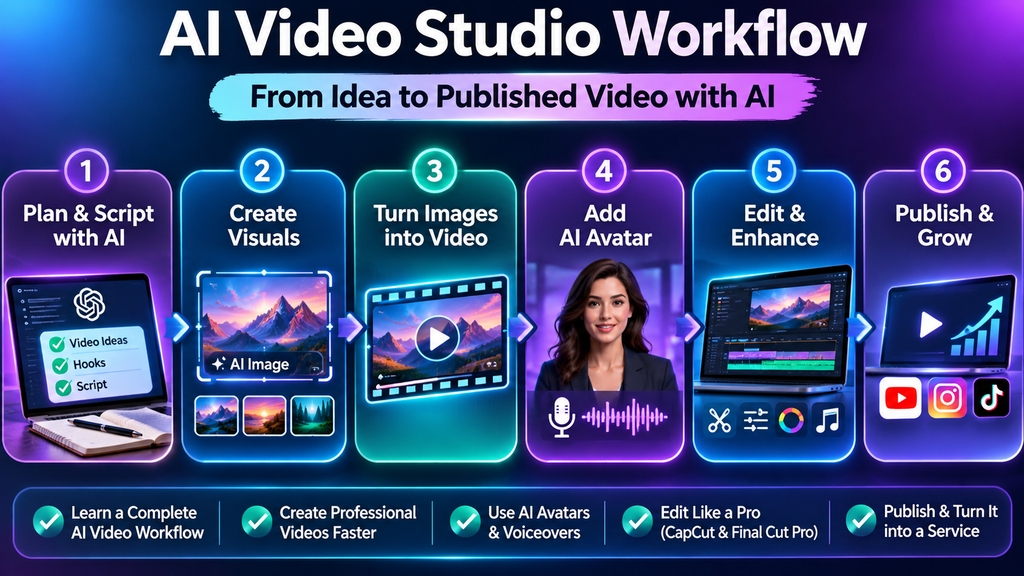
1. Understand Video Storytelling
Before creating visuals, you need to understand what makes a video engaging.
The training begins with visual language, covering the principles behind professional-looking videos and how visual elements communicate a message.
This is an important starting point because simply generating attractive AI images doesn’t automatically produce an effective video.
2. Develop Ideas, Hooks and Scripts
The next stage focuses on developing video ideas and turning them into scripts.
This includes exploring formats, hooks and structures that can help communicate a message more effectively.
For marketers and content creators, scripting is particularly important. A video needs a clear opening, a reason for the viewer to keep watching and a logical conclusion.
3. Create AI-Generated Visuals
The course then moves into selecting AI models, writing prompts and creating images.
This stage is relevant to people who want to develop visual content without organising traditional photography or video shoots.
The quality of the output will depend on the tools selected, the prompts used and the amount of refinement involved.
4. Turn Images Into Videos
Static images are only one part of the process.
The training covers turning generated images into moving scenes, helping learners understand how still visuals can become part of a video sequence.
This is particularly relevant for faceless content, promotional videos and visual storytelling.
5. Create AI Avatars
Another advertised topic is creating realistic AI avatars that can speak and maintain character consistency.
AI avatars may be useful when you need a presenter-style video but don’t want to appear on camera yourself.
For example, a business could explore avatar-based educational content, product explanations or promotional presentations.
6. Edit and Polish Your Videos
AI-generated footage usually needs editing before it is ready for publication.
The curriculum includes editing with CapCut and Final Cut Pro, alongside lessons covering motion graphics, voice, music and sound design.
This part of the workflow matters because pacing, transitions, audio quality and visual consistency can significantly affect the finished video.
7. Publish Consistently
The final stages cover viewer retention, trends and building a repeatable publishing workflow.
The course also discusses ways to turn AI video creation skills into a service.
This gives the curriculum a broader focus than simply generating individual video clips.
AI Video Studio Features: What’s Included?
Let’s look at the main components advertised with the course.
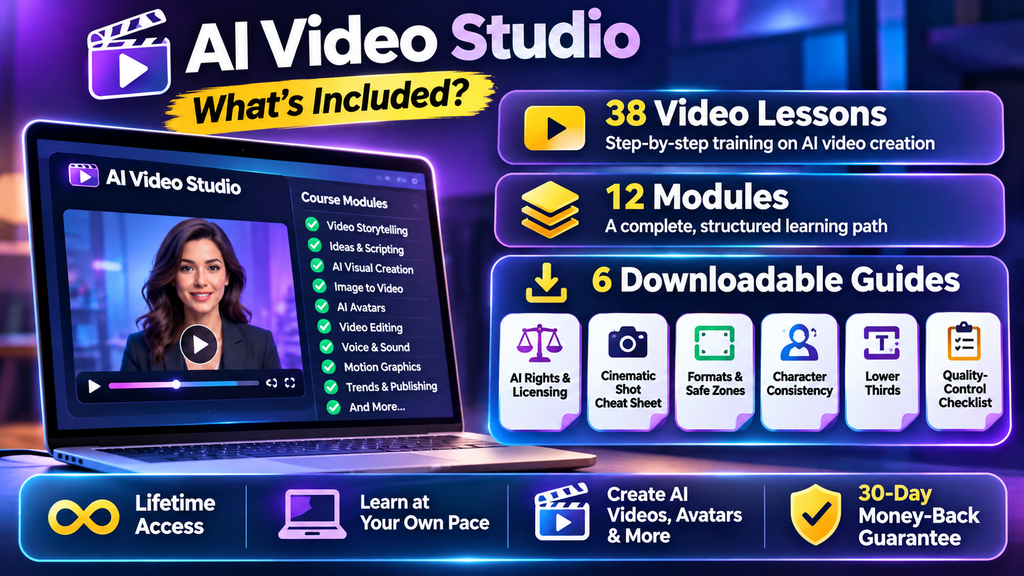
38 Video Lessons Across 12 Modules
The vendor advertises 38 video lessons organised into 12 modules.
This gives the course a structured learning format rather than requiring users to piece together unrelated tutorials from different sources.
One detail worth noting: the public curriculum page names 11 topic areas while separately advertising 12 modules. If the exact module-by-module breakdown matters to you, review the complete course outline before purchasing.
Six Downloadable Guides
The package also advertises six downloadable resources:
- AI Rights & Licensing: Guidance relating to rights and licensing considerations.
- Cinematic Shot Cheat Sheet: A reference for cinematic shot concepts.
- Formats & Safe Zones: Guidance on video formats and safe areas.
- Character Consistency: A reference for maintaining consistent characters.
- Lower Thirds: Guidance on lower-third graphic elements.
- Quality-Control Checklist: A checklist for reviewing video output.
These resources could be useful as references while practicing the workflows covered in the lessons.
AI Image and Video Creation
The curriculum covers AI image creation, prompting and turning images into moving scenes.
This is relevant for people who want to experiment with AI-assisted visual production.
AI Avatar Creation
The course also covers creating AI avatars that talk and remain consistent.
This could be particularly interesting for creators who want presenter-style content without recording themselves for every video.
CapCut and Final Cut Pro Editing
The advertised curriculum includes editing lessons using CapCut and Final Cut Pro.
This is a useful distinction: the course doesn’t stop at generating AI visuals. It also addresses editing and assembling those visuals into finished content.
Voice, Music and Sound Design
Audio is another part of the advertised curriculum.
The course covers voice, music and sound design, helping learners understand how audio contributes to the overall presentation of a video.
Lifetime Access
Creative Video Lab advertises lifetime access to the training, allowing learners to study at their own pace.
Check the current checkout terms for the applicable access conditions.
AI Video Studio Pricing: How Much Does It Cost?
The advertised price of AI Video Studio is:
$197 one-time payment.
According to the official offer, the purchase includes:
- 38 video lessons.
- 12 advertised modules.
- Six downloadable guides.
- Lifetime access.
- A 30-day money-back guarantee handled by ClickBank.
The one-time payment structure may appeal to people who prefer purchasing a training course instead of adding another recurring course subscription.
However, there is an important cost consideration.
AI Video Studio teaches workflows involving AI platforms and editing applications. Some third-party tools may require separate subscriptions or payments.
Therefore, don’t assume that the $197 purchase includes unlimited access to every AI model, video generator or editing application mentioned in the lessons.
Before purchasing, check the checkout page for the final price and any additional offers.
AI Video Studio Pros and Cons
No training program is suitable for everyone. Here are the main advantages and limitations to consider.
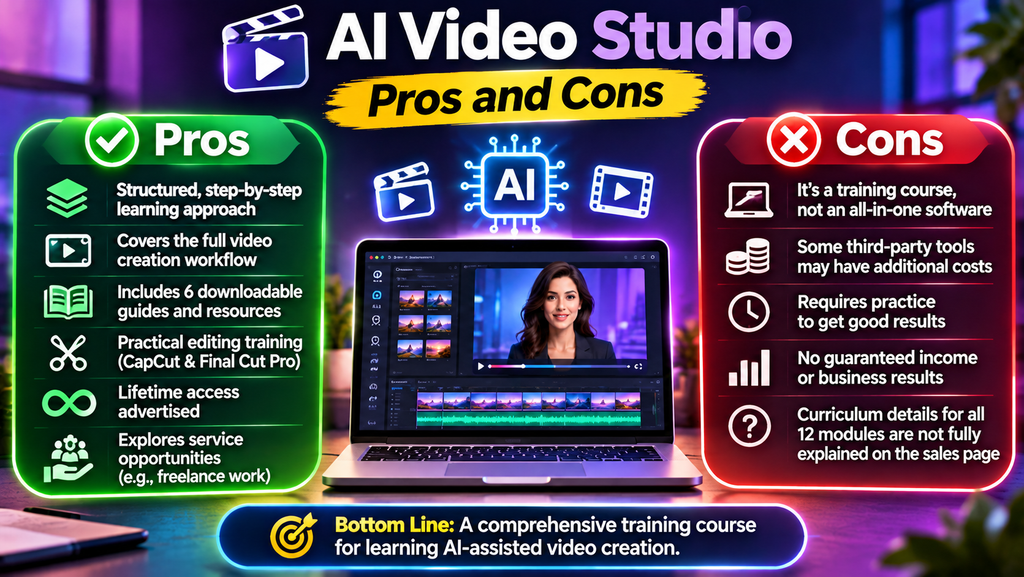
Pros of AI Video Studio
1. Structured learning approach
The course brings together multiple stages of AI-assisted video production, from scripting and visual creation to editing and publishing.
This could be useful for beginners who don’t know where to start.
2. Covers more than AI video generation
The advertised curriculum includes scripting, image generation, AI avatars, editing, motion graphics and sound design.
This broader approach is useful because producing a complete video involves more than generating a few clips.
3. Includes downloadable resources
The six advertised guides provide additional reference material alongside the video lessons.
4. Covers practical editing applications
The inclusion of CapCut and Final Cut Pro editing topics may help learners understand how to refine and assemble their video projects.
5. Lifetime access advertised
The vendor advertises lifetime access, which allows learners to revisit the training at their own pace.
6. Discusses potential service opportunities
The curriculum includes a topic on turning AI video creation skills into a service.
This may be relevant to freelancers and people exploring video production as a business offering.
Cons of AI Video Studio
1. It is a training course, not video-generation software
This is probably the most important limitation to understand.
If you’re expecting to purchase the course and immediately receive an all-in-one application that generates unlimited videos, this isn’t what the offer describes.
2. Additional software costs may apply
Some AI platforms and editing applications may have separate pricing, usage limits or subscriptions.
These costs should be considered when evaluating the overall investment.
3. Practical results require effort
Watching lessons alone won’t make you a capable video creator.
You’ll need to practise prompting, experiment with different tools, edit your output and improve your production workflow.
4. No guaranteed income or business results
The vendor explicitly states that results depend on your own work and practice and does not promise specific income or business outcomes.
Treat the course as skills training, not a guaranteed income opportunity.
5. The public curriculum doesn’t explain every module in detail
The sales page provides a useful overview, but it doesn’t fully describe every individual lesson or provide a complete breakdown of all 12 modules.
If you need that level of detail, review the official course information before purchasing.
Who Is AI Video Studio Best For?
The course may be worth considering for several types of users.
Beginners Interested in AI Video Creation
If you’re new to AI-assisted video production, the structured curriculum may help you understand the different stages involved.
Instead of learning scripting, image generation, avatars and editing in isolation, you can explore how these elements fit together.
YouTube and Short-Form Content Creators
Creators who publish regularly may find the lessons on scripting, visual creation, editing and viewer retention relevant.
Potential applications include:
- YouTube videos.
- YouTube Shorts.
- Instagram Reels.
- TikTok videos.
- Educational content.
- Promotional videos.
The training doesn’t guarantee increased views or subscribers, but it may help you develop additional production skills.
Freelancers and Video Editors
Freelancers who want to explore AI-assisted production may find the curriculum useful.
The advertised training includes ways to turn video creation skills into a service, which could be relevant to people considering video-related client work.
You’ll still need to build a portfolio, find clients and establish a service that meets their requirements.
Entrepreneurs and Small Business Owners
Small businesses often need promotional videos, product demonstrations and educational content.
Learning AI-assisted production may give business owners another option for creating these materials.
It could be particularly relevant if you want to experiment with producing content internally rather than outsourcing every video project.
Digital and Affiliate Marketers
Affiliate marketers and digital marketers can also explore AI-assisted video production for product explanations, educational content and promotional campaigns.
If you’re interested in creating explainer videos, you may also find our guide on how to create an explainer video for your product useful.

Who Should Probably Avoid AI Video Studio?
AI Video Studio may not be the right purchase if:
- You only want an application that automatically generates complete videos.
- You already have advanced AI video production skills.
- You don’t want to learn or practise editing workflows.
- You expect every third-party AI tool to be included in the purchase.
- You’re purchasing solely because you expect guaranteed income.
If your main objective is to find an AI video generator rather than a training program, compare dedicated software platforms before deciding.
AI Video Studio Alternatives: What Else Should You Consider?
AI Video Studio is a course, so its alternatives include both software platforms and other learning approaches.
Here are five options worth exploring.
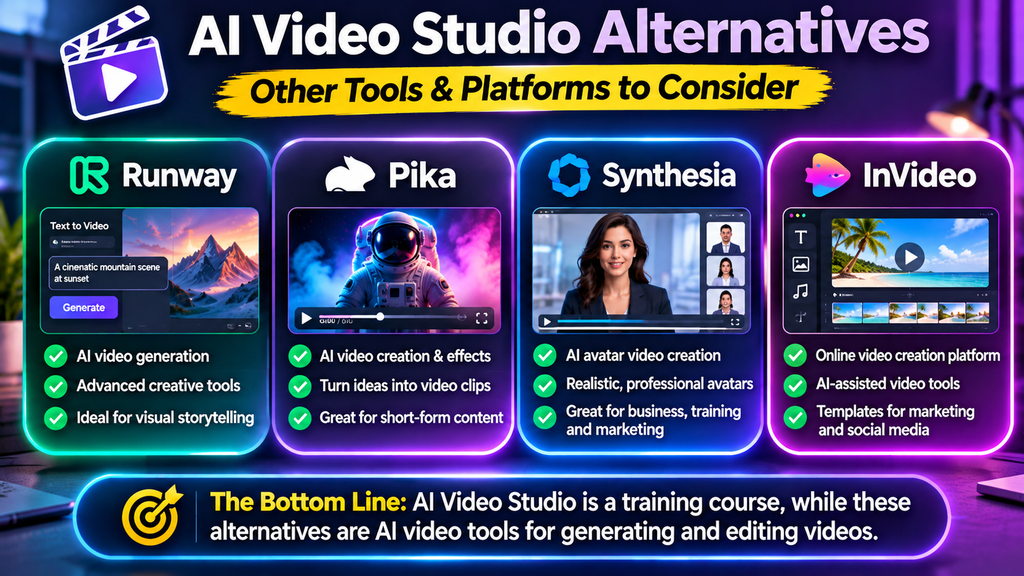
1. Runway
Runway is an AI-powered creative platform with video-generation capabilities.
It may be worth exploring if you want to experiment directly with AI-generated video clips and visual production.
Official website: https://runwayml.com/
2. Pika
Pika is another platform for AI-assisted video creation and creative visual effects.
It may appeal to people who want to experiment with generating and transforming short video clips.
Official website: https://pika.art/
3. Synthesia
Synthesia focuses on AI avatar-based video creation.
It may be particularly relevant to businesses, educators and marketers who want presenter-style videos for training, communication and marketing.
Official website: https://www.synthesia.io/
4. InVideo
InVideo provides online video creation tools with AI-assisted features.
It may be suitable for users who want to produce marketing and social media videos through an online platform.
Official website: https://invideo.io/
5. Free Tutorials and Learning Resources
You don’t necessarily need to purchase a course to begin exploring AI video production.
Free tutorials and official software documentation can help you understand individual tools and experiment with different workflows.
The trade-off is that you’ll need to organise your own learning path and decide which tutorials are worth following.
For a more detailed comparison of AI video tools, read our guide:
AI Video Generator Tools Compared 2026: What’s Actually Worth Paying For?
AI Video Studio vs Other AI Video Tools: What’s the Difference?
It’s important to compare products based on what they actually do.
AI Video Studio is designed to teach a broader AI-assisted video production workflow.
Dedicated platforms such as Runway and Pika focus on AI video generation and visual creation.
Synthesia concentrates on AI avatar presentations, while InVideo offers an online video production environment.
These products solve different problems.
If your main requirement is learning how to approach AI video production from scripting to editing, a structured training course may make more sense.
If you already understand video production and simply need software to generate specific assets, a dedicated application may be more appropriate.
You can also read our Hooked AI Review for another perspective on AI-assisted short-form video creation.
Is AI Video Studio Worth $197?
This is the main question.
At its advertised one-time price of $197, AI Video Studio needs to offer more than a collection of basic AI video tutorials to justify the purchase.
The advertised curriculum covers several important areas:
- Video storytelling and scripting.
- AI image creation and prompting.
- Image-to-video workflows.
- AI avatars.
- Video editing.
- Voice and sound design.
- Motion graphics.
- Viewer retention.
- Repeatable publishing workflows.
- Exploring video creation as a service.
It also advertises 38 video lessons, 12 modules, six downloadable guides and lifetime access.
For someone starting from scratch, having these topics organised into a single training program may be appealing.
However, the value depends on how much of the material you actually use.
If you’re willing to practise the workflows, experiment with different AI tools and develop your editing skills, the course may be worth considering.
If you only need an AI application to generate videos automatically, spending $197 on training may not be the best fit.
My recommendation is to evaluate the curriculum against your actual needs rather than purchasing based on the marketing claims alone.
AI Video Studio Refund Policy
The vendor advertises a 30-day money-back guarantee handled by ClickBank.
This provides a stated refund window for buyers who decide the purchase isn’t suitable.
Before ordering, review the current checkout terms and the applicable refund conditions.
For questions about an order or refund, consult ClickBank’s official customer support resources: https://www.clickbank.com/

Frequently Asked Questions About AI Video Studio
What is AI Video Studio?
AI Video Studio is an online training course from Creative Video Lab that teaches AI-assisted video production, including scripting, AI visuals, image-to-video workflows, avatars, editing, audio and publishing.
How much does AI Video Studio cost?
The advertised price is $197 as a one-time payment. Check the official checkout page for the current price.
Is AI Video Studio a monthly subscription?
The offer is advertised as a one-time $197 purchase rather than a monthly course subscription. Lifetime access is also advertised.
How many lessons are included in AI Video Studio?
The vendor advertises 38 video lessons across 12 modules.
What do you get with AI Video Studio?
The advertised package includes 38 video lessons, six downloadable guides and lifetime access to the training.
Does AI Video Studio include video generation software?
AI Video Studio is a training course, not an all-in-one video generation software subscription. Some workflows may require separate third-party tools.
Is AI Video Studio suitable for beginners?
It may be suitable for beginners interested in learning AI-assisted video creation. However, you’ll need to practise the techniques and become familiar with the tools.
Does AI Video Studio teach AI avatar creation?
Yes. AI avatar creation and character consistency are among the topics listed in the advertised curriculum.
Can you use AI Video Studio skills for freelance work?
The course includes material about offering AI video creation as a service. However, finding clients and earning income will depend on your skills, portfolio, marketing and business execution.
Does AI Video Studio offer a money-back guarantee?
The vendor advertises a 30-day money-back guarantee handled by ClickBank. Check the applicable terms before purchasing.
Is AI Video Studio worth buying in 2026?
It may be worth considering if you want structured training covering multiple stages of AI-assisted video production. It may not be suitable if you’re looking only for automatic video-generation software.
Final Verdict: Should You Buy AI Video Studio?
After reviewing the publicly advertised curriculum, features, resources and pricing, my conclusion is that AI Video Studio is worth considering for people who want structured training in AI-assisted video production.
Its biggest appeal is the breadth of topics covered.
Rather than focusing exclusively on generating AI videos, the course addresses scripting, visual creation, avatars, editing, audio, motion graphics and publishing workflows.
The advertised package also includes 38 lessons, 12 modules, six downloadable guides and lifetime access for a one-time price of $197.
There are limitations to consider. It isn’t an all-in-one AI video generator, some third-party tools may involve additional costs, and learning the techniques will require practice.
For beginners, content creators, freelancers and marketers who want to develop these skills, the course may be a reasonable option.
For people who simply want software that automatically creates videos, I’d recommend comparing dedicated AI video platforms first.
Ultimately, the decision comes down to whether you want to learn how to create AI-assisted videos or simply purchase a tool that generates them for you.
Where to Find AI Video Studio
If the course sounds relevant to your goals, you can review the official details and current offer below.
CLICK HERE TO EXPLORE AI VIDEO STUDIO – OFFICIAL WEBSITE
The advertised offer includes lifetime course access and a 30-day money-back guarantee handled by ClickBank. Review the checkout details before completing your purchase.
About this review: This article evaluates the publicly available product information supplied by Creative Video Lab. It is not a claim of independent hands-on testing of the members-only course. Pricing, inclusions and terms should be confirmed on the official sales page before purchasing.
Affiliate disclosure: Some links in this article are affiliate links. If you purchase through them, we may receive a commission at no additional cost to you. Our editorial assessment is based on the information available and the suitability of the product for different users.