Knowing how to do a website audit is the fastest way to find out why your site isn’t bringing in the leads, sales or traffic you expected. A marketing consultant doesn’t guess. They check a fixed list of things, rank what they find by impact, and fix the biggest problems first. You can do exactly the same on your own site, with free tools and one focused afternoon.
This guide shows you how to do a website audit in eight plain steps. You’ll check technical health, speed, on-page SEO, content, user experience, trust, tracking and AI search readiness. At the end, you’ll know how to turn a long list of problems into a short list of fixes that actually move the needle.
Table of Contents
What Is a Website Audit and Why Does It Matter?
A website audit is a structured check of how well your site performs for search engines and for real visitors. It looks at what’s broken, what’s slow, what’s unclear and what’s missing.
Most small business owners only look at their site when something goes wrong. By then, you may have lost months of traffic. A regular audit catches problems early and shows you where a small fix can bring a big result. The good news is that how to do a website audit is easier than most people think, and you can start today.

What You Need Before You Start
You don’t need expensive software to learn how to do a website audit. These free tools cover most of the job:
- Google Search Console to see which pages Google has indexed and which searches bring you clicks
- Google Analytics 4 to see how visitors behave and which pages lead to conversions
- PageSpeed Insights to measure speed and Core Web Vitals
- Ahrefs Webmaster Tools (free for sites you own) to crawl your site and flag technical issues
- A simple spreadsheet to log every issue, the page it’s on, and its priority
Step 1: Set a Goal and Record Your Baseline
The first rule of how to do a website audit is to start with a question: what should this website do for the business? Pick one main goal, such as leads, bookings, online sales or newsletter signups. Without it, you’ll end up fixing things that don’t matter.
Then write down your starting numbers so you can prove the audit worked later:
- Monthly organic visitors
- Conversion rate (the share of visitors who take your main action)
- Your top five pages by traffic
- Number of leads or sales per month
Step 2: Check Your Technical Health
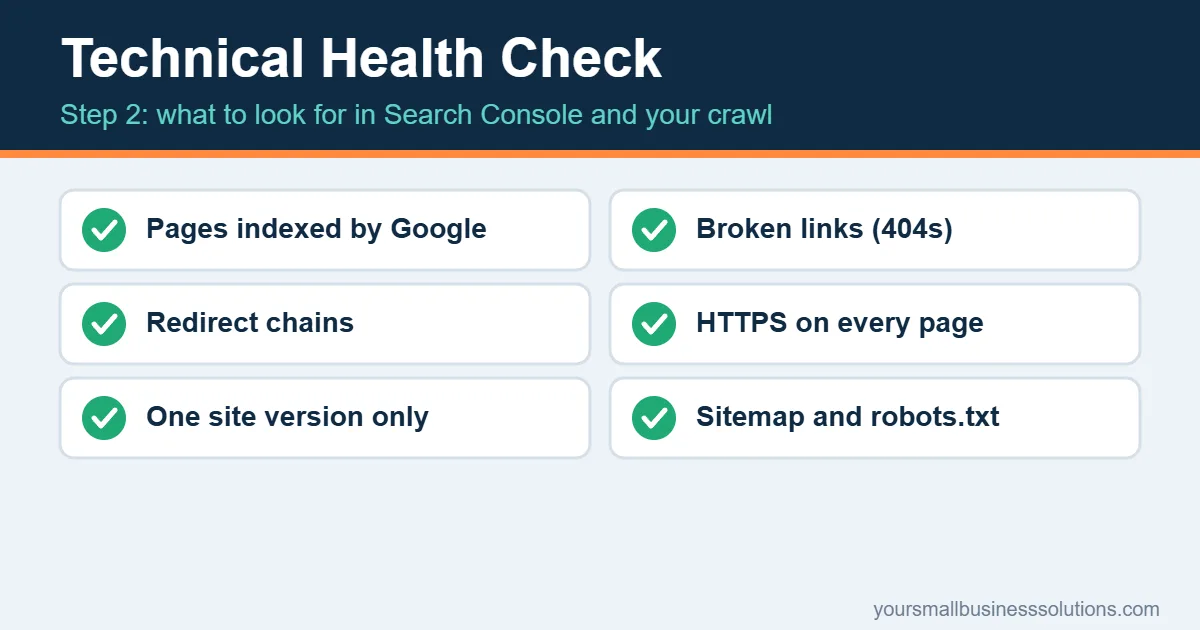
Technical problems quietly stop good pages from ranking. Start in Google Search Console and open the Pages report. It shows which pages are indexed and which ones Google skipped, with a reason for each.
Then crawl your site with a tool like Ahrefs Webmaster Tools. Look for:
- Pages that aren’t indexed but should be
- Broken links (404 errors) on your own site
- Redirect chains, where one redirect leads to another and slows everything down
- HTTPS issues, such as pages that still load over an insecure connection
- Duplicate versions of your site (www and non-www, or http and https)
- Your XML sitemap and robots.txt, to make sure nothing important is blocked
A quick manual test helps too. Search site:yourdomain.com in Google. If the number of results looks far too low or far too high, something is off.
Step 3: Test Your Speed and Mobile Experience
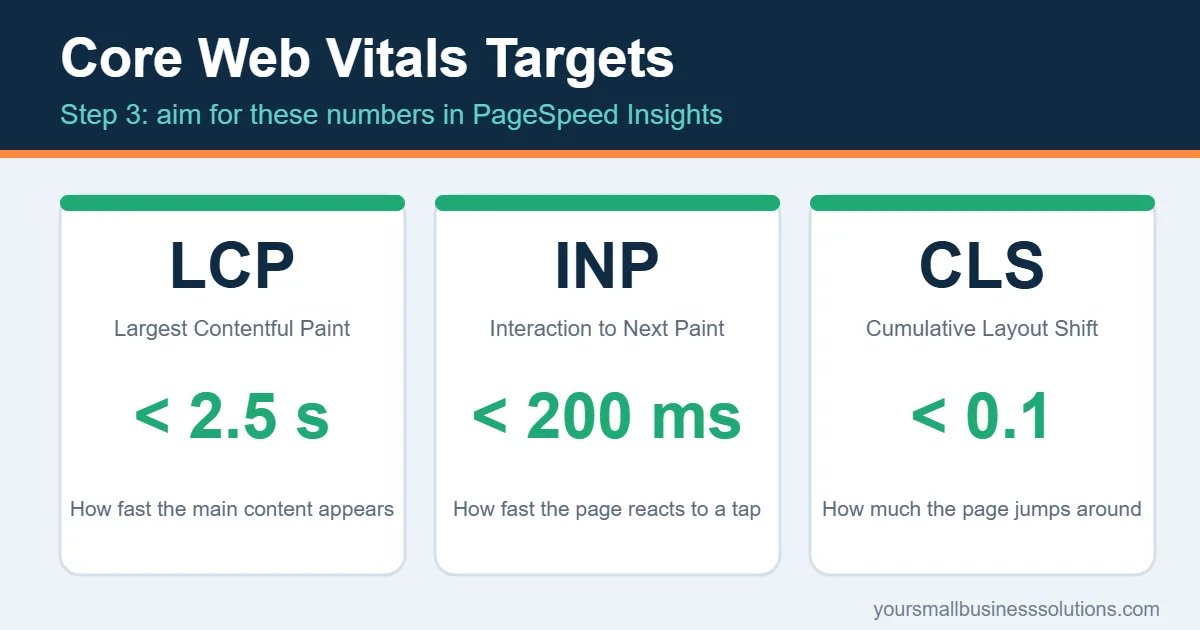
Most visitors will see your site on a phone, so judge it there first. Paste your main pages into PageSpeed Insights and check the Core Web Vitals:
- Largest Contentful Paint (LCP): how fast the main content appears. Aim for under 2.5 seconds.
- Interaction to Next Paint (INP): how quickly the page reacts to a tap or click. Aim for under 200 milliseconds.
- Cumulative Layout Shift (CLS): how much the page jumps while loading. Aim for under 0.1.
The usual culprits are oversized images, too many plugins, and no caching. Compress images, switch to WebP, remove plugins you don’t use, and add a caching plugin. Slow or unreliable sites also cost real money, as we explain in the cost of downtime for small business. Then open your site on a real phone and tap through it. Buttons should be easy to hit and text easy to read without zooming.
Step 4: Audit Your On-Page SEO
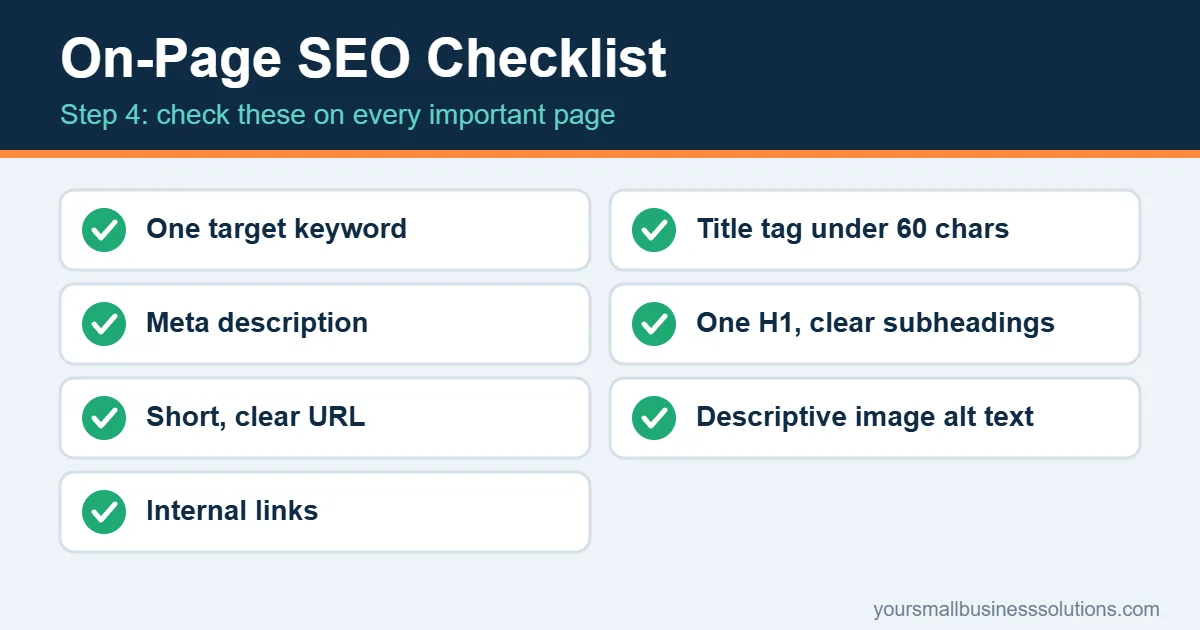
On-page SEO tells Google and visitors what each page is about. Go through your most important pages one by one and check:
- One clear target keyword per page
- Title tag that includes the keyword and stays under about 60 characters
- Meta description that gives a reason to click
- One H1 and a logical set of H2 and H3 headings
- Short, descriptive URLs
- Image alt text that describes what’s in the image
- Internal links pointing to and from related pages
Here’s a quick win consultants love. In Search Console, open the Performance report and look for pages ranking between positions 8 and 20. They’re close to page one. Improving the title, adding a section, or linking to them from stronger pages often pushes them up. If you want help with titles and rewrites, see our comparison of AI SEO tools for small business.
Step 5: Review Your Content Page by Page
A consultant sorts every page into one of four groups: keep, update, merge or delete. Ask these questions about each page:
- Does it match what people searching for this topic actually want?
- Is the information still correct and current?
- Is it thin, with too little to be useful?
- Does another page on your site target the same keyword? If so, the two compete with each other, and merging them usually helps.
Update old posts with fresh facts and clearer answers. Merge near-duplicates and redirect the old URL. Delete or noindex pages that serve no purpose. Also check that your content shows real experience, with your own examples, names, photos and results.
Step 6: Look at User Experience and Conversion
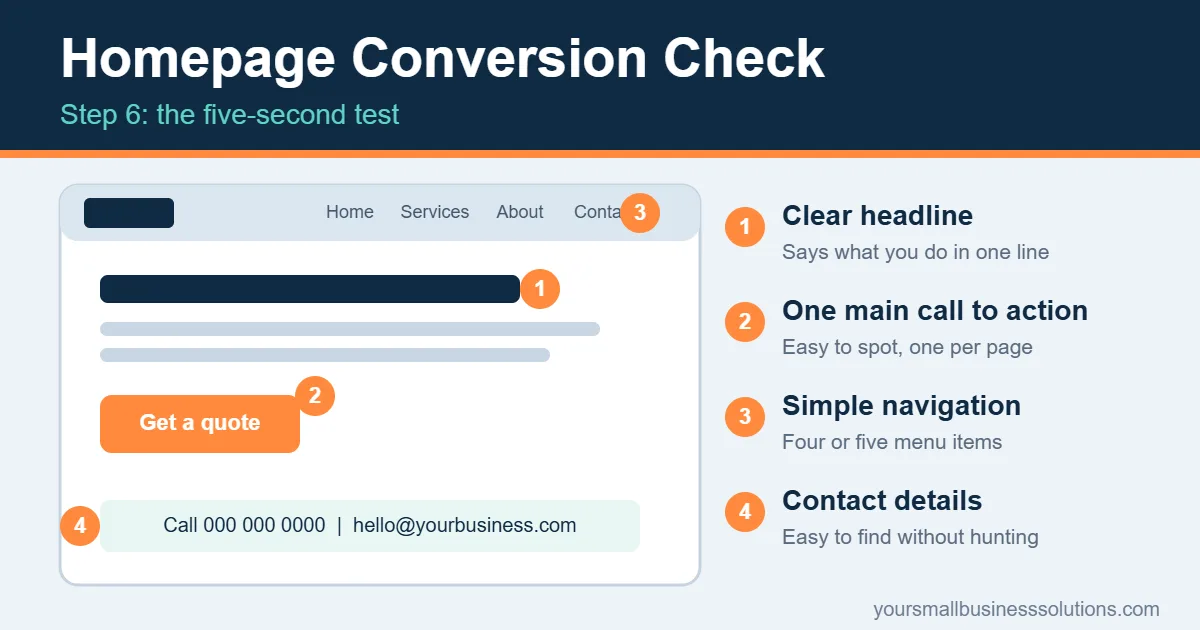
Traffic only helps if visitors take action. Open your homepage and key pages and run the five-second test: can a stranger tell what you offer, who it’s for, and what to do next within five seconds?
Check these points:
- A clear headline that says what you do
- One main call to action per page, easy to spot
- Short forms with only the fields you truly need
- Simple navigation with a few clear menu items
- Contact details that are easy to find
For proof of what visitors actually do, add a free tool such as Microsoft Clarity. Its heatmaps and session recordings show where people click, where they scroll, and where they give up. If you’re unsure whether you need a full website or a funnel, read funnel builder vs website.
Step 7: Check Trust, Security and Accessibility
Visitors decide in seconds whether your business feels real and safe. Make sure your site shows:
- HTTPS on every page, with no browser warnings
- A real About page with names, photos and your story
- Reviews and testimonials from actual customers
- A privacy policy and a cookie notice where your audience’s laws require one
- Clear contact information, including an email, phone number or address
Add a basic accessibility check too. Images need alt text, text needs strong contrast against its background, and the site should work with a keyboard alone. This helps more people use your site and sends positive quality signals. For more detail, read our 5 simple cybersecurity basics and the customer privacy checklist.
Step 8: Verify Tracking, Study Competitors and Test AI Visibility
This last step in how to do a website audit is where many audits stop too early, so it’s worth doing carefully.
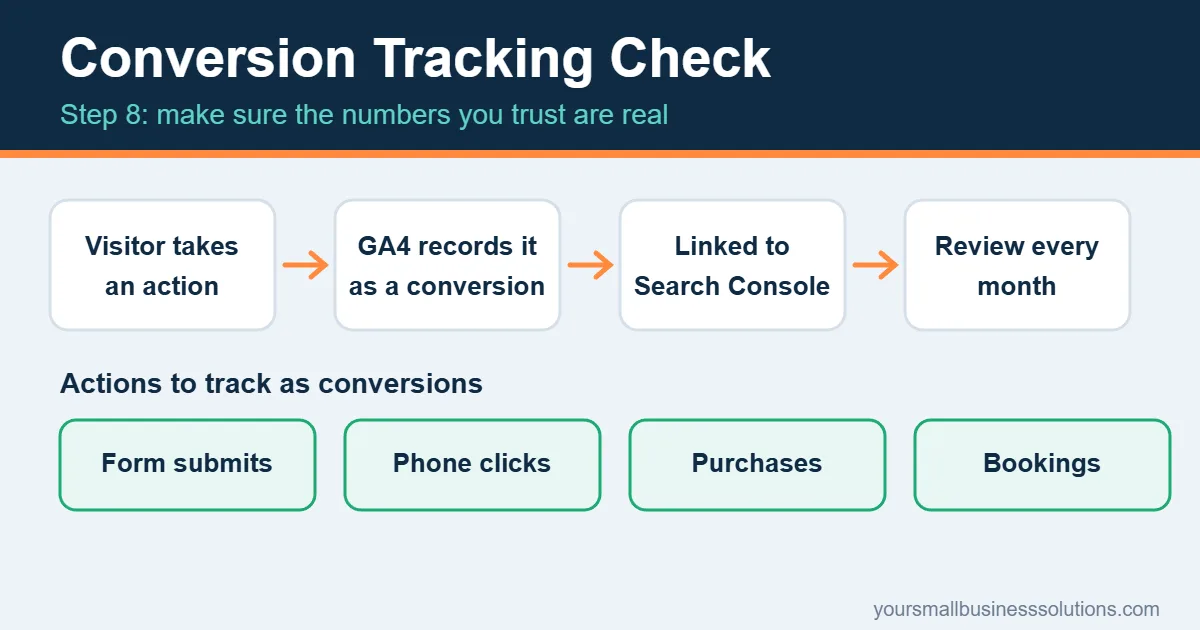
Tracking. Confirm that Google Analytics 4 is installed and that your key actions are set up as conversions: form submissions, phone clicks, purchases or bookings. Link Search Console to Analytics so the two data sets work together. If your tracking is wrong, every other decision you make rests on bad numbers.
Competitors. Pick three competitors who rank above you. Look at which pages they have that you don’t, how they structure their service pages, and what they offer in place of a plain “contact us” button. You’re not copying them. You’re finding gaps.
AI search. More people now get answers from Google AI Overviews and chat tools instead of clicking ten links. Try asking those tools the questions your customers ask, and see whether your business is mentioned. To improve your chances, answer questions directly near the top of a page, add an FAQ section, use clear headings, and keep your business details consistent across your site and profiles. Our AI search optimization checklist and guide to getting mentioned in ChatGPT and AI Overviews go deeper.
How to Prioritize What You Find
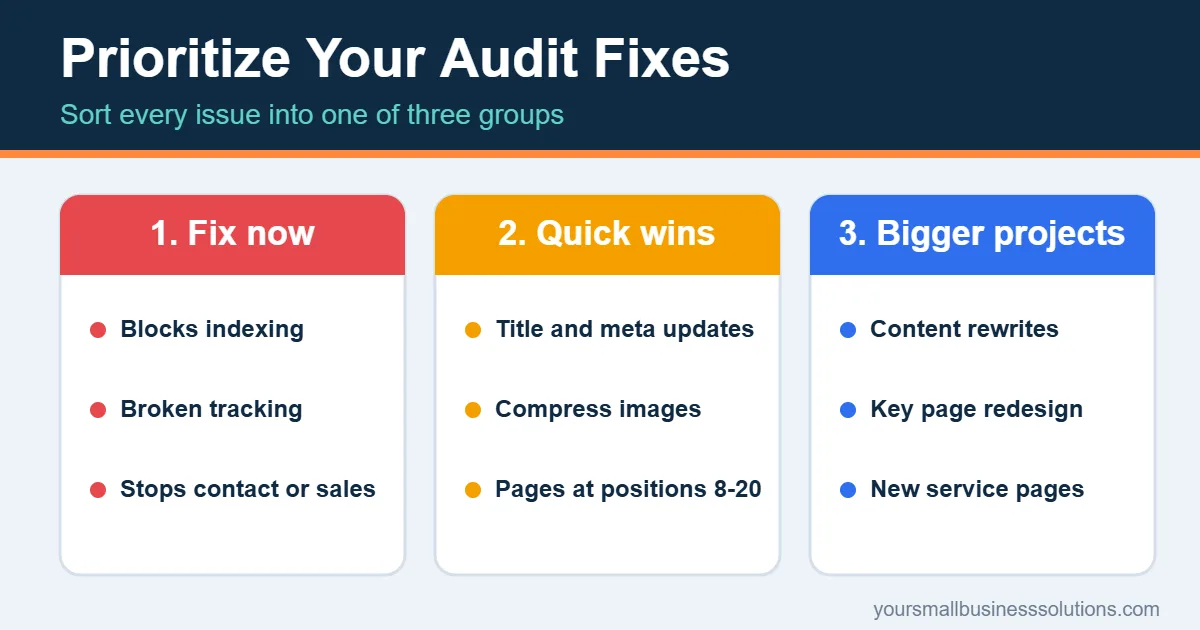
After you learn how to do a website audit, your spreadsheet may hold dozens of issues. A consultant never tries to fix them all at once. Sort them into three groups:
- Fix now: anything that blocks indexing, breaks tracking, or stops visitors from contacting you or buying
- Quick wins: title and meta updates, image compression, broken links, pages stuck at positions 8 to 20
- Bigger projects: content rewrites, a redesign of key pages, new service pages
You’ll often notice that many fixes are repetitive jobs: updating titles, rewriting descriptions, checking links, drafting FAQs. That’s a good moment to look at where AI tools could take some of the work off your plate. The SmallBiz AI Checklist is a handy place to start, because it helps small business owners decide which tasks are worth handing to AI and which are better kept in human hands. Our guides on marketing automation for solopreneurs and signs it’s time to automate a task can help you decide.

How Often Should You Do a Website Audit?
Run a quick check every month: Search Console errors, broken links and conversion numbers. Do a full website audit every three to six months, or after a redesign, a platform change or a sudden drop in traffic. Re-check your baseline from Step 1 each time to see what has improved.
Conclusion
Learning how to do a website audit takes the guesswork out of growing your site. Start with a clear goal, check your technical health and speed, tidy your on-page SEO and content, improve the experience, build trust, and confirm your tracking. Then fix issues in order of impact, not in the order you found them.
Now that you know how to do a website audit, pick one hour this week, open Search Console, and complete Step 2. That single step often reveals the problem that has been holding your site back.
Frequently Asked Questions
How to do a website audit for free?
Use Google Search Console, Google Analytics 4, PageSpeed Insights and Ahrefs Webmaster Tools. Together they cover indexing, behavior, speed and technical issues at no cost.
How long does a website audit take?
For a small site, a first audit usually takes two to four hours. Later audits are faster because you’re only checking for changes.
What’s the difference between a website audit and an SEO audit?
An SEO audit focuses on search visibility. A website audit is wider: it also covers user experience, conversions, trust, tracking and content quality.
Do I need to hire a consultant?
Not to get started. You can catch most major issues yourself using this process. Consider a specialist if the site is large, was hit by a traffic drop you can’t explain, or needs a full redesign.